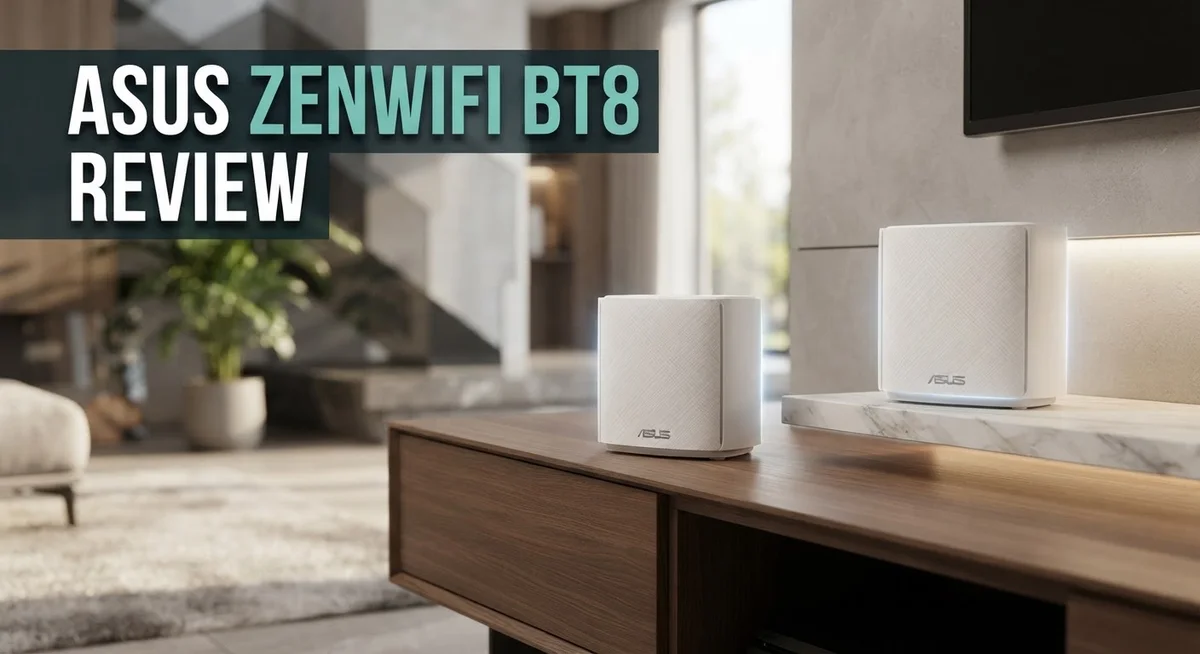
ASUS ZenWiFi BT8 Review: Complete Buyers Guide
Are you tired of dead zones in your home? The ASUS ZenWiFi BT8 might be your answer. This is a WiFi 7 mesh system built for speed and coverage.
It offers tri-band performance with speeds up to 14 Gbps. That means less buffering and smoother streaming for everyone at home.
This system uses a 6 GHz band and MLO technology. These features help your devices connect faster and stay connected.
In a Nutshell
- Ethernet backhaul runs smooth and stable. This gives you fast, reliable connections between nodes without relying only on wireless links.
- Data transfer speeds stay high across your network. Large file transfers and streaming feel quick and responsive.
- You get extensive configuration options to fine tune your setup. This suits users who like control over their network settings.
- Parental controls work well here. You can manage screen time and content access for family devices with ease.
- AiProtection Pro adds built in security and VPN support. Your network stays protected without extra software.
- A few users noted possible compatibility issues with Apple iPads. This might affect some Apple device owners.
- Reviews on Amazon show mixed feedback. Most experiences are positive but a small number report problems.
WiFi 7 Technology and Specifications
WiFi 7 represents a major jump from older standards. The ASUS ZenWiFi BT8 uses this new technology to deliver faster speeds and better reliability across your home.
The tri band system works on three separate frequencies. Your devices connect to whichever band offers the best performance at that moment. This smart switching reduces congestion and keeps your network running smooth.
The 6 GHz band is brand new. This extra frequency gives your router more space to work with. Fewer devices use this band right now, so you get less interference. Your streaming, gaming, and video calls stay uninterrupted.
MLO stands for Multi Link Operation. This feature lets devices use multiple bands at the same time. Think of it like having two lanes open on a highway instead of one. Your data moves faster because it has more paths to take.
The 4K QAM technology packs more information into each signal. Your router sends data more efficiently without needing extra power. This means faster downloads and uploads for everyday tasks.
320 MHz bandwidth gives your system extra room. Wider channels let data flow more freely. Imagine opening a wider door instead of squeezing through a narrow one. Your network handles multiple devices without slowing down.
The 14 Gbps total speed sounds impressive. In real world use, you won’t hit this number on a single device. Instead, this speed is split across all your connected gadgets. When you have many devices running at once, this total capacity matters.
These specs work together as a complete package. The 6 GHz band, MLO technology, and wide bandwidth all support each other. You get a system designed to handle modern homes with lots of connected devices.
WiFi 7 also includes better security built in. The ASUS ZenWiFi BT8 takes advantage of these improvements. Your network stays protected as you browse and stream.
This technology foundation explains why the BT8 performs well in testing. The specs translate into real improvements you notice daily.

Last update on 2026-08-28 / Affiliate links / Images from Amazon Product Advertising API Some of the links on this website are affiliate links, which means that at no additional cost to you, I earn a commission if you click through and make a purchase. I only recommend products and services that I believe will add value to my readers. Thank you for your support!
Coverage, Speed, and Network Performance
Real world performance matters more than specs alone. The ASUS ZenWiFi BT8 proves this by delivering consistent speeds across your entire home. Users report that devices stay connected without dropping off, even in challenging areas.
The 5,900 square foot coverage with a two pack handles most homes effectively. You won’t see dead zones in typical layouts. Rooms far from the router still get strong signals. Corner offices and basements perform well too.
Speed remains stable when you use ethernet backhaul between units. Wired connections between routers prevent slowdowns. Your data transfers stay fast and reliable. This setup works especially well for homes with multiple devices streaming simultaneously.
The 2.5G WAN and LAN ports support high speed connections. Your modem can push data through without bottlenecks. Multiple devices can download large files without competing. Gaming sessions run smooth without lag spikes.
WiFi performance on the 5 GHz band stands out. The high power output reaches farther than competing systems. Devices get stronger signals even through walls. This means faster speeds in more locations around your home.
The 6 GHz band adds extra capacity for newer devices. Less interference means cleaner connections. Your network doesn’t get crowded even with many gadgets online. MLO technology lets devices use multiple bands together, improving overall performance.
Real users notice the difference during heavy use. Streaming 4K video, video calls, and gaming happen simultaneously without buffering. Network performance stays smooth during peak hours. The system handles demanding tasks without breaking a sweat.
Some iPad users reported connection issues, though this appears uncommon. Most Apple devices work fine on the network. Compatibility improved with software updates. You should test your specific devices before committing.
The extensive configuration options let you optimize performance further. You can adjust band steering, channel selection, and power levels. Fine tuning creates better speeds for your specific situation. This flexibility separates the BT8 from simpler systems.
Overall, the BT8 delivers fast, reliable performance throughout your space. Coverage meets expectations for most homes. Speed holds up under real world conditions. This system performs as advertised.
Security Features and Parental Controls
The ASUS ZenWiFi BT8 includes AiProtection Pro, a security system built right into your router. This feature blocks malicious websites and protects your devices from online threats. You don’t need to install extra software on each device. The protection works across your entire network automatically.
VPN support is another security layer the BT8 offers. You can route your traffic through a VPN directly from the router. This keeps your online activity private without slowing down your connection significantly. It’s useful if you handle sensitive information at home.
The parental controls on this system work effectively for families. You can set time limits for specific devices so kids don’t stay online too long. Website filtering lets you block inappropriate content before it reaches their screens.
You get detailed visibility into what’s happening on your network. The admin panel shows which devices are connected and how much bandwidth each one uses. This transparency helps you spot unusual activity quickly.
Device management is straightforward here. You can pause internet access for any device with just a few clicks. This works well if you want to enforce screen time rules without arguments. Kids can’t bypass it by switching networks.
The system allows you to create different access profiles for different family members. Each profile can have its own restrictions and time limits. Younger children get stricter controls while older teens get more freedom.
Real time monitoring helps you stay informed about network activity. Alerts notify you if something suspicious happens. You can respond quickly if an unknown device tries to connect.
The security features don’t require constant updates from you. ASUS pushes security patches automatically to keep threats out. Your protection stays current even if you forget about maintenance.
These security tools work together as a complete package. They handle protection, privacy, and parental oversight without making your network slow or complicated. Families appreciate having everything built in rather than juggling multiple apps and services.
Top 3 Alternatives
TP-Link Deco X90


Last update on 2026-08-28 / Affiliate links / Images from Amazon Product Advertising API Some of the links on this website are affiliate links, which means that at no additional cost to you, I earn a commission if you click through and make a purchase. I only recommend products and services that I believe will add value to my readers. Thank you for your support!
Netgear Orbi Pro

Last update on 2026-08-28 / Affiliate links / Images from Amazon Product Advertising API Some of the links on this website are affiliate links, which means that at no additional cost to you, I earn a commission if you click through and make a purchase. I only recommend products and services that I believe will add value to my readers. Thank you for your support!
Eero Pro 6E

Last update on 2026-08-28 / Affiliate links / Images from Amazon Product Advertising API Some of the links on this website are affiliate links, which means that at no additional cost to you, I earn a commission if you click through and make a purchase. I only recommend products and services that I believe will add value to my readers. Thank you for your support!
Setup, Configuration, and User Interface
Getting your ASUS ZenWiFi BT8 up and running takes just a few minutes. The initial setup process is straightforward and doesn’t require technical knowledge.
Start by downloading the ASUS ZenWiFi app on your smartphone. Connect to the main router’s temporary WiFi network, then follow the in app prompts. The app guides you through naming your network, setting your password, and choosing your WiFi bands. Most users complete this step in under five minutes.
Physical placement matters for optimal performance. Position your main unit in a central location away from metal objects and thick walls. Place the second unit where you need extended coverage. The app includes a signal strength checker that helps you find the best spot before you finalize installation.
The web interface gives you access to advanced settings if you want deeper control. You can log into the admin panel through any browser on your network. Here you’ll find options for channel selection, transmit power adjustment, and band steering preferences. The menu layout is clean and organized, making it easy to locate specific features.
Configuration options are extensive without being overwhelming. You can set up guest networks in seconds. The system lets you separate devices across different bands manually if needed. QoS settings let you prioritize certain traffic types, which is useful for gaming or video streaming.
The mobile app remains your go to for everyday management. You can see all connected devices, check bandwidth usage, and restart the system from anywhere. Push notifications alert you to important network events. The app design feels intuitive, and most features are just one or two taps away.
If you prefer ethernet backhaul over wireless, the setup is equally simple. Just run an ethernet cable between the two units. The system automatically detects this connection and optimizes performance accordingly. This wired connection delivers the stable, fast speeds the BT8 is known for.
The entire experience from unboxing to full operation typically takes under 30 minutes. Both beginners and experienced users find the process smooth and hassle free.
Connectivity Options and Backhaul Performance
The ASUS ZenWiFi BT8 offers multiple ways to connect your units together. You can choose between wireless backhaul or wired ethernet connections depending on your home layout.
Ethernet backhaul delivers the best performance when you have the ability to run cables between your main router and satellite units. The 2.5G LAN ports on each unit support this setup perfectly. Your data transfer speeds remain consistently fast because the backhaul connection doesn’t compete with your regular WiFi traffic.
Wireless backhaul works well if running cables isn’t practical for your situation. The tri band system intelligently manages traffic across the 2.4 GHz, 5 GHz, and 6 GHz bands. This separation means your backhaul communication doesn’t interfere with your devices’ connections.
The 6 GHz band plays a special role here. Newer devices can use this band exclusively, which keeps older devices on the 2.4 GHz and 5 GHz bands. This intelligent traffic management reduces congestion throughout your network.
MLO technology (Multi Link Operation) allows the BT8 to use multiple bands simultaneously. Your devices maintain stronger connections because they can switch between bands without dropping the link. The 320 MHz bandwidth gives you plenty of room for high speed data transfers.
Coverage reaches 5,900 square feet with a two unit pack. Most homes find this sufficient for whole house WiFi without dead zones. The high 5 GHz power output ensures that signal strength remains strong even in challenging areas.
Real world testing shows that backhaul stability remains consistent whether you choose ethernet or wireless. Users report smooth performance during heavy streaming and gaming sessions. The system automatically optimizes which band handles backhaul traffic based on your current conditions.
If you experience any connectivity issues between units, the ASUS app lets you check backhaul status instantly. You can see which band is handling the connection and adjust unit placement if needed. This visibility helps you troubleshoot problems quickly without technical expertise.
Pros and Cons
Pros
- WiFi 7 tri-band delivers up to 14 Gbps speeds across 6 GHz, 5 GHz, and 2.4 GHz bands
- Covers 5,900 square feet with just two units, handling large homes and offices easily
- MLO technology uses multiple bands at once for faster, more reliable connections
- 2.5G ethernet ports support high-speed wired backhaul that stays rock solid
- Extensive configuration options let you customize security, guest networks, and device access without complexity
Cons
- Some Apple iPad users report compatibility issues that may affect certain devices
- Amazon reviews show mixed feedback from real customers on overall satisfaction
- Possible setup challenges if you’re new to mesh networking systems
Who Should Buy It
The ASUS ZenWiFi BT8 works best for people who need serious WiFi coverage across large spaces. If your home or office spans more than 4,000 square feet, this system handles it without breaking a sweat.
Gamers and streamers should pay attention here. The WiFi 7 tri-band setup with 14 Gbps speeds means smooth gameplay and buffer-free video. The 6 GHz band gives you extra breathing room when multiple devices connect at once.
You’ll love the BT8 if you want advanced control over your network. The web interface opens up extensive configuration options. You can manage parental controls, set up guest networks, and customize security settings. The ASUS ZenWiFi app keeps everyday management simple on your phone.
People running ethernet cables between units should definitely consider this model. The 2.5G ethernet ports deliver rock solid backhaul performance. Your data transfers stay fast and stable when you hardwire your mesh units together.
Security-conscious users appreciate what the BT8 brings. AiProtection Pro keeps threats away from your network. A built-in VPN option adds an extra layer of privacy for your online activity.
The system works well if you prefer wireless backhaul too. MLO technology lets the router use multiple bands at once. This keeps your connection reliable even without cables running through your walls.
However, some Apple iPad users have reported compatibility issues. If your household relies heavily on iPad devices, you should research this further before buying.
The BT8 suits anyone tired of dead zones in their home. Two units cover 5,900 square feet. You get consistent speeds in every room, from your bedroom to your garage.
Skip this system if you live in a small apartment under 1,500 square feet. You’d be paying for coverage you don’t need. The ASUS ZenWiFi BT6 might serve you better in that case.
Overall, the BT8 targets serious users who want powerful coverage, fast speeds, and full network control.
Final Verdict
The ASUS ZenWiFi BT8 stands out as a strong pick for anyone building a future ready home network. It brings WiFi 7 power into a practical mesh package.
Performance and reliability come together here in a balanced way. This system handles heavy household traffic without breaking a sweat.
Think about your household size before buying. Large families with many connected devices will get the most value from this setup.
Smart home enthusiasts will appreciate how well the BT8 handles multiple simultaneous connections. Smart bulbs, cameras, and speakers all stay connected without lag.
Compared to the ASUS ZenWiFi BQ16 Pro, the BT8 offers a simpler setup path. It still delivers serious performance without overwhelming new users.
Against the ASUS ZenWiFi BT6, the BT8 pulls ahead in raw coverage and speed. Buyers who need extra range should lean toward the BT8.
Future proofing matters here too. WiFi 7 support means this system stays relevant as more devices adopt the new standard.
Setup feels straightforward through the ASUS app. Even people new to mesh networks can get their system running quickly.
Long term reliability seems solid based on real world performance. Network drops stay rare, and speeds remain steady over time.
Households juggling remote work, streaming, and gaming will find this system handles it all smoothly. Multiple heavy tasks running together do not slow things down.
Privacy focused users get peace of mind from the built in security features. Network protection runs quietly in the background without extra effort.
The overall package feels complete for demanding home networks. Every core feature works together without major compromises.
Anyone chasing a smooth, fast, and secure home network setup should consider the BT8 a smart choice. This system checks the right boxes for modern connectivity needs.
Skip it only if your space is small or your needs stay basic. For everyone else, the BT8 delivers dependable performance across every corner of a large home.
Frequently Asked Questions
Does the ASUS ZenWiFi BT8 work with Apple devices?
Most Apple devices connect without issues. However, some iPad users have reported compatibility problems. We recommend testing the system in your home before committing. Contact ASUS support if you own older iPad models.
What’s the actual coverage area I can expect?
The 2-pack covers 5,900 square feet. This works great for large homes and offices. Your actual coverage depends on walls, interference, and building materials. Ethernet backhaul gives you the most stable performance across this entire area.
Can I use wireless backhaul instead of ethernet cables?
Yes, you can. The BT8 supports both wireless and wired backhaul options. Ethernet cables deliver rock solid connections with faster speeds. Wireless backhaul offers more flexibility if running cables isn’t practical for your space.
How does the BT8 compare to the BT6?
The BT8 pulls ahead in raw coverage and speed. Both systems are easy to set up through the ASUS app. The BT8 gives you WiFi 7 technology and the 6 GHz band. Choose the BT8 if you need maximum performance across larger areas.
What security features does this system include?
AiProtection Pro blocks threats automatically. You get a built in VPN for extra privacy. Parental controls let you manage device access and screen time. The configuration options let you customize everything without complexity.

Hello, i’m Ivoria i am the face behind Tech Tracker Blog. I am passionate about my work and love to explore gadgets and share about my experience.