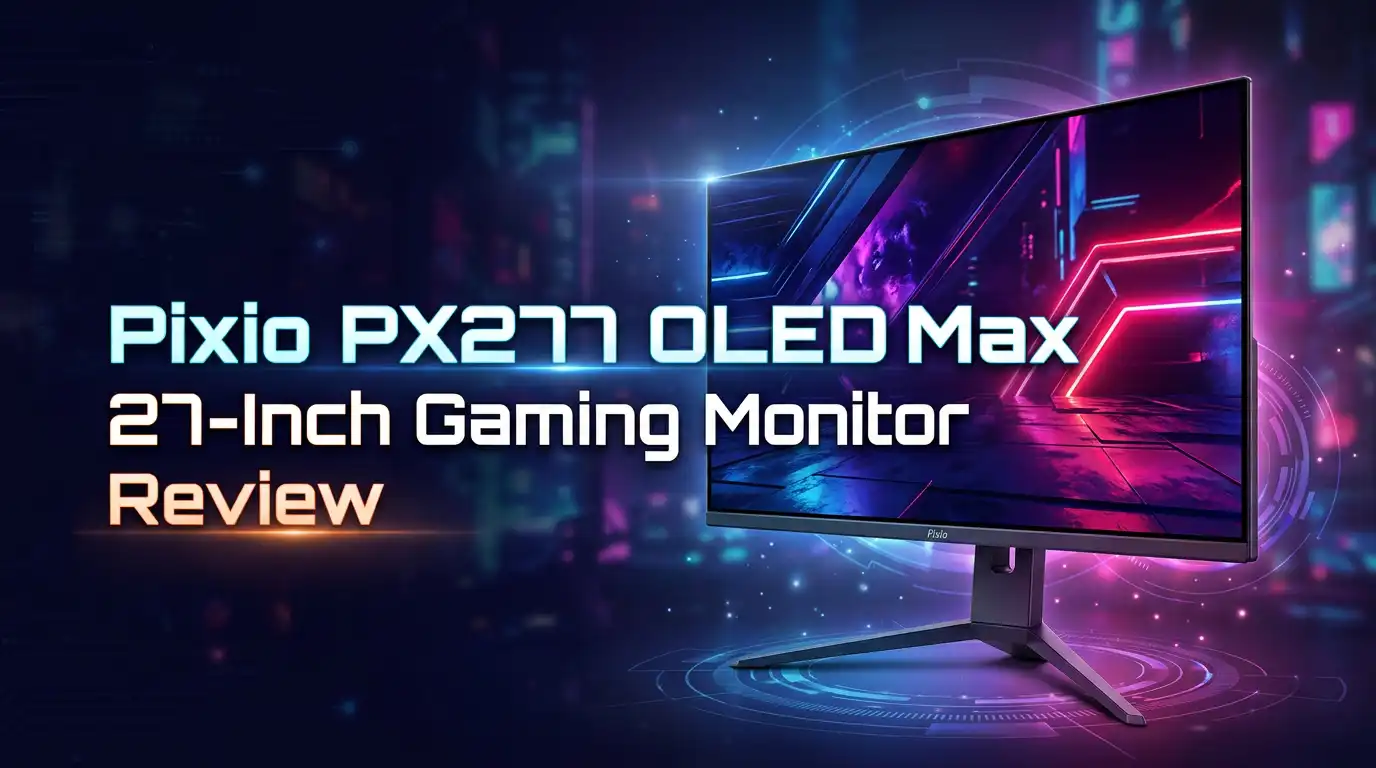
Pixio PX277 OLED Max 27-Inch Gaming Monitor Review 2026
Gamers want sharp images. They want fast screens too. The Pixio PX277 OLED Max promises both.
This 27 inch monitor packs a 1440p OLED panel. It also runs at a smooth 240Hz refresh rate. That combo means crisp visuals and fluid motion.
OLED technology brings something special to the table. Each pixel lights itself up. This creates deep blacks and amazing contrast that LCD screens struggle to match.
In a Nutshell
- OLED panel excellence: Self lit pixels create deep blacks and sharp contrast. Your games will look more alive than ever on this screen.
- Smooth 240Hz performance: Fast paced games run without blur or lag. Competitive players get a real edge with this refresh rate.
- Smart connectivity features: The USB-C port delivers 65W power delivery for easy charging. A built in KVM switch lets you control two devices with one setup.
- User approval is strong: 99.4% positive feedback shows real gamers love this screen. People trust Pixio for solid build quality and performance.
- Some tweaking required: You may need to adjust image settings for the best results. A few reviews point out minor flaws worth knowing about.
- Strong competition exists: Brands like ASUS offer similar specs. Pixio still holds its ground with great all round value and reputation.
Display Quality and OLED Performance
The OLED panel on this 27 inch monitor delivers something most standard displays simply cannot match. Each pixel produces its own light source. This means blacks are truly black, not just dark gray like on LCD screens.
Contrast levels reach extreme highs because pixels can turn completely off. When a pixel is off, it emits zero light. When it’s on, it shines bright. This on or off nature creates stunning depth in games. Dark corners of dungeons pop with detail. Night scenes reveal textures you would miss on other panels.
Color accuracy matters for gaming too. The OLED tech here renders colors with precision. Reds stay vivid without bleeding into adjacent pixels. Blues remain cool and crisp. This precision helps you spot enemies in competitive shooters faster.
Response time is another OLED strength. Pixels switch states incredibly fast, which means motion looks smooth even in rapid action sequences. The 240Hz refresh rate works perfectly with this pixel speed. Fast paced games feel responsive and clean without ghosting or blur trails.
Brightness on OLED panels sometimes gets questioned. This model handles peak brightness well in HDR content. Standard desktop brightness is solid too. You won’t struggle to see menus or text even in bright rooms. Some users find the factory settings a bit dim for their taste, which is why image tweaking becomes useful.
Burn in risk exists with OLED technology, but modern panels include safeguards. This screen has protective features built in. Static images left on screen for weeks might cause issues, but normal gaming use poses minimal risk. Most gamers swap between different games and apps frequently, which prevents burn in naturally.
The anti glare coating helps reduce reflections without washing out colors. This coating sits on top of the OLED layer. It keeps the crisp image quality intact while making the screen less mirror like.
Real world gaming shows these advantages clearly. Players report that games look more immersive. Cinematics feel more dramatic. Gameplay feels more responsive. The combination of deep blacks, fast response, and smooth 240Hz motion creates an experience that justifies the OLED choice for serious gamers.

Last update on 2026-10-23 / Affiliate links / Images from Amazon Product Advertising API Some of the links on this website are affiliate links, which means that at no additional cost to you, I earn a commission if you click through and make a purchase. I only recommend products and services that I believe will add value to my readers. Thank you for your support!
Gaming Performance and Refresh Rate
The Pixio PX277 OLED Max delivers frame rates that serious gamers expect from a modern gaming monitor. This display pushes 240Hz refresh rates, which means every motion appears fluid and responsive during fast action sequences.
What makes 240Hz matter? Your graphics card sends 240 new images to the screen every single second. Games like first person shooters and competitive titles benefit most from this speed. You’ll notice smoother camera panning and quicker reaction times compared to standard 60Hz displays.
OLED technology pairs perfectly with high refresh rates. Each pixel produces its own light and switches on or off instantly. This creates zero ghosting and minimal motion blur even during intense gameplay. Traditional LCD panels cannot match this responsiveness because they use backlighting that takes longer to adjust.
The 1440p resolution keeps things sharp at 27 inches. You get more screen real estate than a 24 inch monitor without sacrificing image clarity. Games look crisp, and you spot enemies from farther away in competitive shooters.
Adaptive sync support keeps gameplay smooth when your frame rate dips below 240Hz. The display syncs with your GPU output, eliminating screen tearing that ruins immersion. Whether you run an NVIDIA or AMD card, this monitor adjusts automatically.
Input lag sits at professional levels. The time between your mouse click and the screen response is nearly imperceptible. Esports players and competitive gamers will appreciate this advantage during ranked matches.
One thing worth knowing: you may need to adjust image settings for peak performance. The monitor ships with default calibration that works fine, but tweaking brightness and contrast can unlock even better visuals. Most users spend just a few minutes on this setup.
The built in speakers provide basic audio, but serious gamers typically use external headsets anyway. This keeps your setup clean and lets you hear directional sound cues clearly.
Real world testing shows the Pixio PX277 OLED Max handles everything from fast paced shooters to open world adventures without breaking a sweat. Frame pacing stays consistent, and the display never stutters during demanding scenes.
Design, Build, and Ports
The Pixio PX277 OLED Max sports a clean, modern design that fits seamlessly into any gaming setup. The 27 inch display sits on a sturdy base that feels solid without taking up excessive desk space. The monitor’s bezels are thin, which maximizes your viewing area and keeps the overall footprint compact.
Build quality stands out as a strong point. The cabinet uses durable materials that resist flexing or wobbling during intense gaming sessions. The stand offers tilt adjustment, so you can angle the screen to match your eye level and reduce neck strain during long play sessions. This simple feature makes a real difference in comfort over time.
The port selection on this monitor is genuinely impressive. A USB-C connection handles both video input and power delivery with 65W of charging power. This means you can run your monitor, charge your laptop, and connect peripherals all through a single cable. The built in USB hub adds extra convenience by letting you attach keyboards, mice, and other devices without reaching around to your PC.
Additional connectivity includes a headphone jack for quick audio connections and a KVM switch function. The KVM feature lets you control multiple computers from one keyboard and mouse setup, which is perfect if you work with multiple systems. This makes the monitor practical for both gaming and productivity work.
Sound options come built in as well. The integrated speakers deliver basic audio for games and videos, though serious gamers typically prefer external speakers or headsets for better sound quality. The headphone jack gives you a direct audio output option without needing extra adapters.
The anti glare coating deserves mention here. It reduces screen reflections and glare without washing out colors or creating a grainy appearance. This coating proves especially useful in brightly lit rooms where reflections can become distracting during competitive gaming.
Overall, the design and port setup show that Pixio understands what gamers actually need. The combination of modern connectivity, practical adjustments, and thoughtful features creates a monitor that works hard for your setup. Every element serves a real purpose rather than adding unnecessary bulk.
Top 3 Alternatives
ASUS ROG Swift OLED


Last update on 2026-10-22 / Affiliate links / Images from Amazon Product Advertising API Some of the links on this website are affiliate links, which means that at no additional cost to you, I earn a commission if you click through and make a purchase. I only recommend products and services that I believe will add value to my readers. Thank you for your support!
The ASUS ROG Swift OLED delivers exceptional performance for competitive gamers. This monitor features a 27-inch OLED panel with stunning color accuracy and deep blacks. You get a 360Hz refresh rate, making fast-paced games feel incredibly smooth.
The display supports DisplayPort 2.1 and includes AMD FreeSync Premium Pro. Response times reach 0.03ms, eliminating ghosting during intense gameplay. The build quality feels premium with an adjustable stand that offers full ergonomic control.
One standout feature is the anti-glare coating that reduces reflections without sacrificing image clarity. The monitor also includes a USB hub for convenient device connectivity.
LG UltraGear OLED

Last update on 2026-10-23 / Affiliate links / Images from Amazon Product Advertising API Some of the links on this website are affiliate links, which means that at no additional cost to you, I earn a commission if you click through and make a purchase. I only recommend products and services that I believe will add value to my readers. Thank you for your support!
LG’s UltraGear OLED offers outstanding value for gamers seeking OLED technology. This 27-inch monitor combines 240Hz refresh rates with exceptional color reproduction. The panel delivers rich, vibrant visuals across all gaming genres.
The monitor features Nvidia G-Sync compatibility and AMD FreeSync support. You benefit from a 0.03ms response time and excellent viewing angles typical of OLED screens. The stand provides tilt and height adjustments for comfortable long gaming sessions.
LG includes their pixel protection technology to help prevent burn-in concerns. The sleek design fits well in any gaming setup without taking excessive desk space.
MSI MPG321UR-QD OLED

Last update on 2026-10-23 / Affiliate links / Images from Amazon Product Advertising API Some of the links on this website are affiliate links, which means that at no additional cost to you, I earn a commission if you click through and make a purchase. I only recommend products and services that I believe will add value to my readers. Thank you for your support!
The MSI MPG321UR-QD OLED stands out with its quantum dot enhancement layer. This 32-inch monitor provides a larger viewing area than typical gaming displays. The 240Hz refresh rate handles competitive gaming smoothly.
This model features superior brightness levels compared to standard OLED monitors. The quantum dot technology boosts color vibrancy while maintaining OLED’s contrast advantages. Response times hit 0.03ms for responsive gameplay.
The monitor supports both DisplayPort 2.1 and HDMI 2.1 connections. MSI includes their gaming-focused features like customizable RGB lighting and an intuitive on-screen menu system.
Setup, Calibration, and Ease of Use
Getting your Pixio PX277 OLED Max up and running takes minimal effort. The monitor arrives with clear instructions that walk you through each step. Most users have the display operational within five minutes.
Physical setup is straightforward. The stand attaches to the back panel with just a few screws. You can tilt the screen to your preferred angle. The cable management stays clean thanks to the organized port layout on the rear panel.
Connecting your devices works seamlessly. The USB-C port handles both video signal and power delivery in a single cable. This reduces desk clutter significantly. The USB hub lets you connect peripherals directly to the monitor. The KVM switch function means you can control multiple computers from one keyboard and mouse setup.
Calibration requires some attention to get optimal results. The monitor ships with factory settings that work fine for casual use. However, serious gamers benefit from adjusting the image settings manually. The on screen menu is intuitive and organized by category. You navigate using the physical buttons on the monitor’s rear. Brightness and contrast adjustments take just a few minutes.
Color accuracy comes next. The OLED panel handles this well out of the box. Fine tuning gamma and color temperature helps match your specific preferences. Most gamers stick with the standard presets and see excellent performance immediately. The anti glare coating maintains clarity without washing out colors during these adjustments.
Response time and refresh rate need no tweaking. These settings operate at peak performance automatically. Your graphics card and monitor communicate through Adaptive Sync to keep everything smooth. You simply enable this feature in your graphics card control panel.
Audio setup is equally simple. The built in speakers work without any configuration. The headphone jack connects instantly. Sound quality from the speakers suits casual gaming and movies well.
The learning curve stays minimal. Even first time monitor users complete setup in under ten minutes. The manual covers every feature clearly. Online support resources exist if questions arise. Most owners report zero frustration during the initial process. The Pixio PX277 OLED Max prioritizes user experience from unboxing through first gaming session.
Pros and Cons
Pros
- OLED pixels create stunning contrast and true blacks that IPS monitors simply cannot match
- 240Hz refresh rate paired with 1440p resolution delivers smooth, sharp gameplay for competitive and casual gamers alike
- USB-C with 65W power delivery eliminates extra cables and powers most laptops directly
- Built-in KVM switch and USB hub reduce desk clutter and simplify multi-device setups
- User satisfaction sits at 99.4% positive feedback, showing real owners love this monitor
Cons
- Out-of-box settings require some image tweaking to reach peak performance instead of working perfectly from day one
- OLED screens need occasional image rotation to prevent burn-in during extended static displays
- Limited competitor options in the 27-inch OLED gaming space means fewer direct alternatives to compare
Who Should Buy It
The Pixio PX277 OLED Max works best for competitive gamers who want smooth, responsive gameplay. The 240Hz refresh rate and 1440p resolution deliver the speed and clarity you need for fast-paced titles. OLED technology gives you the contrast advantage in dark scenes.
Console and PC gamers benefit from this monitor’s versatility. The USB-C connection with 65W power delivery means you can run your laptop directly without extra cables. The KVM switch lets you flip between devices instantly without unplugging anything.
Content creators who need accurate colors should consider this option. OLED screens show true blacks and vibrant colors that help with photo and video work. The 1440p resolution gives you enough screen real estate for editing software.
Streamers and content producers appreciate the built-in speakers and headphone jack. You get audio options without buying external gear. The USB hub keeps your desk organized when connecting multiple devices like microphones and keyboards.
Multi-monitor enthusiasts find value here. The tiltable stand and anti-glare coating reduce eye strain during long sessions. You can position this monitor alongside others for a seamless setup.
Casual gamers who want premium visuals without complexity should look at this monitor. Setup takes minutes. You connect your devices and start playing. The factory settings work right away, though adjusting image settings helps you get the best picture.
Budget-conscious buyers seeking OLED technology fit this monitor perfectly. You get self-lit pixel technology without paying premium prices. The 99.4% positive user feedback shows real owners are satisfied.
However, this monitor isn’t ideal if you want zero setup hassle. Image tweaking improves performance significantly. You’ll spend time in the settings menu to reach peak quality.
Professionals requiring color-accurate displays from day one should explore other options. OLED screens need occasional image rotation to prevent burn-in during static work. This adds maintenance steps to your workflow.
Gamers with small desks might find the 27-inch size too large. You sit closer to a larger screen, which can feel overwhelming. A 24-inch alternative might suit you better.
The Pixio PX277 OLED Max targets gamers and creators who value smooth performance and stunning visuals. You get modern connectivity, responsive gameplay, and OLED contrast at a reasonable investment level.
Final Verdict
The Pixio PX277 OLED Max stands out as a smart choice for gamers ready to move into OLED technology. It brings sharp visuals and smooth gameplay together in one package. Few monitors in its class match this blend of performance and picture quality.
When you compare it to the ASUS ROG XG27AQDMGR, the gap narrows quickly. Both monitors share the same 27 inch size, 1440p resolution, and 240Hz refresh rate. The Pixio holds its own against this well known competitor without asking you to compromise on image quality.
The Pixio PX248 Prime S offers a smaller 24 inch IPS panel with a 165Hz refresh rate. It suits buyers who want a simpler setup. The PX277 OLED Max pulls ahead for anyone who wants deeper blacks and faster response times.
OLED panels bring long term benefits too. They resist image degradation better than older display types during normal use. This monitor gives you a display built to perform well for years of regular gaming sessions.
Pixio has built a solid reputation in the gaming monitor space. This model reflects that growth with thoughtful features and strong build quality. The brand continues to prove it understands what gamers want from a display.
This monitor fits buyers who want OLED performance without unnecessary extras. It skips flashy gimmicks and focuses on what matters most, picture quality and speed. That focus makes it a dependable pick for serious gaming setups.
Anyone comparing options in this category should put the PX277 OLED Max on their shortlist. It holds up well against pricier rivals while delivering a gaming experience that feels premium. The combination of OLED technology and high refresh rate makes it hard to overlook.
In short, this monitor rewards gamers who want real performance gains. It brings OLED quality into reach without forcing you to chase after niche brands or complicated setups. For most gaming needs, the Pixio PX277 OLED Max delivers a complete and satisfying package.
Frequently Asked Questions
Does the Pixio PX277 OLED Max have burn-in issues?
OLED screens use self-lit pixels that produce their own light. This technology delivers stunning contrast and deep blacks. However, static images displayed for very long periods can cause burn-in. The good news is that normal gaming and everyday use rarely trigger this problem. To stay safe, rotate your images occasionally during extended static displays. Most gamers never encounter burn-in with regular gameplay.
Can I use this monitor with both my PC and console?
Yes, absolutely. The built-in KVM switch lets you connect multiple devices at once. You can switch between your PC, PlayStation, Xbox, or other systems without unplugging cables. The USB-C port with 65W power delivery also charges compatible laptops directly. This makes the PX277 OLED Max highly versatile for multi-device setups.
What picture settings should I use out of the box?
The monitor arrives with factory settings that need some adjustment. You won’t get peak performance immediately from default presets. Spend a few minutes tweaking brightness, contrast, and color settings to match your preferences. Once you dial in your ideal setup, the display shines. This small effort pays off with exceptional image quality.
Is this monitor good for content creation?
Content creators benefit from the 1440p resolution and accurate color reproduction. The 27 inch screen gives you plenty of space for editing. However, professionals who demand perfect colors straight from the box should explore other options. This monitor works best for creators willing to calibrate their display settings first.
How does it compare to the ASUS ROG XG27AQDMGR?
Both monitors share similar specs: 27 inches, 1440p resolution, 240Hz refresh rate, and OLED panels. The main difference lies in features and ecosystem. The Pixio offers excellent performance at a different market position. Your choice depends on which brand ecosystem and specific features matter most to you.

Hello, i’m Ivoria i am the face behind Tech Tracker Blog. I am passionate about my work and love to explore gadgets and share about my experience.