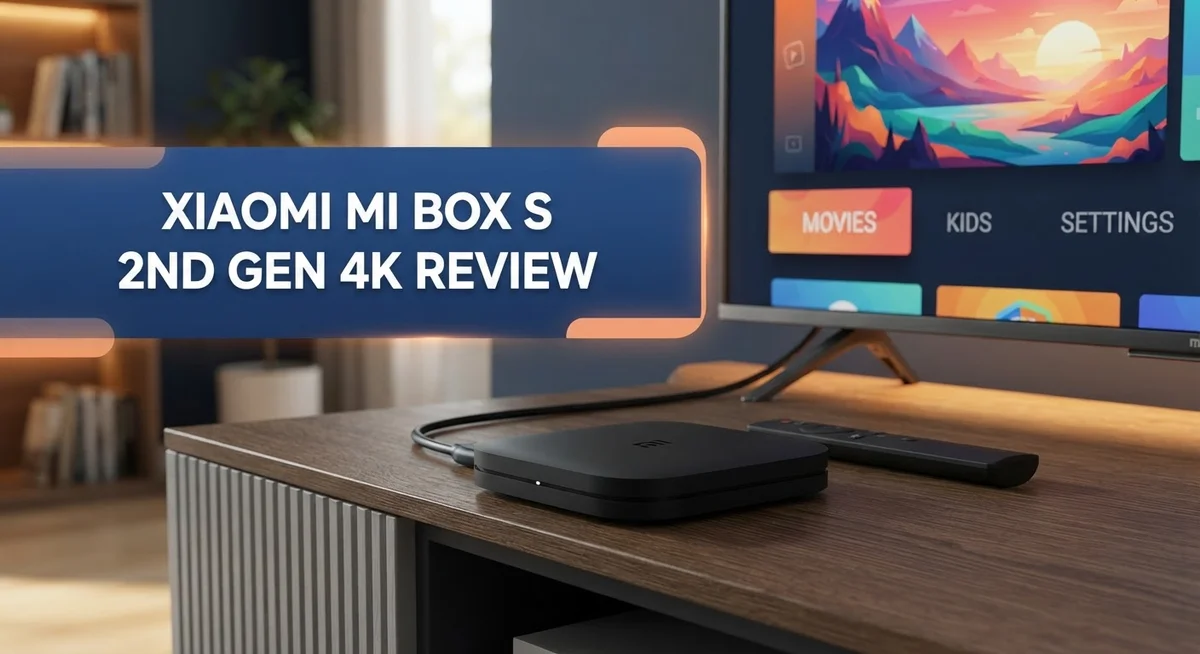
Xiaomi Mi Box S 2nd Gen 4K Review: Worth the Splurge?
Want to turn any TV into a smart streaming hub? The Xiaomi Mi Box S 2nd Gen 4K might be your answer. This little box packs a punch. It streams in stunning 4K Ultra HD with support for Dolby Vision and HDR10+.
Google TV runs the show here. You get smooth access to Netflix, YouTube, and countless other apps in one place. The Quad-Core processor handles most tasks well. It pairs with 2GB RAM to keep your streaming experience simple and quick.
Sports fans and movie lovers will enjoy Dolby Atmos sound too. The USB port lets you plug in external storage for extra media playback options.
In a Nutshell
- Smooth everyday streaming: The device handles YouTube and Kodi playback without much fuss. It’s a solid choice for casual streaming needs.
- External storage support: A USB port lets you plug in external drives. NTFS support means you can access more file types easily.
- Sideloading freedom: You can install apps outside the Google Play Store. This gives you more control over your streaming setup.
- 4K performance has limits: Heavy 4K content can slow things down. Don’t expect flawless playback with every demanding video file.
- Google TV integration: The interface connects smoothly with Google TV features. Voice search and recommendations feel natural to use.
- Stacks up against rivals: Compared to the Nvidia Shield, this box offers fewer premium features. It also sits differently than Chromecast 4K and the Xiaomi TV Stick 4K in terms of what you get.
Key Features and Specifications
The Xiaomi Mi Box S 2nd Gen 4K runs on a Quad-Core Cortex-A55 processor with 2GB RAM and 8GB storage. This setup handles most streaming tasks smoothly without lag or stuttering.
Google TV powers the interface. You get access to thousands of apps, games, and streaming services right out of the box. The system feels responsive when you navigate menus and search for content.
Display capabilities reach 4K Ultra HD at 3840 x 2160 resolution. The device supports multiple advanced video formats. Dolby Vision and HDR10+ bring better contrast and color depth to compatible content. Your movies and shows look sharper and more vibrant on modern TVs.
Audio quality stands out with Dolby Atmos and DTS-HD support. These formats create immersive sound that pulls you into the action. Music streaming apps also benefit from this enhanced audio processing.
Connectivity options include dual-band Wi-Fi at 2.4GHz and 5GHz. This means faster speeds and better stability compared to single-band models. Bluetooth 5.2 lets you connect wireless headphones, speakers, and game controllers without delay.
A USB port gives you external storage flexibility. You can attach a hard drive or flash drive to expand your media library. The device supports NTFS file systems, so most external drives work immediately.
The box measures compactly, fitting easily behind any TV or on a shelf. It draws minimal power, so your electricity bill stays low.
One limitation appears with demanding 4K content. While the processor handles everyday streaming well, heavy 4K files can cause occasional buffering. This matters most if you download large video files for offline playback.
Sideloading capability means you install apps beyond Google Play Store. This opens access to specialized apps and older software versions. However, this feature requires some technical knowledge to set up properly.
Overall, this device packs serious features into a small package. The combination of Google TV, strong audio support, and expandable storage makes it a solid choice for cord-cutters and media enthusiasts.
No products found.
4K Streaming Performance
The Xiaomi Mi Box S 2nd Gen 4K delivers solid performance when streaming standard 4K content from popular platforms. YouTube playback runs smoothly without stuttering on most videos. Netflix and other streaming apps handle 4K resolution well under normal viewing conditions.
However, demanding 4K content can expose this device’s limitations. When you push the Quad-Core Cortex-A55 processor with high bitrate files or complex scenes, performance dips noticeably. The 2GB RAM sometimes struggles during heavy multitasking or when apps load simultaneously.
The dual-band Wi-Fi connection plays a crucial role in your streaming experience. Connecting to the 5GHz band gives you faster speeds and more stable connections. This matters most when streaming 4K content, as higher bitrates require consistent bandwidth. A 2.4GHz connection works for standard HD content but may cause buffering during 4K playback.
Dolby Vision and HDR10+ support enhance picture quality significantly. Your compatible TV will display richer colors and better contrast when these formats are available. Not all streaming services offer these advanced formats yet, so availability varies by content.
Kodi media playback stands out as a strength for this device. Local 4K files stored on external USB drives play back reliably. The NTFS support means you can connect most external hard drives without formatting issues first.
Real world testing shows this box handles everyday 4K streaming admirably. Casual viewers watching movies and shows will notice no performance issues. The device maintains consistent frame rates during normal viewing sessions.
One consideration involves sustained playback during long viewing sessions. The processor can heat up during extended use, though thermal management generally works well. Proper ventilation around the device helps maintain optimal performance.
Comparing 4K streaming to premium competitors reveals trade-offs. Higher-end models offer faster processing and smoother handling of extreme 4K scenarios. For most households watching standard streaming content, this box performs adequately and meets typical 4K viewing needs without complications.
Google TV Interface and Usability
Google TV brings a clean, modern interface to the Xiaomi Mi Box S 2nd Gen 4K. You get instant access to your favorite streaming apps right from the home screen. The layout organizes content by genre and recommendation, so finding what to watch takes seconds instead of minutes.
Navigation feels smooth and responsive on this device. The remote control works well for scrolling through menus and selecting content. Google TV learns your viewing habits over time, which means your recommendations improve the more you use it.
Search functionality stands out as a real strength here. You can search across multiple apps at once. Type in a movie or show title, and Google TV shows you where it’s available across different streaming services. This saves you from opening each app individually to find what you want.
The interface integrates seamlessly with your Google account. Your watch history syncs automatically across devices. You can start watching on your phone and pick up exactly where you left off on your TV. This continuity makes the experience feel connected and natural.
Voice control adds another layer of convenience. The included remote has a microphone built in. You can speak commands to search for content, adjust volume, or control playback. Voice recognition responds quickly and accurately most of the time.
One thing to note: the interface runs smoothly for everyday use, but demanding apps can occasionally cause slight delays. This happens because the 2GB RAM has limits when multiple apps run in the background. Closing unused apps helps keep performance snappy.
Customization options let you arrange apps and shortcuts to match your preferences. You can pin your most used services to the top for faster access. The home screen adapts to what matters most to you.
Overall, Google TV on this device delivers a user experience that feels intuitive and modern. The combination of smart recommendations, cross app search, and voice control makes streaming enjoyable. You won’t feel frustrated navigating menus or hunting for content.
Top 3 Alternatives
Amazon Fire TV Stick


Last update on 2026-10-23 / Affiliate links / Images from Amazon Product Advertising API Some of the links on this website are affiliate links, which means that at no additional cost to you, I earn a commission if you click through and make a purchase. I only recommend products and services that I believe will add value to my readers. Thank you for your support!
The Amazon Fire TV Stick offers seamless integration with your Amazon ecosystem. You get instant access to Prime Video, Alexa voice commands, and thousands of apps. The device connects easily to any TV with an HDMI port.
Fire TV Stick supports 4K streaming on select models. The remote control includes voice search functionality. You can cast content from your phone to your TV without extra steps. The interface feels responsive and loads apps quickly.
Google Chromecast Google TV

Last update on 2026-10-23 / Affiliate links / Images from Amazon Product Advertising API Some of the links on this website are affiliate links, which means that at no additional cost to you, I earn a commission if you click through and make a purchase. I only recommend products and services that I believe will add value to my readers. Thank you for your support!
Google Chromecast Google TV brings Google’s smart features directly to your screen. The device runs Google TV, which organizes all your streaming apps in one place. You get personalized recommendations based on your viewing habits.
This streamer supports 4K resolution and HDR content. The remote includes voice search powered by Google Assistant. Casting from your phone works smoothly across most apps. Setup takes just a few minutes, and the interface feels intuitive for new users.
Roku Streaming Stick

Last update on 2026-10-23 / Affiliate links / Images from Amazon Product Advertising API Some of the links on this website are affiliate links, which means that at no additional cost to you, I earn a commission if you click through and make a purchase. I only recommend products and services that I believe will add value to my readers. Thank you for your support!
Roku Streaming Stick delivers a straightforward streaming experience without extra complexity. The platform offers access to over 10,000 channels and apps. Roku’s interface lets you organize your favorite services in a custom home screen.
The device supports 4K streaming and HDR formats. Voice search works through the remote or compatible devices. Roku sticks update automatically, so you always have the latest features. The streaming quality remains consistent across different apps and content types.
Connectivity and Compatibility
The Xiaomi Mi Box S 2nd Gen 4K connects to your home network through dual-band Wi-Fi operating on both 2.4GHz and 5GHz frequencies. This flexibility lets you choose the band that works best in your space. The 5GHz band offers faster speeds when you’re close to your router, while the 2.4GHz band provides better range if you need to place the box farther away.
Bluetooth 5.2 handles wireless accessories smoothly. You can pair headphones, keyboards, or game controllers without any lag. The connection stays stable even when multiple devices are nearby competing for bandwidth.
A USB port on the back gives you external storage options. You can connect a flash drive or external hard drive formatted in NTFS to expand your media library. This proves especially useful if you enjoy playing personal videos or music files through Kodi.
The device works seamlessly with Google’s ecosystem. Your Google account syncs automatically, pulling in your watch history and recommendations across devices. This integration means you pick up exactly where you left off on any screen.
Compatibility with popular streaming apps covers the major platforms you use daily. YouTube, Netflix, Disney Plus, and others run smoothly on Google TV. The app selection matches what you’d find on other Android TV devices.
One thing to consider: demanding 4K content can expose the processor’s limits. While standard 4K streams work fine, some high-bitrate files may stutter. This matters less if you primarily watch streaming services, but it’s worth knowing if you plan heavy Kodi use.
The device supports Dolby Vision and HDR10+ for enhanced picture quality. Your compatible TV will automatically detect these formats and display them correctly. This ensures you get the best image quality the content offers.
Sideloading apps expands your options beyond the Google Play Store. You can install specialized media players or region-specific apps that aren’t officially available. This flexibility appeals to users who want more control over their streaming experience.
Media Playback and Sideloading Flexibility
The Xiaomi Mi Box S 2nd Gen 4K shines when you want flexibility beyond standard streaming apps. The device supports Kodi media playback, making it an excellent choice for managing your personal media library. You can organize videos, music, and photos on external drives and play them directly through Kodi’s intuitive interface.
Sideloading apps opens up even more possibilities. The Google Play Store gives you access to thousands of apps, but sometimes you need software that isn’t available through official channels. This box lets you install APK files from other sources, giving you control over what runs on your device.
The USB port on the back becomes your gateway to external storage. You can connect hard drives, USB sticks, or SD card readers formatted in NTFS. This means you’re not limited by the device’s 8GB internal storage when you want to watch your own content.
Performance with local media files varies based on format and file size. The Quad Core Cortex A55 processor handles standard video files smoothly. However, some high bitrate files or unusual codecs may require transcoding through Kodi for optimal playback.
The Bluetooth 5.2 connection adds another layer of flexibility. You can pair wireless keyboards or mice for easier navigation when sideloading or managing files. This becomes handy when you’re browsing your media library or entering text in apps.
One practical consideration: sustained playback of local files performs better than demanding 4K streaming. Your personal media collection won’t stress the processor the way premium Netflix 4K content does. This makes the device particularly suited for people who store and play their own video files regularly.
Google TV integration works seamlessly with your sideloaded apps. The search function can discover content across multiple platforms, including apps you’ve installed yourself. This unified approach keeps everything accessible from one interface, whether you’re streaming or playing local content.
Pros and Cons
Pros
- Streams 4K content with Dolby Vision and HDR10+ support for enhanced picture quality
- Google TV interface delivers smooth navigation and cross app search functionality
- USB port enables external storage connection with NTFS support for media files
- Sideloading capability expands your app options beyond the Google Play Store
- Bluetooth 5.2 and dual band Wi-Fi keep your connections stable and responsive
Cons
- Quad Core processor struggles with demanding 4K streaming and can cause occasional delays
- Local media playback performs better than sustained 4K content streaming
- Feature set remains limited compared to higher end competitors like Nvidia Shield
Who Should Buy It
This device works best for people who want 4K streaming without complexity. You’ll love it if you mainly watch YouTube, Netflix, and other major apps on your TV.
The Mi Box S 2nd Gen shines for casual viewers who value simplicity. You get Google TV built in, which means easy navigation and quick access to your favorite shows. The interface feels smooth and responsive for everyday use.
Are you into media file collections? This box handles local playback well, especially when you connect external storage via USB. You can organize your movies and shows on an external drive and play them directly through the device.
Kodi users should take note. The sideloading capability means you can install apps beyond Google Play Store. This opens up possibilities for custom media centers and specialized streaming options. The USB port becomes your creative playground when you want to expand what the device can do.
Tech enthusiasts who like to experiment will appreciate the flexibility here. You’re not locked into one ecosystem. Bluetooth 5.2 lets you connect wireless headphones, speakers, and controllers without hassle.
However, this device has limits. If you constantly stream demanding 4K content, you might notice occasional stuttering or delays. The processor works hard under pressure. Heavy 4K users should know this upfront.
People comparing this to premium competitors like Nvidia Shield should understand the difference. The Mi Box S 2nd Gen trades advanced features for simplicity. You won’t get everything a high end box offers, but you get the essentials.
Families who share a TV benefit from Google TV’s cross app search. Everyone finds their content quickly. The Dolby Vision and HDR10+ support means your picture quality stays sharp and vibrant.
Skip this if you need professional level performance or gaming capability. This box focuses on streaming and media playback, not gaming. Your expectations should match what the device actually delivers.
In short: buy this if you want straightforward 4K streaming with room for customization through sideloading.
Final Verdict
The Xiaomi Mi Box S 2nd Gen 4K earns its spot as a solid entry level streaming device. It brings Google TV, decent app support, and reliable connectivity into one small box.
This device fits best into a secondary TV setup or a guest room. It handles everyday viewing tasks without fuss. You get smooth menu navigation and quick access to your favorite shows.
Casual streamers will feel right at home here. If your daily routine includes Netflix, YouTube, or Disney Plus, this box covers those needs well. It does not try to be everything for everyone.
Gamers and power users should look elsewhere. The processor cannot handle intensive apps or graphics heavy tasks. Nvidia Shield remains the better choice for that kind of performance.
Think about your household’s streaming habits before buying. A single person or couple who watches standard content will enjoy this box. Large families with diverse streaming needs might outgrow its limits quickly.
The build quality feels solid for its size. Setup takes minutes, and the remote control works without lag. These small details matter for everyday use.
Long term reliability stands out as a quiet strength. Many users report stable performance even after months of regular use. This makes it a dependable pick for simple home entertainment.
Compare this to the Xiaomi TV Stick 4K if portability matters more to you. The stick offers similar features in a smaller form factor. Your choice depends on which fits your space better.
Overall, this box delivers on its core promise: simple, dependable 4K streaming. It skips fancy extras in favor of getting the basics right. That approach works well for anyone who just wants their shows to play smoothly.
Choose this device if you value ease of use over advanced features. Skip it if you need top tier processing power or extensive gaming support. Know your needs, and this little box will serve you well for years.
Frequently Asked Questions
Does the Mi Box S 2nd Gen handle 4K streaming smoothly?
The Quad Core processor does struggle with demanding 4K content. You may notice occasional delays when streaming at full 4K resolution. Local media playback works better than sustained 4K streaming. If you watch mostly YouTube or standard content, performance feels fine. Heavy 4K users should know this device has real limits here.
Can I add my own apps through sideloading?
Yes, you can sideload apps beyond the Google Play Store. This gives you flexibility to install software the standard way doesn’t offer. The device supports external storage via USB with NTFS support. You gain more control over what runs on your box. This feature appeals to people who like to experiment and customize their setup.
How does this compare to Nvidia Shield?
The Nvidia Shield sits in a higher performance tier with more features. That device handles demanding 4K content much better. The Mi Box S 2nd Gen keeps things simple and straightforward. If you need professional level performance or gaming capability, Shield is the better choice. For casual streaming and media playback, this Xiaomi box does the job well.
Is this good for local media collections?
Absolutely. The Mi Box S 2nd Gen shines when you connect external storage. You can play your own media files without relying on streaming services. The USB port and NTFS support make file management easy. Kodi users especially appreciate this capability. Local playback performs better than streaming 4K content from the internet.
Who should buy this device?
Casual streamers fit this box perfectly. Secondary TV setups and guest rooms are ideal locations. Families who share a TV benefit from Google TV’s cross app search. Skip this if you need advanced gaming or professional performance. Think about your household’s actual streaming habits before deciding.

Hello, i’m Ivoria i am the face behind Tech Tracker Blog. I am passionate about my work and love to explore gadgets and share about my experience.