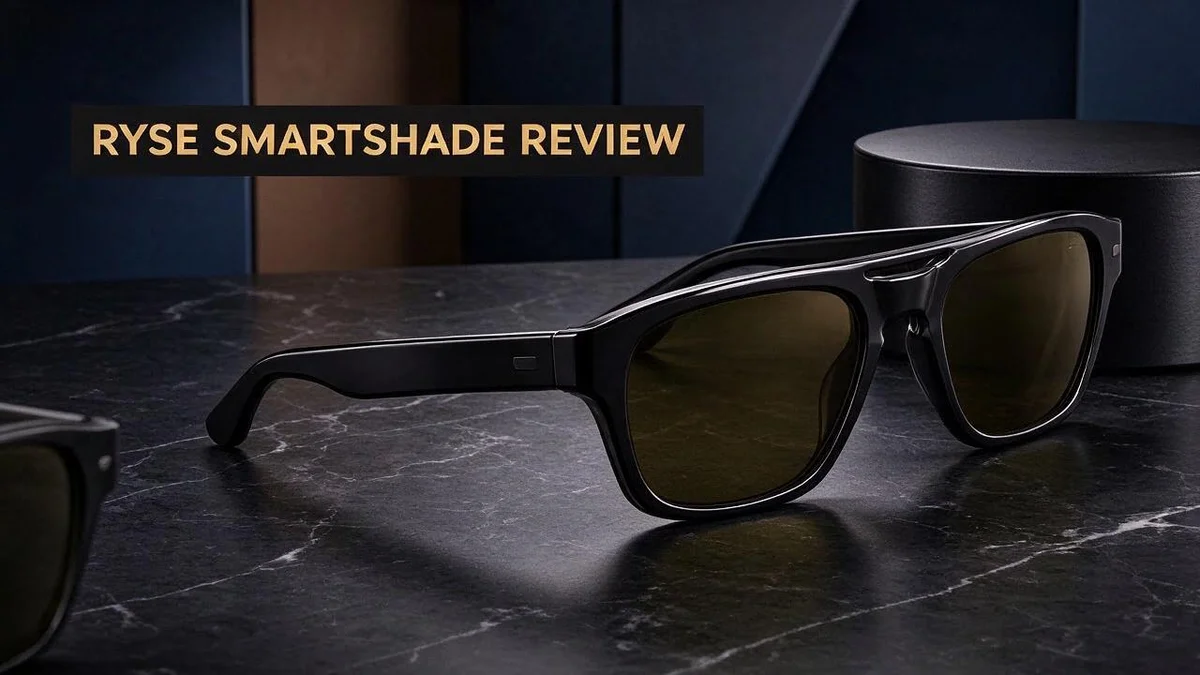
RYSE SmartShade Review 2026: Should You Buy It?
Tired of pulling cords every morning? Your window shades can work smarter with less effort. The RYSE SmartShade brings motorized control to the shades you already own.
Good news for renters, too. You never need to drill or replace your current blinds. The motor fits onto existing horizontal shades, so you keep the look you love.
Many shoppers want a smart home upgrade that feels easy to set up. This review explains how the SmartShade works, where it shines, and where it falls short. You will also see how it compares with Soma Shades and DIY motor options.
Ready to see if it fits your home? Let’s take a closer look at the design, the setup, and the smart home features that make this device worth considering.
In a Nutshell
-
Keeps your current look. The SmartShade attaches to the shades you already have. Your windows keep the style you chose.
-
Powers up with a simple charging block. Unlike solar-powered rivals, it runs on a plug-in block. Keep it near a outlet for steady charging.
-
Controls shades from anywhere. The SmartBridge lets you adjust your shades when you are away from home. You can open or close them from your phone.
-
Works with your favorite voice assistant. It connects with Alexa, Google Home, and Apple Home. A single voice command can handle your morning routine.
-
Feels solid and dependable. Many owners praise its build quality. One reviewer reports smooth, flawless operation.
-
Expect some noise and a slower pace. Compared with Soma Shades, it runs louder and moves more slowly. Light sleepers may want to keep that in mind.
Installation and Retrofit Fit

Last update on 2026-11-06 / Affiliate links / Images from Amazon Product Advertising API Some of the links on this website are affiliate links, which means that at no additional cost to you, I earn a commission if you click through and make a purchase. I only recommend products and services that I believe will add value to my readers. Thank you for your support!
Setting up a smart shade should feel simple from start to finish. The RYSE SmartShade aims for that goal with a light setup process. Most people can finish the job in one sitting.
Start by gathering a few basic items before you begin. Keep a screwdriver, a pencil, and your phone close by. Having everything ready keeps you focused and reduces mistakes.
Next, check your shade type. This device fits horizontal shades only, so measure your window and confirm the style before you attach anything. Vertical blinds or other designs may not work.
Attach the unit to the top rail of your existing shade. The process needs no drilling, so your frame and walls stay intact. Keep the instructions nearby while you work.
The brand includes detailed written steps and a helpful video guide. Watch the video first. It shows each stage in order, which makes the work feel less stressful.
Once the unit feels secure, open the app and pair it with your shade. Give each shade a clear name, such as “Kitchen Left.” This small habit saves time when you build routines later.
Remote control depends on the SmartBridge. Plug it in near your router and connect it to your home network. Choose a spot where the signal stays strong, because weak signals cause delays.
Some owners describe the software setup as a bit wonky. Plan for extra time during pairing. If a step fails, close the app, restart your phone, and try again.
Next, set the open and closed limits. Test each limit slowly so the shade stops at the right point every time. Adjust the settings until the movement feels smooth.
Finally, run the shade up and down several times. Listen for rubbing or catching sounds. Fix any snag now, before you add voice commands, so your smart home setup runs without frustration.
Charging and Power Setup
Power is one of the first steps you will handle. Plan the spot before you mount anything.
Find a nearby outlet. Look for a wall outlet close to each window. A short distance keeps the cable neat and tidy.
Long cords can catch on curtains or pets. Measure the route from the outlet to the top rail first.
Keep the cable out of reach. Curious kids and pets may chew loose wires. Run the cord along the wall edge and use cable clips for a clean look.
Use a power strip with care. A strip can help when outlets are busy. Pick one with an on and off switch so you can cut power easily during cleaning.
Charge before you mount. Connect the block and let the unit charge fully before installation. Test the motor on a table or the floor first.
Check the status light on the unit. Compare it with the written guide so you know what each signal means.
Choose a safe location for the block. Pick a dry spot where air can flow freely. Avoid tucking it behind heavy furniture where heat can build up.
Build a simple check routine. Pick one day each month to review power. Set a phone reminder so the shades stay ready.
Plan for power cuts. Remote control may pause during an outage since the block needs electricity. Keep manual operation ready as a backup.
Test the connection early. Run the shade once after charging. This quick test shows whether the unit responds as expected. Fix any issues before you move on to the next step.
Label your outlet. Mark the outlet or cord with a small tag. Family members will know not to unplug it by accident.
Keep the area clean. Dust can build up around plugs over time. Wipe the outlet and cable with a dry cloth every few months.
Noise and Operating Speed
The RYSE SmartShade is not the quietest option on the market. Many shoppers want to know how loud it sounds. Knowing the noise level before you buy helps you plan.
Think about when you open and close your blinds. A motor hum in the morning can wake a light sleeper. Schedule moves for daytime hours when the house is already busy.
Placement matters a lot. A window near a bed or a desk carries more sound. Start with the rooms where quiet matters most.
Hard surfaces make sound seem louder. Bare floors and glass bounce noise around the room. Curtains, rugs, and cushions can soften that echo.
Test the sound at home first. Run the shade a few times while you stand in the next room. This quick test shows the real noise level in your space.
Speed matters as much as sound. The shade moves at a steady pace, so wide windows take longer to cover. Plan extra time for large or tall shades.
A slow pace has one upside. It feels calm and controlled. Some people prefer a soft, gradual close over a quick snap.
Keep the top rail and track clean. Dust and debris can make the motor work harder. A quick wipe now and then keeps movement smooth.
Check the mounting bracket every season. A loose bracket can vibrate and add rattling sounds. Tightening it may cut down on that extra noise.
Look at other motor options too. Zemismart and Tuya roller motors are common choices for do it yourself projects. Compare how they sound before you decide.
Short breaks between moves give you a chance to listen. Open the shade in stages during quiet hours. This habit makes the noise easier to manage.
Overall, the SmartShade suits people who value convenience over silence. If quiet operation matters most, test it at home first. A little planning makes the experience far more pleasant.
Top 3 Alternatives
Looking for another way to automate your window coverings? These three options work well for many homes, and each one offers something a little different.
SwitchBot Roller Shade

Last update on 2026-11-06 / Affiliate links / Images from Amazon Product Advertising API Some of the links on this website are affiliate links, which means that at no additional cost to you, I earn a commission if you click through and make a purchase. I only recommend products and services that I believe will add value to my readers. Thank you for your support!
The SwitchBot Roller Shade is a simple choice for smart home fans. It fits many window sizes and installs without major tools. You can control it with the SwitchBot app or your voice assistant. Schedules let your blinds rise and fall while you sleep or travel.
Best for: renters and beginners who want easy setup.
Eve MotionBlinds


Last update on 2026-11-03 / Affiliate links / Images from Amazon Product Advertising API Some of the links on this website are affiliate links, which means that at no additional cost to you, I earn a commission if you click through and make a purchase. I only recommend products and services that I believe will add value to my readers. Thank you for your support!
Eve MotionBlinds focuses on privacy and light control. The shades pair with Apple Home through Thread, so setup feels smooth for Apple users. Motion sensors and automations help you adjust the room throughout the day. The design stays clean and modern.
Best for: Apple Home users who value privacy.
Lutron Serena Shades

Last update on 2026-11-06 / Affiliate links / Images from Amazon Product Advertising API Some of the links on this website are affiliate links, which means that at no additional cost to you, I earn a commission if you click through and make a purchase. I only recommend products and services that I believe will add value to my readers. Thank you for your support!
Lutron Serena Shades bring a polished feel to any room. You can operate them with a battery-powered wand or a remote, and no wiring is needed. Lutron built these shades for dependable performance over many years. Many people choose them for large windows and bright living spaces.
Best for: homeowners who want a refined look and steady operation.
Pick the option that matches your home. Think about your smart system, your window sizes, and how much control you want. A good match makes daily life easier and more comfortable.
SmartBridge and Smart Home Control
Smart home control starts with the SmartBridge. It links your shades to your home network.
Voice control is one of the biggest perks. The RYSE SmartShade works with Amazon Alexa, Google Home, and Apple Home.
Try a simple command like “open the living room shade.” The blinds respond without you touching a button.
Naming each shade helps a lot. Clear names like “Kitchen Left” make voice commands easier to remember.
Grouping shades by room saves time. You can open or close several windows with one request.
The SmartBridge also supports control away from home. You can check your blinds from your phone while you travel.
This feature helps when you want your home to look lived in. Set the shades to move during a trip, and the house keeps a natural look.
Schedules add another layer of comfort. Set the shades to open each morning and close during hot afternoons.
Routines work well with voice commands too. One phrase can open the shades and start your morning playlist.
Keep the SmartBridge near your router for the best link. A strong signal helps commands respond quickly.
Test each voice command after setup. Small tweaks to names often fix confusion right away.
Protect your app account with a strong password. Turn on extra login checks if the app offers them.
Shades can also work with other smart devices in your home. Check your platform for a list of compatible products.
Look for updates in the app. New versions can improve connection and voice responses.
A stable connection keeps your routines on time. If a command fails, restart the app and try again. Good habits keep the system reliable for daily use.
Value and Pricing Context
The real worth of the RYSE SmartShade shows up in everyday life. Think about what you gain each morning and evening. Your blinds open and close without you reaching for a cord. That small change adds up fast.
This device works with the shades you already have. You do not need new window treatments. That means less waste and less hassle. Fewer parts to replace keeps your project simple.
Compatibility also shapes your decision. Many homes already use Alexa, Google Home, or Apple Home. Check that your current setup fits these platforms before you commit.
Renters often face limits on home upgrades. The SmartShade needs no drilling, so it suits many rental homes. Check your lease before you start, and then decide.
Time matters too. Clear instructions and a video guide help you finish the install on your own.
Comfort reaches beyond the daily routine. Blinds that close during strong afternoon sun can help keep a room cooler. Less heat can make a bright room feel more pleasant.
Every choice comes with trade-offs. Comparisons with Soma Shades describe this model as loud and slow. Some owners also find the setup and software a little wonky.
Weigh your daily needs against these trade-offs. One reviewer reported flawless operation, which shows results can vary. Ask yourself which features matter most in your home.
Other routes offer different strengths. Soma Shades run on solar power, while this model uses a charging block. DIY motor kits suit people who enjoy tinkering with their setup. Each path asks for a different level of effort.
The best value fits your home and habits. Think about how often you adjust your shades each day. Then pick the option that saves you the most effort over time.
Pros and Cons
Pros
- Setup is simple, with detailed instructions and a helpful video guide.
- One reviewer reports flawless operation after installation.
- It works with Alexa, Google Home, and Apple Home for one unified setup.
- It fits existing horizontal shades without drilling into walls.
Cons
- The setup software can feel wonky at first.
- Power comes from a charging block, so you must recharge it.
- Remote control depends on the SmartBridge hub.
- It is less hands-off than solar-powered rivals like Soma Shades.
Who Should Buy It
The RYSE SmartShade suits a certain kind of buyer. Think about your home, your daily habits, and how much hands-on setup you enjoy. Some people will love it, while others will prefer another option.
Renters are a great fit. The device retrofits existing horizontal shades without drilling. Nothing permanent gets added to your walls. Many apartment dwellers appreciate that simple fit.
Homeowners who enjoy DIY projects will feel at ease. Clear written steps and a helpful video make installation approachable. You can handle the job without calling a technician. Even first timers can follow the steps with confidence.
People who already use voice assistants benefit most. If you talk to your speakers each morning, this shade fits right into that routine. You already know the habit, so the learning curve stays small.
Buyers who accept a slower pace should feel comfortable. The motor runs slow and sounds loud compared with some rivals. Light sleepers and people working from quiet home offices may notice the noise. Patience helps when a shade takes its time.
Anyone who wants fully hands-off power should look elsewhere. Solar-powered options such as Soma Shades need less attention. If you dislike remembering to plug in devices, a solar model may suit you better.
Skip this model if your windows use vertical blinds. The design works only with horizontal shades. Measure your window coverings before you commit. Some windows need a different product entirely.
Tinkerers may prefer a full DIY route. Zemismart or Tuya roller motors give hands-on builders more control over the build. They ask for more work, though, so patience matters.
In short, this shade suits renters, DIY fans, and smart home users. Buyers who want near silent operation or solar power should keep browsing.
Final Verdict
Our final verdict is clear. The RYSE SmartShade is a practical upgrade for people who already own horizontal shades.
It solves a real problem. Many households want smart control but do not want new window treatments. This device gives them that option.
The main compromise is speed and sound. The motor moves slowly and makes noticeable noise. Patient users may barely notice, but light sleepers might.
Think of it as a middle ground. It sits between basic cord shades and fully automated systems.
Who should say yes. Shoppers who like a gradual upgrade path will likely feel satisfied. The shade rewards those who value convenience over speed.
Who should look elsewhere. Anyone who expects a silent, polished experience may feel let down. Those buyers should compare stronger options before deciding.
Roller motors from Zemismart or Tuya offer a more involved route. They suit builders who want to customize every detail.
Check your current shades first. Make sure they match the horizontal style this device supports. A quick look now prevents frustration later.
Build quality also deserves credit. Reviewers describe the unit as well constructed, which matters for daily use over many years.
Expect a short learning curve with the app settings. Take your time and explore each option.
Consider the room too. Bedrooms and home offices may need different expectations than living rooms.
In short, this is a sensible choice for the right buyer. Smart home fans who accept a slower pace will likely be happy with it.
Your next step is simple. List your current shades, your voice assistant, and how much noise you can tolerate. Then decide with confidence and enjoy smarter light control every day.
Frequently Asked Questions
Can I control my shades when I am away from home?
Yes, but you need the SmartBridge for this. The hub allows control outside your home. Once it is set up, you can open or close your shades from your phone or through your voice assistant, even when you are out for the day.
Do I need to replace my current window shades?
No, you do not. The RYSE SmartShade works with horizontal shades you already own. You keep your current window style, and the device attaches to what is already there. This makes it a simple way to add smart control.
Should I test one window before I buy for the whole house?
Starting small is a smart move. Try the device on one window first. You can see how the slow motor and noise fit into your daily routine. If it works well for you, you can add more shades later at your own pace.
What details did we not find in our research?
Our research did not include exact dimensions, battery life, or motor specs. Check the manufacturer’s product materials for these numbers. These details help you confirm the fit and understand how often you will need to recharge the block.

Hello, i’m Ivoria i am the face behind Tech Tracker Blog. I am passionate about my work and love to explore gadgets and share about my experience.