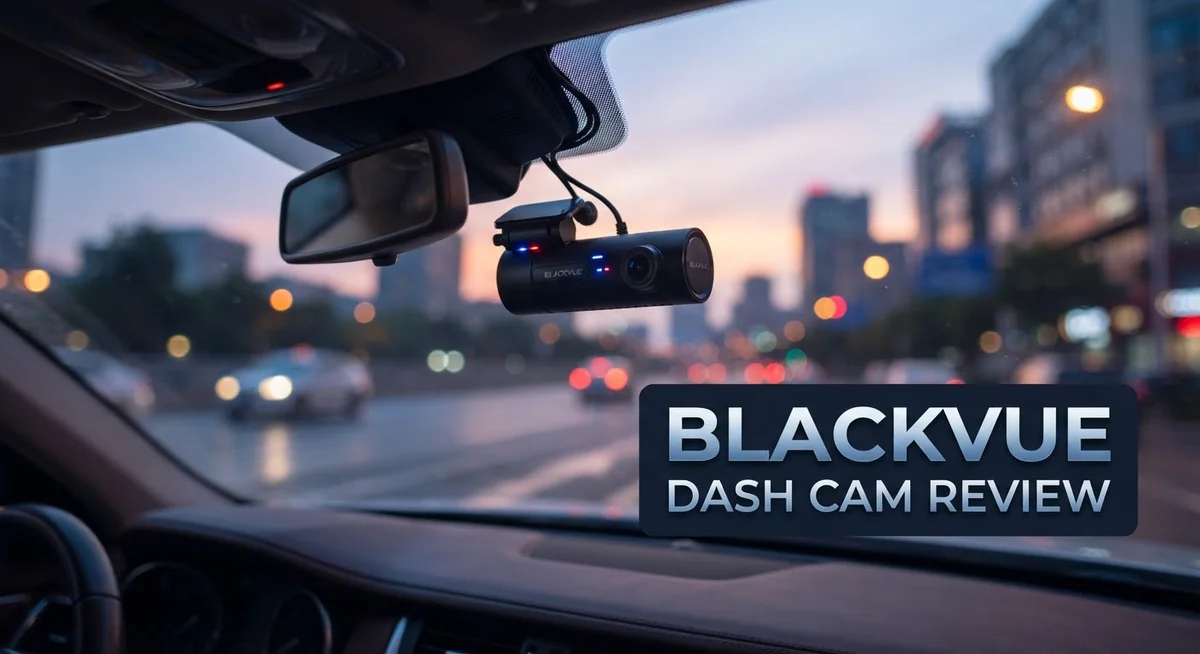
BlackVue Dash Cam Review 2026: Features, Performance, and Reliability
Are you looking for a dash cam that does more than just record your drive? BlackVue dash cams promise sharp video, smart features, and real peace of mind on the road.
This review breaks down what makes BlackVue stand out. We look at picture quality, app performance, and cloud connectivity.
You will also learn about parking mode protection. This feature keeps watch over your car even when you step away.
In a Nutshell
- Cloud connectivity sets BlackVue apart from many basic dash cams. You can check your car remotely using Wi Fi or a SIM card connection.
- The app quality impresses most users. Setup feels simple and footage syncs fast to your phone.
- Customer support gets high marks in reviews. Users report quick responses when they face issues.
- Some owners report battery and accessory problems. A few units fail after several years of daily use.
- Cloud features need steady internet access. You may need a hotspot or SIM plan to use them fully.
- Thinkware stands out as a top rival brand. It offers similar cloud based features for drivers who want options.
Video Quality and Recording Capabilities
BlackVue dash cams deliver sharp and reliable video recording across multiple resolution options. The Full HD models capture footage at 1920×1080 resolution at 60 frames per second, which ensures smooth playback during fast driving or sudden events.
For drivers who want maximum clarity, 4K UHD models provide even greater detail. This higher resolution helps you spot license plates, road signs, and facial features from greater distances. The extra detail becomes crucial when you need evidence for insurance claims or accident investigations.
The 139 degree viewing angle covers most of what happens in front of your vehicle. This wide perspective means fewer blind spots and better capture of side-impact collisions or vehicles entering from adjacent lanes. The angle balances coverage with minimal distortion at the edges.
BlackVue’s low light capability stands out for night driving. The cameras perform well in dim conditions, tunnels, and evening commutes. You get usable footage even when streetlights are sparse. This matters because many accidents happen after dark, and poor video quality makes evidence worthless.
Audio recording captures conversations inside your car, horn sounds, and external noises. This adds context to video footage. You hear if someone shouted warnings or if impact sounds suggest a serious collision.
The dual channel options let you record the front and interior simultaneously. Front cameras catch other vehicles and road hazards. Interior cameras monitor passengers and document what happens inside your car during an incident. This combination provides complete situational awareness.
The cameras stay compact and lightweight. The front unit measures 118.5mm x 36mm and weighs just 95 grams. The interior camera is similarly small at 115mm x 37.88mm and 146 grams. This size means less obstruction of your windshield view and easier installation.
Continuous recording happens automatically when you start your engine. The dash cam loops old footage when the memory card fills up, so you always have recent recordings. GPS integration timestamps every video with your location and speed, which proves invaluable during disputes about where an incident occurred.

Last update on 2026-11-03 / Affiliate links / Images from Amazon Product Advertising API Some of the links on this website are affiliate links, which means that at no additional cost to you, I earn a commission if you click through and make a purchase. I only recommend products and services that I believe will add value to my readers. Thank you for your support!
Design, Build Quality, and Installation
BlackVue dash cams feature a compact and lightweight design that fits most vehicle interiors without taking up much space. The front camera measures 118.5mm x 36mm and weighs just 95 grams, making it easy to mount behind your rearview mirror.
The interior camera is similarly small at 115mm x 37.88mm and weighs 146 grams. This size difference allows both units to stay discreet while capturing what you need.
Build quality appears solid in most user reports. The cameras use durable plastic housings that withstand regular temperature changes inside your vehicle. However, some owners have reported battery and accessory failures within four years of use, which suggests potential durability concerns over longer ownership periods.
Installation is straightforward for most drivers. BlackVue cameras mount using adhesive pads or brackets, depending on your model. The dual channel setup requires running cables from the front unit to the interior camera, which takes a bit more effort than single camera systems.
Power management works through your vehicle’s electrical system. The cameras connect to your car’s fuse box or use hardwiring kits for continuous operation. This keeps the dash cam running even when your car is parked, which supports the parking mode feature.
The 5GHz Wi-Fi and GPS connectivity add modern touches to the hardware setup. These components integrate smoothly into the overall design without adding bulk. Bluetooth functionality lets you pair the cameras with your smartphone for easier control.
Cable management can be tricky in some vehicles. You’ll need to route wires along your headliner and down your pillars to keep things clean. Most installations take between 30 minutes to an hour if you’re comfortable working with your car’s interior.
BlackVue includes mounting hardware and basic cables in the box. You may need additional accessories like longer power cables or different bracket types depending on your vehicle model. The compact design makes BlackVue a practical choice for drivers who want advanced features without a bulky setup.
Cloud Connectivity and Smart Features
BlackVue’s cloud connectivity transforms how you interact with your dash cam. You can access footage remotely through the mobile app, even when you’re away from your vehicle. This feature works through Wi-Fi, mobile hotspots, or SIM cards for continuous access to your recordings.
The app itself receives praise from users for its intuitive design. You navigate through footage easily, download clips, and manage settings without confusion. The interface feels modern and responsive compared to competitors in this space.
Real-time alerts keep you informed about what happens to your vehicle. If motion is detected while parked, you receive notifications instantly. This gives you peace of mind during parking situations, which many drivers find valuable for insurance protection.
Cloud storage integration means your important footage backs up automatically. You don’t lose critical video if your SD card fails or gets damaged. The system prioritizes emergency recordings, so accident footage gets saved first.
GPS tracking adds another smart layer to BlackVue systems. Your route gets recorded with timestamps and location data. This information proves useful for insurance claims and accident investigations.
However, cloud features require reliable internet access. If you rely on spotty cellular coverage, you may experience delays in uploading or accessing footage. Some users report frustration when their connection drops in rural areas or tunnels.
Bluetooth connectivity allows wireless pairing with your smartphone. You can control basic functions without touching the camera directly, though the app remains your primary control method.
The parking mode feature stands out as a practical smart function. Your camera monitors your vehicle when parked and records any activity. Combined with cloud backup, this creates a security system that works 24/7.
BlackVue’s smart features work best for drivers who want active monitoring and remote access. If you prefer a simple, offline dash cam experience, these cloud-dependent features may feel unnecessary. The ecosystem appeals to safety-conscious drivers who value constant connectivity and automatic backup protection.
Top 3 Alternatives
VIOFO A119 Mini

Last update on 2026-11-03 / Affiliate links / Images from Amazon Product Advertising API Some of the links on this website are affiliate links, which means that at no additional cost to you, I earn a commission if you click through and make a purchase. I only recommend products and services that I believe will add value to my readers. Thank you for your support!
The VIOFO A119 Mini stands out as a compact dash cam solution. This device records in 1600p resolution, which gives you clear footage of the road ahead. The camera features a small form factor that blends seamlessly into your windshield. Night vision performance is particularly strong thanks to its advanced sensor technology. You get reliable video stabilization during bumpy drives. The build quality feels solid, and the interface is straightforward to use.
Thinkware U1000

Last update on 2026-11-03 / Affiliate links / Images from Amazon Product Advertising API Some of the links on this website are affiliate links, which means that at no additional cost to you, I earn a commission if you click through and make a purchase. I only recommend products and services that I believe will add value to my readers. Thank you for your support!
The Thinkware U1000 brings dual-channel recording to your vehicle. This means you capture both front and interior footage simultaneously. The camera system offers excellent low-light performance for nighttime driving. Installation takes minimal time, and the app connectivity works smoothly on your phone. You can review footage quickly and share clips if needed. The video quality remains consistent across different lighting conditions.
70mai Dash Cam Pro


Last update on 2026-11-03 / Affiliate links / Images from Amazon Product Advertising API Some of the links on this website are affiliate links, which means that at no additional cost to you, I earn a commission if you click through and make a purchase. I only recommend products and services that I believe will add value to my readers. Thank you for your support!
The 70mai Dash Cam Pro delivers 1440p recording with a wide viewing angle. This camera captures more of your surroundings on each side of the road. Setup is user-friendly, making it accessible even for first-time dash cam owners. The device includes built-in GPS tracking for location data. You get reliable performance during daytime and evening drives. The compact design keeps your windshield clear and unobstructed.
Each option offers different strengths. The VIOFO excels in size and night quality. The Thinkware provides dual-channel capability. The 70mai offers ease of use and wide coverage. Your choice depends on what matters most for your driving needs.
Parking Mode and Night Vision Performance
BlackVue’s parking mode keeps your vehicle protected even when you’re away. The system activates automatically when your car is parked and detects motion or impact around it. This feature captures footage of potential thieves, vandals, or hit and run incidents without you being present. The camera stores this evidence safely for later review or insurance claims.
The parking mode works through intelligent motion detection. When something moves near your vehicle, the dash cam springs into action and records. Impact detection is equally important because it triggers recording if someone bumps your car. You get peace of mind knowing your vehicle has a digital witness on duty 24/7.
Night vision performance is where BlackVue truly excels. The low light capability ensures you see details even in complete darkness or poorly lit parking areas. The camera captures license plates and faces clearly at night, which matters greatly for identifying troublemakers. Drivers report that nighttime footage remains crisp and usable, unlike many competitors that produce grainy or washed out video.
The dual channel setup amplifies parking protection. Your front camera watches the road ahead while the interior camera monitors your cabin. Both work simultaneously during parking mode, giving you complete coverage. This means potential theft attempts or break ins get recorded from multiple angles.
Battery drain concerns exist with constant parking mode operation. BlackVue addresses this through efficient power management that doesn’t drain your vehicle’s battery excessively. However, some users report needing auxiliary power supplies for extended parking protection. Your vehicle’s electrical system handles the basic setup, but heavy users might want additional battery backup.
The combination of motion detection, impact sensing, and excellent night vision makes parking mode genuinely useful. You’re not just recording random footage. You’re capturing specific events that matter. The low light performance ensures that darkness doesn’t hide what happened to your vehicle. This practical protection works around the clock, whether you park at home, work, or anywhere else.
Mobile App Experience and User Interface
BlackVue’s mobile app is where the dash cam experience truly comes to life. The interface feels clean and responsive on both iOS and Android devices. You can view live footage from your front and interior cameras instantly, making real-time monitoring simple.
The app layout prioritizes what matters most. Your recent clips appear first, and you can sort by date, event type, or camera angle. The playback controls are intuitive, letting you scrub through footage with one finger. You won’t need a manual to figure out basic navigation.
One standout feature is the ability to review parking mode events directly from your phone. When motion or impact is detected, you get notifications immediately. You can then open the app and see exactly what happened without touching your dash cam. This remote access is incredibly convenient for drivers who park in busy areas.
File management works smoothly within the app. You can mark important clips as favorites to prevent accidental deletion. The app also lets you download videos to your phone’s storage for sharing or safekeeping. This matters when you need evidence for insurance claims.
The settings menu gives you control over recording quality, sensitivity levels, and notification preferences. You can adjust parking mode sensitivity without physically accessing your camera. Audio recording preferences and GPS settings are all accessible from your phone.
One thing to note: the app performs best when your phone has a strong Wi-Fi connection to your dash cam. If you’re relying on your vehicle’s hotspot, connection can occasionally lag during playback. The 5GHz Wi-Fi connection generally works well in most modern vehicles.
The overall experience feels modern and user-friendly. BlackVue clearly invested effort into making the app match the quality of their hardware. Whether you’re checking footage at home or reviewing an incident at a parking lot, the interface stays responsive and clear.
Pros and Cons
Pros
- Cloud backup automatically saves important footage so you never lose critical recordings
- Dual camera setup protects both front and interior, giving you complete vehicle coverage
- Customer support stands out as genuinely helpful when you need assistance
- Excellent low light performance captures clear details even in darkness
- Wide 139° viewing angle catches more of what happens around your vehicle
Cons
- Cloud features need reliable internet access through a hotspot or mobile connection
- Some users report battery and accessory reliability issues over time
- Hardware failures have been documented within 4 years of ownership
- Constant parking mode operation can drain your vehicle’s battery significantly
Who Should Buy It
BlackVue dash cams work best for specific driver profiles. If you frequently park your vehicle in areas with questionable security, this system deserves your attention. The parking mode feature with motion detection and impact sensing gives you real protection when you’re away.
Rideshare and delivery drivers benefit greatly from BlackVue’s dual channel setup. You capture both road activity and interior footage simultaneously. This dual recording protects you during passenger interactions and documents external incidents clearly.
Do you want active remote monitoring of your vehicle? BlackVue’s cloud connectivity lets you check on your car from anywhere. You receive alerts when motion or impacts occur. This appeals to owners who travel frequently or leave their vehicles unattended for extended periods.
Tech-savvy drivers who enjoy smartphone control will appreciate the mobile app. The interface lets you review footage, adjust settings, and manage files directly from your phone. If you prefer hands-on vehicle monitoring, this appeals to you.
Fleet operators and business owners managing multiple vehicles find value in centralized monitoring. You track several vehicles from one dashboard. The cloud features provide accountability for drivers and documentation of incidents.
You should reconsider if constant internet connectivity feels burdensome. Cloud features require a reliable hotspot or mobile connection. Without active internet, you lose remote access capabilities. If your vehicle sits in areas with poor signal, this limitation matters.
BlackVue works less well for drivers seeking plug and play simplicity. The system requires proper installation, Wi-Fi setup, and app configuration. You need comfort with technology to maximize its features.
Budget conscious buyers should evaluate whether advanced features justify the investment. The hardware and app quality are genuinely strong. Parking protection and night vision perform exceptionally well. However, some users report battery and accessory reliability concerns over extended ownership.
Consider your actual needs honestly. Do you genuinely need cloud backup and remote monitoring? Will you actually use parking mode regularly? Do you want interior cabin recording? BlackVue serves drivers who answer yes to these questions and value comprehensive vehicle protection above simplicity.
Final Verdict
BlackVue delivers a dash cam experience built for drivers who want more than basic recording. The cloud connectivity and mobile app quality set it apart from many competitors on the market.
If you value peace of mind, this system earns its place in your car. Parking mode protection and remote access give you confidence when your vehicle sits unattended.
However, no product is perfect. The reliability concerns around batteries and accessories deserve your attention before you commit.
Fleet managers, rideshare drivers, and tech enthusiasts will likely find the most satisfaction here. These users benefit from features that casual drivers might never touch.
Simple commuters who just want a plug and play camera might feel overwhelmed by the setup process. The internet dependency for cloud features adds another layer some drivers prefer to avoid.
Compared to Thinkware and other cloud connected alternatives, BlackVue holds its own. The hardware quality and customer support reviews suggest a company that stands behind its product.
Think about how you actually drive before you decide. Do you need constant monitoring? Does dual channel recording matter for your daily routine?
Your answers to these questions matter more than any spec sheet. A dash cam is only useful if it fits your lifestyle.
For drivers who want advanced features and remote access, BlackVue makes sense. The investment pays off through peace of mind and detailed footage when you need it most.
For those who want something simple and hands off, you might find better options elsewhere. Not every driver needs cloud connectivity or a companion app.
In summary, BlackVue works best for specific use cases rather than every driver on the road. Know your needs first, then decide if this system matches them.
The technology impresses, but it demands some patience and tech comfort from its users. Choose wisely based on your own driving habits and expectations.
Frequently Asked Questions
Does BlackVue record while my car is parked?
Yes. BlackVue dash cams include parking mode, which activates when your vehicle stops. The camera records motion or impact detection around your car, even when you’re away. This feature protects against theft, vandalism, and hit-and-run incidents.
You need a reliable power source for parking mode to work continuously. Most users install a hardwire kit to keep the system powered. Without it, the camera relies on its battery, which drains over time.
Can I watch my dash cam footage remotely?
BlackVue’s cloud connectivity allows you to view live footage and recorded clips from your smartphone. You can check on your vehicle anytime, anywhere. This works through the mobile app when you have internet access.
Keep in mind that cloud features require a stable internet connection. You’ll need either a mobile hotspot or a SIM card in the dash cam. Without internet, remote viewing won’t function.
What’s the difference between BlackVue’s front and dual camera setups?
The front-only model records the road ahead. Dual channel systems add an interior camera to capture what happens inside your vehicle. Interior recording helps with rideshare or delivery work, where passenger interactions matter.
The interior camera also provides evidence if someone damages your car while parked. Dual setups give you complete visibility, but they cost more and require additional installation.
How does BlackVue perform in low light conditions?
BlackVue cameras excel at capturing clear footage in darkness and dim lighting. The sensors handle nighttime driving well, showing details that cheaper models miss. You’ll see license plates and road signs even on poorly lit streets.
This makes BlackVue especially useful for night shift drivers or evening commutes. The low light capability is one of its strongest features.

Hello, i’m Ivoria i am the face behind Tech Tracker Blog. I am passionate about my work and love to explore gadgets and share about my experience.