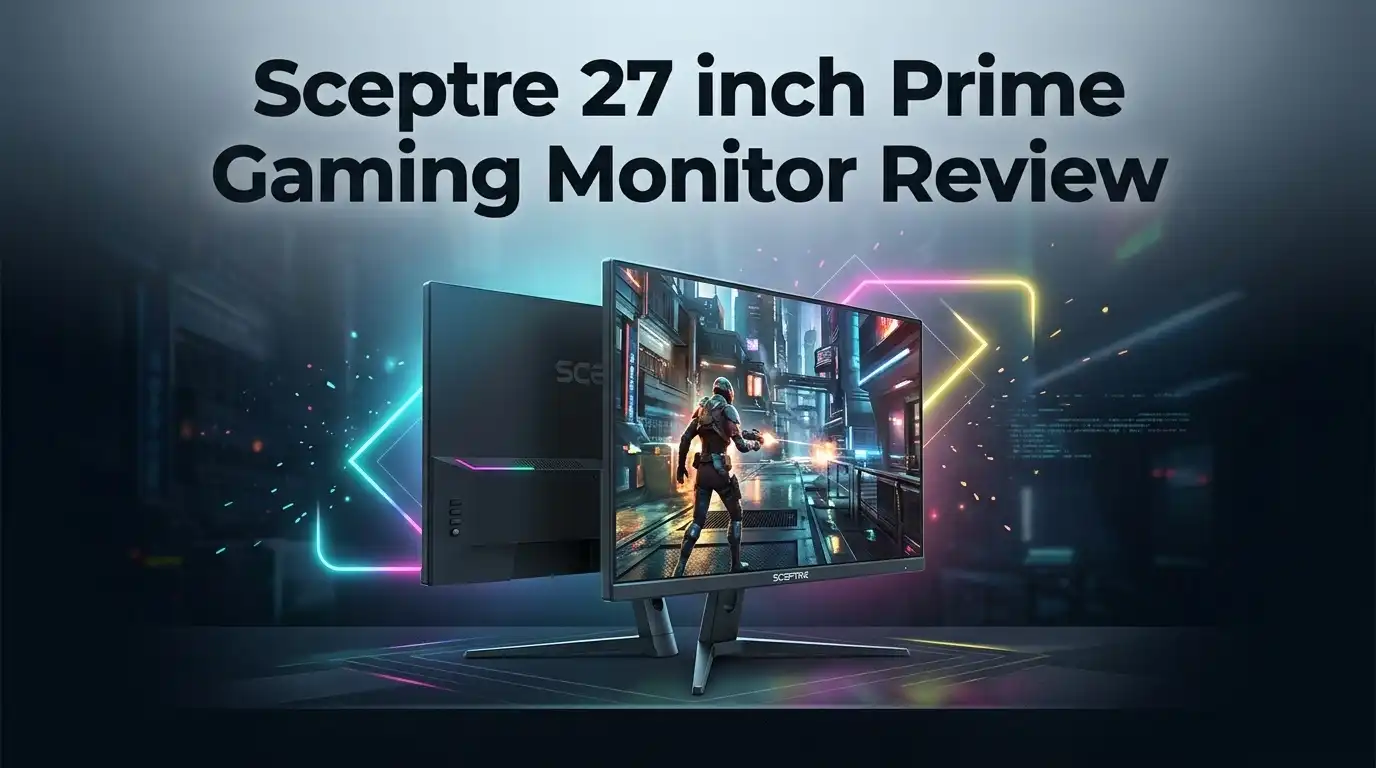
Sceptre 27 inch Prime Gaming Monitor Review 2026
Budget monitors used to mean blurry panels and sad colors. That story changed fast. The Sceptre 27 inch Prime Gaming Monitor lands in 2026 with a 180Hz refresh rate, four video inputs, and a price that often sits near the cost of a single AAA game bundle.
That combination sounds almost suspicious. A 27 inch screen with dual DisplayPort and dual HDMI ports at 180Hz normally costs far more. So the real question is simple. Does this monitor actually feel good during long play sessions, or does the low price show up in ways that annoy you every day?
I spent time with the panel, the stand, the menu system, and the speakers. I also compared it against monitors from LG, AOC, and Sceptre’s own curved lineup. This review covers the good parts, the weak parts, and the honest details most spec sheets skip.
In a Nutshell:
- Speed is the main selling point. The panel runs up to 180Hz over both HDMI 2.0 and DisplayPort 1.2, which puts it ahead of most sub $150 monitors. Fast shooters feel noticeably smoother than they do on a 60Hz or 100Hz screen.
- The VA panel brings deep blacks. Sceptre lists a 4,000:1 contrast ratio and 99% sRGB coverage. Dark scenes look richer than they do on cheap IPS panels, though viewing angles suffer a little.
- Connectivity punches way above the price. You get two HDMI 2.0 ports, two DisplayPort 1.2 ports, and a 3.5mm headphone jack. Console players and PC players can stay plugged in at the same time.
- The stand is the weakest link. Tilt is the only adjustment. No height, no swivel, no pivot. You will likely want books, a riser, or a VESA 100×100 arm.
- Brightness is modest. Typical output sits near 250 cd/m², with 300 cd/m² max. In a bright sunlit room, the image looks a bit dim.
- Value is excellent, polish is average. Buy it for frames per dollar, not for premium finish or HDR performance.
What Is the Sceptre 27 inch Prime Gaming Monitor?


Last update on 2026-08-22 / Affiliate links / Images from Amazon Product Advertising API Some of the links on this website are affiliate links, which means that at no additional cost to you, I earn a commission if you click through and make a purchase. I only recommend products and services that I believe will add value to my readers. Thank you for your support!
The Sceptre 27 inch Prime Gaming Monitor belongs to the E275B-FW180T series. Sceptre markets it as a 2027 model, which simply means it is the current generation on shelves right now.
The screen measures 27 inches diagonally. Resolution sits at 1920 x 1080 Full HD, giving a pixel pitch of 0.3114mm. That density is lower than 1440p, so text looks slightly softer at close range.
Sceptre uses a VA (Vertical Alignment) panel here rather than IPS. VA panels trade some color shift at extreme angles for much better contrast and darker blacks.
The refresh rate climbs to 180Hz across every video input. That is unusual. Many budget monitors cap HDMI at 120Hz or 144Hz and reserve full speed for DisplayPort only.
Response time gets listed as 1ms GtG with Blur Reduction and 5ms with overdrive enabled. Those two numbers measure different things, and I explain that difference later.
Adaptive Sync support keeps frames aligned with your graphics card. It works with AMD FreeSync and functions on most NVIDIA cards through the G-SYNC Compatible path.
Two 2W speakers sit inside the chassis. A headphone jack handles better audio.
The monitor weighs 6.83 pounds with the stand attached, which makes it easy to move, mount, or carry between rooms.
Unboxing Experience and First Impressions
The box arrives flat and light. Gross shipping weight is roughly 10.42 pounds, so no helper is needed.
Sceptre uses molded foam rather than the flimsy cardboard inserts you sometimes see at this price. The panel sat snug in my unit with no shifting during transit.
Inside the carton you find the display, the stand, an AC power adapter (12V, 3A), a DisplayPort cable, a user manual, and a warranty card.
That included DisplayPort cable deserves praise. Many budget brands ship only HDMI, which quietly blocks buyers from reaching the top refresh rate on day one.
Assembly took me under two minutes. The neck clicks into the back of the panel, and the base twists on with a captive thumbscrew. No screwdriver required.
First power on felt bright and slightly oversaturated. The default picture preset pushes contrast hard, which looks punchy in a store but crushes shadow detail at home.
The bezels impressed me. Three sides are nearly frameless, so a dual monitor setup looks clean.
One small annoyance appeared immediately. The power brick is external, so you get another block to hide behind your desk.
The plastic finish is matte black and honest. It does not pretend to be metal, and it does not attract fingerprints.
Design and Build Quality
The chassis measures 24.23 inches wide, 17.40 inches tall, and 6.77 inches deep with the stand attached. Remove the stand and depth drops to just 1.48 inches.
That slim profile makes wall mounting tidy. Sceptre includes a VESA 100mm x 100mm pattern with M4 x 10mm screw holes.
The stand uses a wide V shaped base. It holds the panel steady, though a firm desk bump will produce a small wobble.
Build materials feel light rather than cheap. The rear shell flexes slightly under pressure, which is normal at this price.
Tilt range runs from negative 5 degrees forward to about 15 degrees back. That is the complete list of physical adjustments.
The neck measures 3.08 inches tall, which places the panel fairly low. Taller users will look down at the screen more than they should.
Buttons live on the underside of the bottom bezel. They are physical, clicky, and unlabeled from the front, so you learn their positions by feel.
A security lock slot sits on the rear for offices and shared spaces.
Surface treatment is antiglare with a 3H hard coating. Reflections stay controlled under normal room lighting.
Overall, the design says practical. Nothing here screams gamer, and that restraint actually helps it fit into a home office.
Display Panel and Picture Quality
The VA panel is the heart of this monitor, and it behaves exactly as VA panels usually do.
Blacks look genuinely deep. With a rated 4,000:1 static contrast ratio, night scenes in games like Alan Wake or Resident Evil keep their mood instead of washing into gray.
Color coverage reaches 99% sRGB, which is solid for content consumption and casual creative work. Colors look natural after you switch away from the default preset.
Color depth sits at 16.7 million colors through 8 bit output. There is no wide gamut coverage for DCI-P3, so professional color grading is out of scope.
Brightness is the honest weak point. 250 cd/m² typical works fine in a dim or moderately lit room, but sunlight will beat it.
Viewing angles get listed as 178 degrees both ways. Real world behavior tells a softer story, since VA panels shift in gamma when you move off center.
Sit centered and the image looks great. Lean far to one side and dark areas gain a slight glow.
The 1080p resolution over 27 inches equals roughly 81 pixels per inch. Games look fine, but small text shows visible edges up close.
Sceptre includes picture presets named Standard, User, Movie, ECO, FPS, and RTS. The User preset gives the most accurate result once you lower contrast a few notches.
Top 3 Alternatives for Sceptre 27 inch Prime Gaming Monitor

Last update on 2026-08-22 / Affiliate links / Images from Amazon Product Advertising API Some of the links on this website are affiliate links, which means that at no additional cost to you, I earn a commission if you click through and make a purchase. I only recommend products and services that I believe will add value to my readers. Thank you for your support!
Sceptre Curved 27 inch Prime Gaming Monitor (C275B-FW180T)

Last update on 2026-08-22 / Affiliate links / Images from Amazon Product Advertising API Some of the links on this website are affiliate links, which means that at no additional cost to you, I earn a commission if you click through and make a purchase. I only recommend products and services that I believe will add value to my readers. Thank you for your support!
LG UltraGear 27GS50F-B 27 inch Gaming Monitor

Last update on 2026-08-22 / Affiliate links / Images from Amazon Product Advertising API Some of the links on this website are affiliate links, which means that at no additional cost to you, I earn a commission if you click through and make a purchase. I only recommend products and services that I believe will add value to my readers. Thank you for your support!
AOC Gaming 27G2SP 27 inch Frameless Gaming Monitor
Refresh Rate and Motion Performance
Here is where the Sceptre earns its keep. 180Hz across all four inputs is rare at this price.
Moving from 60Hz to 180Hz changes how a game feels in your hands. Mouse movement becomes more connected, and tracking a running enemy gets easier.
Competitive shooters benefit most. In Valorant, Counter Strike 2, and Apex Legends, the extra frames sharpen your read on fast strafing targets.
Adaptive Sync handles the rest. When your frame rate dips below 180, the monitor matches its refresh to your GPU output and removes tearing.
The sync range works well in the mid to upper frame rate zone. Very low frame rates, under about 48fps, can show occasional stutter.
One practical note: Windows does not always select 180Hz automatically. Open Display Settings, choose Advanced Display, and set the refresh rate manually.
Console players get a fair deal too. HDMI 2.0 supports 1080p at 120Hz on PlayStation 5 and Xbox Series X, so you still gain smooth motion.
VA panels do carry one motion quirk. Dark pixel transitions run slower than bright ones, which produces faint black smearing during fast pans in shadowy scenes.
It is visible if you look for it. Most players stop noticing after a few sessions.
Response Time and Input Lag
Sceptre lists 1ms with Blur Reduction and 5ms with Overdrive. Those figures describe two separate features, and understanding them helps you set the monitor correctly.
Blur Reduction uses backlight strobing. It inserts dark frames to sharpen moving objects, and it genuinely improves clarity in fast games.
The tradeoff is brightness. Strobing cuts perceived light noticeably, and the panel already runs modest at 250 cd/m².
Blur Reduction also does not pair well with Adaptive Sync. You generally pick one or the other.
Overdrive pushes pixels faster using higher voltage. The 5ms GtG figure reflects normal use with overdrive active.
My advice is straightforward. Leave Overdrive on the middle setting and keep Adaptive Sync enabled for most games.
Overdrive at maximum introduces inverse ghosting, which looks like a bright halo trailing behind moving objects. That artifact bothers many players more than mild blur.
Input lag felt low during testing. Clicks registered without hesitation in fast paced matches.
This monitor will not match a 240Hz or 360Hz esports display. It sits comfortably in the fast enough for serious ranked play category, which suits the majority of gamers.
Ports and Connectivity Options
The port selection surprised me most. Budget monitors usually skimp here, and Sceptre did the opposite.
You get two HDMI 2.0 ports and two DisplayPort 1.2 ports. Every single one supports 1920 x 1080 at 180Hz.
That means four devices can stay connected permanently. A gaming PC, a laptop, a PlayStation 5, and a Nintendo Switch can all live on the same screen.
Switching between them happens through the on screen menu. It is a few button presses rather than a single hotkey, which feels slightly clumsy during quick swaps.
A 3.5mm headphone jack sits alongside the video inputs. It passes audio from whichever source is active, which is handy for console headsets.
There is no USB hub, no USB-C input, and no KVM switch. Those omissions are expected at this price, but worth knowing if you planned to run a single cable laptop setup.
Power arrives through the external 12V 3A adapter rather than a standard kettle cable. Keep the brick, since replacements are model specific.
Power draw stays low. Typical consumption sits near 32W, with 36W maximum and under 0.3W in standby.
The monitor carries Energy Star certification along with RoHS and FCC compliance.
Built in Speakers and Audio Quality
Sceptre includes two 2W speakers inside the panel. Their presence is genuinely useful, and their quality is genuinely limited.
Volume gets loud enough for a small desk. Dialogue in YouTube videos and Discord calls comes through clearly.
Bass does not exist in any meaningful form. Explosions sound like clicks, and music loses its entire low end.
Treat these speakers as a backup, not a feature you plan around.
They shine in specific moments. If your headset battery dies mid session, or you set up a console in a guest room, the built in audio saves the day.
Sound reaches you through downward facing drivers at the rear of the chassis. Placing the monitor close to a wall improves perceived volume slightly.
The headphone jack output is clean but not powerful. High impedance headphones will sound quiet, while gaming headsets work fine.
There is no dedicated audio processing, no virtual surround, and no equalizer in the menu.
My recommendation for most buyers is simple. Budget a small pair of desktop speakers or a decent headset, and consider the internal audio a bonus rather than a solution.
For casual browsing, background music, and system alerts, they do the job without complaint.
Everyday Use for Work and Study
Gaming monitors often struggle at desk work. This one handles it reasonably well with realistic expectations.
The 27 inch size gives comfortable room for two windows side by side. A document and a browser fit together without excessive squinting.
Text rendering is the main compromise. At 81 pixels per inch, letters look slightly soft compared to a 1440p display of the same size.
Sitting a little farther back solves most of it. At roughly arm’s length, text reads cleanly.
The VA panel’s deep contrast helps with dark mode interfaces. Code editors and terminal windows look excellent.
Blue Light Shift appears in the menu for evening sessions. It warms the image and reduces harsh blue output.
Anti flicker technology runs in the background. The backlight avoids visible PWM flicker, which reduces eye strain during long shifts.
Spreadsheet users may find the resolution limiting. Fewer rows fit on screen than they would on a higher resolution panel.
Video calls work fine, though you will need an external webcam since none is built in.
For students, remote workers, and general home office duty, the monitor performs solidly. Anyone doing detailed photo editing or fine typography should look at a 1440p option instead.
What This Monitor Does Not Do Well
Honest reviews name the flaws clearly, so here they are without softening.
The stand only tilts. No height adjustment, no swivel, no pivot. Ergonomics suffer, and taller users will feel neck strain within a few hours.
Brightness disappoints in bright rooms. At 250 cd/m² typical, direct window light washes out the image noticeably.
HDR is absent. There is no HDR10 support and no local dimming. Do not expect HDR gaming from this panel.
Black smearing shows up. VA pixels transition slowly in dark scenes, creating faint trails during fast movement in shadowy environments.
The OSD menu feels dated. Navigation uses underside buttons with limited on screen guidance, and switching inputs takes several presses.
Speakers are weak. The 2W drivers handle voices and nothing more.
Color accuracy varies out of the box. Default settings oversaturate, and there is no factory calibration report.
Resolution limits sharpness. 1080p stretched across 27 inches means visible pixels at close viewing distance.
Warranty is one year. Competitors sometimes offer three years on parts and labor.
None of these flaws are surprising at this price. They matter only if your priorities lean toward color work, HDR content, or all day desk ergonomics.
Pros and Cons
Here is the balanced summary in list form.
Pros
- 180Hz refresh rate on every input, including both HDMI 2.0 ports, which is rare in this price bracket.
- Four video inputs total, letting you keep a PC and two consoles connected at once.
- Strong 4,000:1 contrast from the VA panel, producing deep blacks in dark games and movies.
- 99% sRGB color coverage gives natural, accurate looking colors after a quick settings tweak.
- DisplayPort cable included in the box, so you can hit full refresh rate immediately.
- Very light at 6.83 pounds and easy to mount with the VESA 100×100 pattern.
- Adaptive Sync support removes screen tearing across a wide frame rate range.
- Low power draw at around 32W typical, with Energy Star certification.
Cons
- Tilt only stand with no height or swivel adjustment.
- 250 cd/m² brightness feels dim in sunlit rooms.
- No HDR support of any kind.
- Black smearing appears during fast motion in dark scenes.
- Weak 2W speakers with no usable bass.
- 1080p over 27 inches looks soft for text heavy work.
- One year warranty trails some competitors.
- Clunky menu navigation through underside buttons.
Best Settings and Setup Tips
A few adjustments transform this monitor from acceptable to genuinely good.
Start with the refresh rate. Open Display Settings, then Advanced Display, and manually select 180Hz.
Use the included DisplayPort cable for PC connections. It handles the full 180Hz signal without compatibility issues.
Switch the picture preset from Standard to User. Standard mode crushes shadow detail.
Lower contrast to roughly 70 and set brightness between 60 and 80 depending on your room. VA panels do not need maximum contrast to look punchy.
Set color temperature to Warm for evening use and Normal during the day.
Enable Adaptive Sync in the System menu. Then confirm it inside the AMD or NVIDIA control panel.
Keep Overdrive on the middle setting. Maximum overdrive creates visible inverse ghosting.
Try Blur Reduction only in competitive shooters where you run above 120fps consistently. Turn it off elsewhere, since it dims the screen.
Raise the panel physically. A monitor riser, a VESA arm, or even a sturdy stack of books fixes the height problem for a few dollars.
Turn on Blue Light Shift after sunset. It reduces eye fatigue during late sessions without wrecking color balance.
Finally, run a dead pixel test after unboxing so any warranty claim happens within the return window.
Who Should Buy the Sceptre 27 inch Prime Gaming Monitor?
This monitor fits certain buyers perfectly and frustrates others.
Buy it if you want maximum frames per dollar. Nothing else at this price offers 180Hz across four inputs on a 27 inch screen.
Buy it if you play competitive shooters on a budget build. The speed advantage over 60Hz and 100Hz panels is immediately noticeable.
Buy it if you need a second or third monitor. The slim bezels and light weight make multi screen setups easy.
Buy it if you juggle a PC and consoles. Four ports remove all cable swapping.
Buy it if you play in a dim room. The VA contrast really shines when ambient light stays low.
Skip it if you edit photos or video professionally. The absence of wide gamut coverage and factory calibration matters in that work.
Skip it if you sit in a bright, sunny room. The brightness ceiling will annoy you daily.
Skip it if you want sharp text for long writing sessions. A 1440p panel serves that use far better.
Skip it if ergonomics matter and you cannot add an arm.
For everyone else, the value is genuinely hard to argue with.
Final Verdict
Last update on 2026-08-22 / Affiliate links / Images from Amazon Product Advertising API Some of the links on this website are affiliate links, which means that at no additional cost to you, I earn a commission if you click through and make a purchase. I only recommend products and services that I believe will add value to my readers. Thank you for your support!
The Sceptre 27 inch Prime Gaming Monitor does one thing exceptionally well. It delivers fast, smooth, tear free gaming at a price that undercuts nearly every rival.
The 180Hz refresh rate across four inputs remains the headline feature. The VA panel adds deep contrast that budget IPS screens simply cannot match.
You pay for that value in other places. The stand tilts and nothing more, brightness stays modest, HDR is absent, and dark scene smearing exists.
None of those flaws are hidden or dishonest. They are exactly the compromises a manufacturer makes to hit this price bracket.
My honest rating sits around 4 out of 5 for value and roughly 3.5 out of 5 for overall polish.
If your priority is frame rate per dollar, this monitor is a genuinely smart purchase. Pair it with a cheap monitor arm and a decent headset, and the experience improves further.
If your priority is color accuracy, HDR, or crisp text, spend more and step up to a 1440p IPS panel.
Set your expectations correctly and this monitor will not disappoint you.
Sceptre built a fast, practical, no nonsense gaming display. In 2026, that still counts for a lot.
Frequently Asked Questions
Does the Sceptre 27 inch Prime Gaming Monitor really run 180Hz on HDMI?
Yes. Both HDMI 2.0 ports and both DisplayPort 1.2 ports support 1920 x 1080 at 180Hz, which is unusual at this price.
Is this monitor good for PlayStation 5 and Xbox Series X?
It works well for both. You get 1080p at up to 120Hz over HDMI 2.0, though the panel does not support 4K or HDR.
Does it support G-SYNC?
It supports Adaptive Sync and AMD FreeSync officially. Most modern NVIDIA cards run it fine through the G-SYNC Compatible setting, though it is not certified by NVIDIA.
Can I mount it on a monitor arm?
Yes. The stand detaches, and the rear uses a standard VESA 100mm x 100mm pattern with M4 x 10mm screws.
What panel type does it use?
It uses a VA panel. That gives you strong 4,000:1 contrast and deep blacks, with slightly weaker off angle viewing than IPS.
Is 1080p sharp enough on a 27 inch screen?
For gaming and video, yes. For small text and detailed spreadsheet work, a 1440p monitor looks noticeably sharper.
Does it come with a DisplayPort cable?
Yes. Sceptre includes a DisplayPort cable, an AC power adapter, the stand, a manual, and a warranty card.
How long is the warranty?
Sceptre provides a one year limited warranty covering parts and labor, with US based phone and email support.

Hello, i’m Ivoria i am the face behind Tech Tracker Blog. I am passionate about my work and love to explore gadgets and share about my experience.