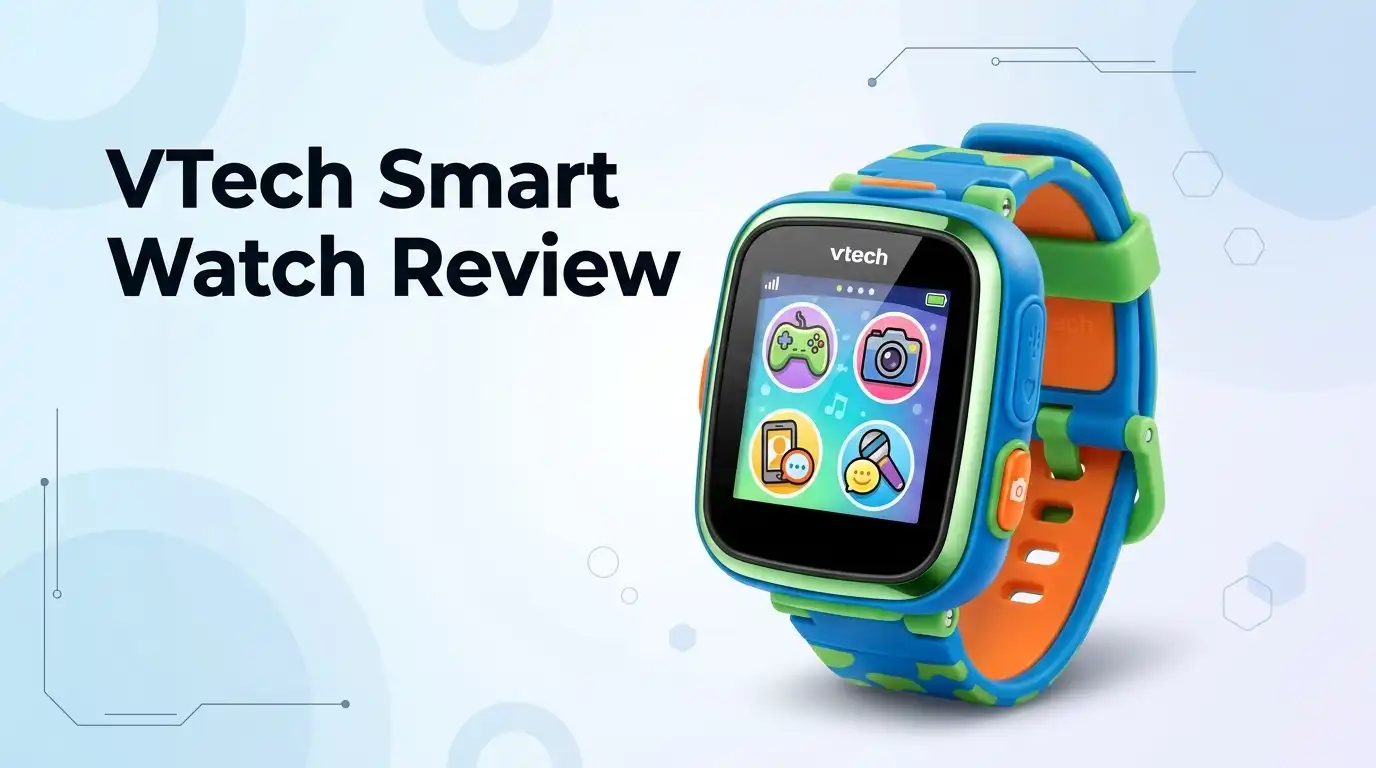
VTech Smart Watch Review 2026: Worth Buying?
Your kid wants a smartwatch. You want to keep them off a real phone for a few more years. That gap is exactly where VTech lives.
The VTech KidiZoom Smartwatch DX4 is the model most parents land on in 2026. It costs around the price of a big pizza night, it survives playground abuse, and it keeps kids busy with cameras and games instead of social apps.
But is it actually good? I spent weeks with one on a seven year old wrist, and I watched what happened after the novelty wore off. Some parts impressed me. Some parts annoyed me a lot.
In A Nutshell:
- The DX4 is a toy first and a watch second. It teaches time telling with over 50 clock faces, but the real draw is the dual camera, the games, and the voice recorder. Kids treat it like a wrist sized play console.
- Build quality is better than you expect. The metal body and the splash proof rating survive rain, sandboxes, and drops onto tile. It is not swim safe though, so pool days mean taking it off.
- Battery life is the biggest weakness. Heavy camera and game use drains it in a single afternoon. Expect to charge it every night with the included micro USB cable, and expect nagging when a kid forgets.
- There is no GPS, no phone calling, and no texting. If you bought this hoping to track your child or reach them after school, you will be disappointed. It runs completely offline.
- Parental controls are simple and genuinely useful. School mode hides everything except the clock, and game time limits actually work. Setup takes about ten minutes.
- Best fit is ages 4 to 9. Older kids get bored fast and start asking for something with real messaging.
VTech KidiZoom Smartwatch DX4 Review 2026


Last update on 2026-10-07 / Affiliate links / Images from Amazon Product Advertising API Some of the links on this website are affiliate links, which means that at no additional cost to you, I earn a commission if you click through and make a purchase. I only recommend products and services that I believe will add value to my readers. Thank you for your support!
The DX4 arrived in 2023 and it still sits at the top of the VTech lineup in 2026. VTech has not replaced it, which tells you the formula works.
The headline upgrade over the older DX3 is the screen. You get a larger, sharper color touchscreen in a slimmer metal case. Side by side, the DX3 looks dated.
Inside you get 256 MB of storage. That holds roughly 1400 photos or a decent stack of short videos before you need to clear space.
The dual camera setup is what sells it to kids. One camera faces out, one faces the wrist owner for selfies. Both are low resolution by adult standards, and both are wildly popular with children.
The watch runs on a rechargeable lithium ion battery. VTech ships a micro USB cable in the box and warns against third party fast chargers.
Feature wise, you get games, a pedometer, a calculator, a calendar, an alarm, a stopwatch, a voice recorder with silly voice effects, and a music composer app. There is also a music player if you load your own files.
What you do not get is connectivity. No SIM, no GPS, no Bluetooth calling, no app store. The watch does not go online at all.
That limitation is deliberate. VTech built a sealed sandbox, and for young kids that sealed sandbox is the entire point.
Age range is 4 to 12 on the box. Realistically, the sweet spot ends around age 9.
Unboxing Experience: What Comes In The Box
The packaging is classic VTech. Bright colors, a big photo of the watch, and a plastic window so kids can see the real thing through the cardboard.
Open the flap and the watch sits in a molded tray. It comes with a plastic security tag threaded through the strap, so grab scissors before you hand it over.
Inside the box you get three things: the watch itself, a short micro USB charging cable, and a quick start guide. That is all.
There is no wall plug included, which catches some parents off guard. You charge it from a computer USB port or an old phone adapter you already own.
First impressions in the hand are good. The metal body feels cool and solid, heavier than the all plastic older models.
The rubber strap is soft and flexible right away. No breaking in period, no stiff plastic digging into a wrist.
Flip the watch over and you find the master power switch. This trips up a lot of first time owners, because the watch will not charge if that switch sits in the wrong position.
Initial charge takes a couple of hours. Skip it and your kid gets ten minutes of fun followed by a dead screen and a meltdown.
Setup is quick. You pick a language from English, Spanish, or French, set the time and date, and choose a clock face.
The whole process took me under ten minutes. My tester was taking blurry selfies of the dog within twelve.
Design And Build Quality
The DX4 looks like a shrunken sports watch, which is exactly what kids want. It reads as cool rather than babyish, and that matters at school.
The case uses a metal body instead of the plain plastic shell on earlier models. It gives the watch real heft and a premium feel at a budget price.
Colors on offer are blue, black, pink, and purple. All four use the same neutral shape, so nothing feels gendered.
The strap is the smartest part of the design. It is soft rubber with plenty of holes, and it adjusts from a small preschool wrist up to a nine year old comfortably.
The face measures roughly 1.5 inches wide and 2 inches tall. It sits chunky on a tiny arm, but kids never complain about that.
Buttons are simple. One physical button wakes the screen and returns you home, and everything else happens on the touchscreen.
Durability held up in my testing. It survived multiple drops onto hardwood, a slide down a metal playground pole, and a full day in a sandbox.
The screen does scratch though. There is no toughened glass here, and fine scratches appeared within a month of daily wear.
The charging port sits under a small rubber flap. That flap protects the port from dust, but it also loosens over time with repeated opening.
Overall, the build punches above its price. It is not luxury, but it is honest and it lasts.
Top 3 Alternatives for VTech KidiZoom Smartwatch DX4

Last update on 2026-10-07 / Affiliate links / Images from Amazon Product Advertising API Some of the links on this website are affiliate links, which means that at no additional cost to you, I earn a commission if you click through and make a purchase. I only recommend products and services that I believe will add value to my readers. Thank you for your support!
Garmin Bounce Kids Smartwatch

Last update on 2026-10-07 / Affiliate links / Images from Amazon Product Advertising API Some of the links on this website are affiliate links, which means that at no additional cost to you, I earn a commission if you click through and make a purchase. I only recommend products and services that I believe will add value to my readers. Thank you for your support!
TickTalk 5 Kids Smart Watch

Last update on 2026-10-07 / Affiliate links / Images from Amazon Product Advertising API Some of the links on this website are affiliate links, which means that at no additional cost to you, I earn a commission if you click through and make a purchase. I only recommend products and services that I believe will add value to my readers. Thank you for your support!
VTech KidiZoom Smartwatch DX3
Screen And Touch Response
The color touchscreen is the biggest upgrade the DX4 brought, and it shows in daily use. Icons are large, text is readable, and photos look decent on it.
Brightness is fine indoors. Direct summer sunlight washes it out badly, which is a shame for a watch aimed at outdoor play.
The touch layer is resistive rather than the capacitive glass on adult smartwatches. That means it responds to pressure, not to a light finger graze.
In practice, kids adapt in about a day. They learn to press with intent instead of swiping like they do on a tablet.
Menu navigation is a simple carousel. Swipe left or right through apps, tap to open, press the side button to back out.
My tester learned the whole interface without any help from me. That is a real compliment to the design team.
Response speed is average. There is a small lag when opening the camera or loading a game, usually under two seconds.
Animations are smooth enough that the lag never feels broken. It feels like a budget device behaving like a budget device.
The screen sleeps quickly to save power. A wrist raise does not always wake it, so kids often press the button instead.
You can build custom clock faces from your own photos, which is easily the most used feature on the whole watch.
Camera Quality: Fun Over Sharpness
Let us set expectations honestly. These cameras are not good by any adult standard.
The resolution is low, images look soft, and low light shots turn into a mess of noise. A five year old phone beats it easily.
None of that matters to the target user. Kids do not care about pixel counts, they care about turning their face into a cartoon frog.
The DX4 has two cameras. The outward camera captures the world and the selfie camera captures faces.
Photo effects are the real attraction. Frames, filters, distortion effects, and silly stickers keep kids shooting for hours.
Video recording works too, in short clips. Audio comes through clear enough to hear what the kid is narrating.
Storage sits at 256 MB, good for around 1400 photos. That fills faster than you think when a child photographs every rock in the yard.
Transferring files is old school. You plug the watch into a computer with the micro USB cable and drag folders across manually.
There is no wireless transfer and no companion app. This annoys parents who expected photos to appear on their phone automatically.
My honest verdict is that the cameras deliver joy, not quality. If your child wants real photography, buy them a cheap dedicated kids camera instead.
For wrist mounted silliness, it does the job perfectly.
Games, Apps And Learning Tools
The DX4 ships with a set of built in games, and several of them use motion. Kids shake, tilt, and swing their arm to play.
This is a clever design choice. It gets children moving instead of sitting hunched over a screen.
Reaction games and challenge activities make up the active portion. There are also puzzle style games for quieter moments.
The learning side is genuine. Over 50 clock faces mix analog and digital styles, and the watch teaches time telling through repetition rather than lessons.
Shake the watch and it speaks the time out loud. My tester picked up analog reading in about three weeks with zero instruction from me.
Practical tools round things out. You get a calculator, a calendar, an alarm, a timer, and a stopwatch.
The pedometer counts steps and turns walking into a small competition. Kids will absolutely shake their arm to cheat the count, and that is part of the fun.
A music composer app lets kids build short tunes. It is basic, but it holds attention on car rides.
The voice recorder with effects is a sleeper hit. Kids record themselves, then play it back as a robot or a chipmunk, then laugh for twenty minutes.
The catch is content depth. The included games get repetitive after a few months, and there is no way to buy or download major new ones.
You can download extra clock faces from VTech, which helps a little. Do not expect an app ecosystem.
Battery Life And Charging
This is where I have to be blunt. Battery life is the weakest part of the DX4.
With light use, meaning telling time and a few photos, you get through a full day comfortably. That is the best case.
With heavy use, meaning constant camera and game sessions, the watch dies in three to five hours. My tester killed it before dinner more than once.
Plan on charging it every single night. Treat it like a phone, not like a watch.
A full charge takes roughly two to three hours from empty. The watch is unusable while plugged in, which frustrates impatient kids.
Charging uses micro USB, a connector that feels dated in 2026. Most households have moved to USB C, so the cable becomes a special item you must not lose.
VTech specifically warns against third party fast chargers. Use a standard low output USB port to avoid damaging the battery.
The master power switch on the back must be in the correct position for charging to start. Many one star reviews online are actually this switch problem, not a broken watch.
Battery health declines over time like any lithium ion cell. After a year of daily charging, expect noticeably shorter runtime.
The battery is not user replaceable. When it eventually fails, the watch is finished.
For a device at this price, that is a fair tradeoff. It still stings.
Parental Controls And School Mode
Parents get real control here, and the setup is refreshingly simple. There is no account to create and no app to install.
School mode is the standout feature. You set a start time and an end time, and during those hours the watch shows only the clock face.
Cameras, games, and everything else go dark. Teachers stop confiscating it and your child stops getting in trouble.
Game time limits work just as well. You choose a daily allowance, and once it runs out the games lock until the next day.
There is no hidden password gate on these settings, which cuts both ways. Setup is fast for you, but a clever nine year old can find and change them.
I would like a simple parent PIN here. VTech has not added one, and that is a genuine miss.
The bigger safety story is what the watch cannot do. It has no internet access, no messaging, no browser, and no way for strangers to reach your child.
That closed design removes an entire category of parental worry. No screen time app can match a device that simply cannot go online.
The flip side is that you cannot reach your child either. There is no calling and no location tracking.
If safety monitoring is your goal, this is the wrong product. Look at the Garmin Bounce or TickTalk 5 instead.
For pure content safety, the DX4 is excellent.
Durability And Water Resistance
VTech markets the DX4 as splash proof, and that word deserves careful reading. Splash proof does not mean waterproof.
Rain is fine. Hand washing is fine. A spilled drink is fine.
Swimming pools, bathtubs, and beach waves are not fine. Submerge this watch and you will likely kill it.
I tested it under a running tap for a few seconds and it shrugged that off completely. I did not push further, and neither should you.
The rubber flap over the charging port is the vulnerable point. Keep it closed and seated properly before any water contact.
Drop resistance is a strength. The metal body absorbs impacts far better than the plastic shells on older KidiZoom models.
My unit took at least a dozen falls onto hard floors with no cracks and no dead pixels. The corners picked up scuffs and nothing more.
Dust and sand caused no issues either. A quick wipe cleaned everything up.
The screen surface is the main casualty of daily wear. Expect a web of light scratches within a couple of months.
A cheap stick on screen protector solves this for a few dollars. I recommend buying one on day one.
The strap holds up well. The buckle showed no stress after months of a child yanking it on and off.
What The VTech Smart Watch Does Not Do Well
Every review should say this part out loud, so here it is. The DX4 has real flaws.
It has no GPS. You cannot see where your child is, ever, under any circumstance.
It has no calling or texting. Your child cannot reach you and you cannot reach them.
Battery life is disappointing under heavy use. Nightly charging is mandatory, not optional.
The charging port is micro USB in an era of USB C. Losing that cable is a genuine hassle.
Camera image quality is poor in low light. Indoor evening photos come out grainy and soft.
The screen washes out in bright sunlight. That is odd for a watch built around outdoor activity.
Content variety runs dry. The built in games stop feeling new after two or three months, and there is no meaningful way to add more.
Parental settings have no PIN protection. An older child can turn off their own time limits.
There is no wireless photo transfer and no phone app. Every file move requires a cable and a computer.
The watch is bulky on very small wrists. Four year olds can wear it, but it dominates their arm.
Finally, the battery cannot be replaced. When it dies for good, the whole watch is landfill.
None of these break the deal at this price. You should just know them before you buy.
Pros And Cons
Here is the balanced view in list form.
Pros
- Excellent build quality for the money, with a metal body that survives drops, sand, and rain without complaint.
- Dual cameras with dozens of playful effects keep kids entertained for far longer than the price suggests.
- Genuine learning value through 50 plus clock faces, a spoken time feature, and simple math and calendar tools.
- School mode and game time limits give parents real control with a setup that takes under ten minutes.
- Completely offline design means no strangers, no ads, no internet, and no social media exposure.
- Motion based games encourage physical movement instead of passive screen staring.
- Comfortable adjustable strap that fits a wide range of ages without pinching.
Cons
- Battery drains in a few hours under heavy use and needs charging every night without fail.
- No GPS, no calling, and no texting, so it offers zero safety tracking value.
- Micro USB charging feels outdated and the included cable is easy to lose.
- Camera quality is poor in dim light and photos look soft even in good conditions.
- Screen becomes hard to read in direct sunlight.
- Built in games get repetitive after a couple of months with no real way to add more.
- Parental settings lack PIN protection, so older kids can change them.
- Splash proof only, meaning no swimming and no bath time.
Who Should Buy The VTech KidiZoom Smartwatch DX4

Last update on 2026-10-07 / Affiliate links / Images from Amazon Product Advertising API Some of the links on this website are affiliate links, which means that at no additional cost to you, I earn a commission if you click through and make a purchase. I only recommend products and services that I believe will add value to my readers. Thank you for your support!
This watch fits a specific family, and it fits them very well.
Buy it if your child is between 4 and 9 years old. That age group loves the cameras, the silly effects, and the motion games without noticing the limitations.
Buy it if you want a first watch that teaches time telling. The spoken time feature and the huge clock face library do that job quietly and effectively.
Buy it if you want a screen device with zero internet risk. No apps, no ads, no messaging, no strangers, full stop.
Buy it as a gift. It presents beautifully, it works out of the box, and it delivers instant excitement at a modest price.
Buy it if your child is rough on gadgets. The metal body handles abuse that would destroy a cheap plastic competitor.
Skip it if you need location tracking. No amount of features makes up for missing GPS when that is your priority.
Skip it if your child is 10 or older. They will want messaging, and they will call this watch babyish within a month.
Skip it if you need a swim safe device. Splash proof is not enough for pool season.
Skip it if nightly charging sounds like a battle you do not want. Some households simply will not keep up.
Match those points against your family and the answer becomes obvious.
Price And Value In 2026
The DX4 typically sells between 26 and 45 dollars depending on the retailer and the season. Sale prices near 26 dollars appear regularly around holidays.
At that price, the value is genuinely strong. You get a durable metal bodied device with two cameras, a color touchscreen, and months of entertainment.
Compare that to a real kids smartwatch with cellular service. Those start around 100 dollars and add a monthly subscription of 10 to 15 dollars.
Over a year, a connected watch can cost five times more than the DX4. You pay that premium for GPS and calling, which are real features, but only if you need them.
Compare it to a tablet instead and the DX4 looks even better. It costs a fraction as much and carries none of the internet risk.
Resale value is minimal, as with all kids electronics. Plan to keep it or pass it down.
Longevity is the main value question. Expect two to three years of solid use before the battery degrades badly.
That works out to well under two dollars a month. Few toys deliver that ratio.
My verdict is that the DX4 earns its price. It is not a smartwatch in the adult sense, and it never pretends to be.
It is a well built, safe, entertaining wrist toy that happens to teach time telling. Judged on that goal, it succeeds.
Frequently Asked Questions
Is the VTech KidiZoom Smartwatch DX4 waterproof?
No. It is splash proof only, which covers rain, hand washing, and spills. Never let a child swim or bathe while wearing it, because submersion will damage the internals.
Does the VTech smart watch have GPS or calling?
No. The DX4 has no GPS, no SIM card, no calling, and no texting. It runs completely offline, so you cannot track your child or contact them through it.
How long does the battery last on the DX4?
Light use gets you through a full day. Heavy camera and game use drains it in three to five hours. Charge it every night to avoid problems.
What age is the VTech KidiZoom Smartwatch DX4 best for?
VTech lists ages 4 to 12. In real use, children between 4 and 9 enjoy it most. Older kids usually want messaging and outgrow it quickly.
Can you add more games to the watch?
Not really. The watch ships with a fixed set of games and activities. You can download extra clock faces from VTech, but there is no app store and no way to buy new games.
How do you get photos off the watch?
Connect the watch to a computer using the included micro USB cable. The watch appears as a drive, and you drag the photo folders across manually. There is no wireless transfer and no phone app.
Why is my VTech watch not charging?
Check the master power switch on the back of the watch first. It must be in the correct position for charging to begin. Also clean the charging port and use a standard USB port instead of a fast charger.
Is the DX4 better than the DX3?
Yes, for most families. The DX4 has a larger and sharper screen, a metal body, and a music player. The DX3 remains a fine budget pick if you find it heavily discounted.

Hello, i’m Ivoria i am the face behind Tech Tracker Blog. I am passionate about my work and love to explore gadgets and share about my experience.