Redragon M711 Cobra Gaming Mouse Review 2026: Worth It?
Are you looking for a solid gaming mouse that does not burn a hole in your wallet? The Redragon M711 Cobra has been a fan favorite among budget gamers for years.
It packs serious features like 16.8 million RGB color options, a 10,000 DPI optical sensor, and 7 programmable buttons into a package that costs less than a fast food dinner for two. But the big question in 2026 is whether this mouse still holds up against the growing competition.
In this full review, we break down every detail from build quality and sensor performance to software and comfort.
Key Takeaways:
- The Redragon M711 Cobra offers incredible value at a price point under $20. You get features like RGB lighting, adjustable DPI, and programmable buttons that normally appear on mice costing three or four times as much. For gamers on a tight budget, this mouse removes the need to compromise on quality.
- The 10,000 DPI optical sensor delivers solid tracking accuracy for most gaming genres. You can adjust the DPI in five preset levels (500, 1000, 2000, 3000, 5000) to match your play style. This makes the Cobra useful for both fast paced FPS games and precise strategy titles.
- Build quality stands out for the price range. The mouse uses solid plastic construction with no wobbling parts. Latex side grips add extra hold during intense gaming sessions. It feels much more premium than its low price suggests.
- The 7 programmable buttons give you real customization options. You can assign macros, shortcuts, and custom functions through the Redragon software. This is a big plus for MMO players and productivity users alike.
- RGB lighting across the scroll wheel and logo adds visual flair. You get access to 16.8 million colors and multiple lighting effects. The colors look vibrant and cycle smoothly.
- The wired design and 114 gram weight may not suit everyone. The braided cable is somewhat rigid and can hold kinks. Gamers who prefer wireless freedom or ultralight mice might want to consider alternatives.

Last update on 2026-10-17 / Affiliate links / Images from Amazon Product Advertising API Some of the links on this website are affiliate links, which means that at no additional cost to you, I earn a commission if you click through and make a purchase. I only recommend products and services that I believe will add value to my readers. Thank you for your support!
Redragon M711 Cobra Gaming Mouse Overview
The Redragon M711 Cobra is a wired RGB gaming mouse built for budget conscious gamers. Redragon is a US based company that has been in the gaming peripheral business since 2012. They specialize in affordable gear that punches above its weight class.
This mouse features a Pixart PMW3325 optical sensor with up to 10,000 DPI. It has 7 programmable buttons, 16.8 million color RGB backlighting, and a comfortable right handed ergonomic shape. The body measures 5 inches long and 2.6 inches wide.
It connects through a 1.8 meter braided USB cable and works with both USB 2.0 and USB 3.0 ports. The mouse weighs about 114 grams, which places it in the medium weight category. It works with Windows and offers full driver support for button remapping and DPI adjustments.
The M711 Cobra sits at a sweet spot for entry level gaming. It does not try to compete with high end wireless mice. Instead, it focuses on delivering a reliable, feature rich experience at a fraction of the cost. This focused approach is what makes it a popular choice even in 2026.
Design And Build Quality
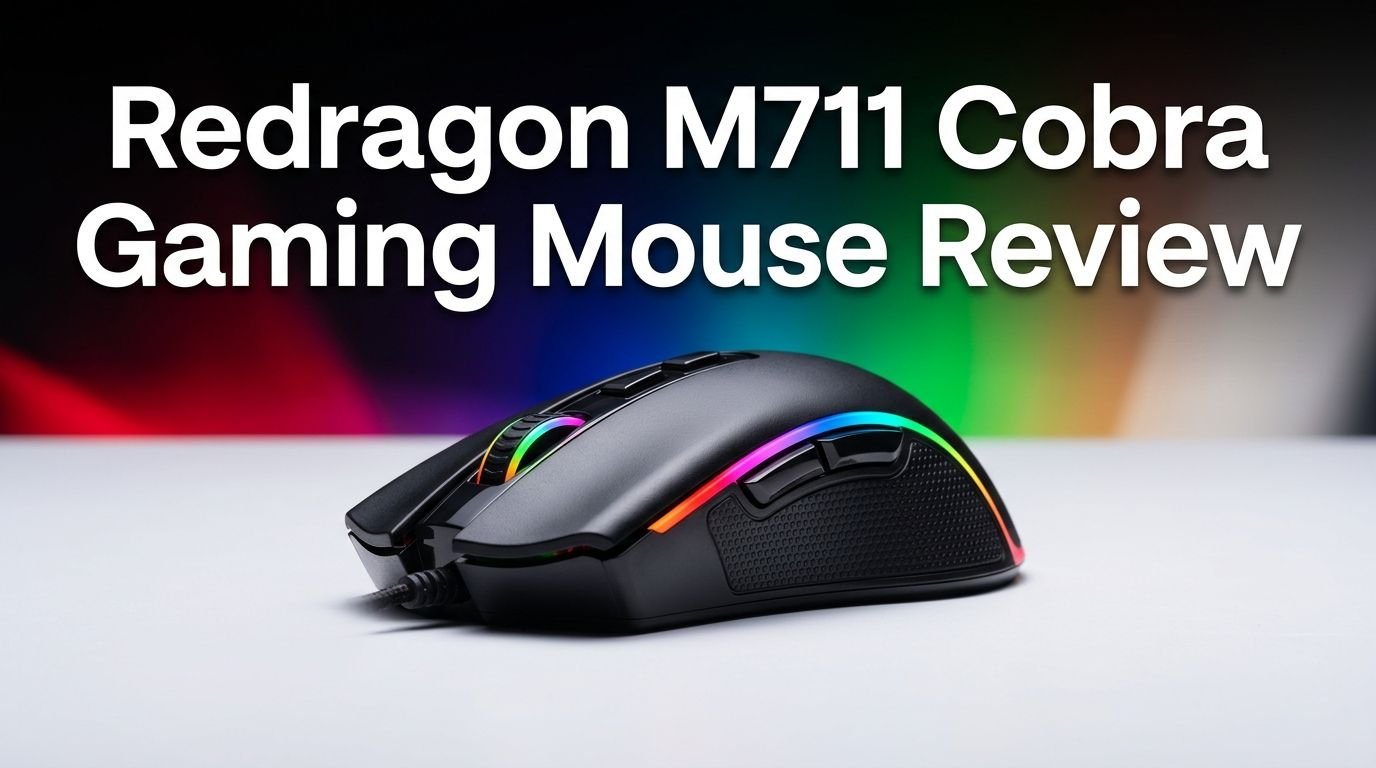
The Redragon M711 Cobra uses a clean, understated design that avoids the aggressive look many gaming mice go for. The matte black finish covers the entire body. The Redragon dragon logo sits on the rear palm rest area and lights up with RGB colors.
The build quality is surprisingly strong for a sub $20 mouse. The plastic shell feels solid with zero flex or creaking. There are no loose parts or cheap feeling components. The left and right click buttons have a satisfying tactile feedback with a crisp click sound.
Both sides of the mouse feature textured latex grip panels. These give your thumb and ring finger a secure hold even during sweaty gaming sessions. The overall shape has a slight rightward slant, which makes it a right handed only mouse.
The scroll wheel sits between two thin RGB strips and has a notched, rugged feel to each scroll step. This gives you precise control during weapon swapping or page scrolling. The DPI adjustment buttons sit just behind the scroll wheel for quick access.
Sensor Performance And DPI Settings
The heart of any gaming mouse is its sensor. The Redragon M711 Cobra uses a Pixart PMW3325 optical sensor. This sensor supports up to 10,000 DPI with advanced tracking and high speed motion detection.
You get 5 adjustable DPI presets out of the box: 500, 1000, 2000, 3000, and 5000. You can cycle through these levels using the two DPI buttons located behind the scroll wheel. An LED color indicator changes to show your current DPI level.
The sensor provides accurate and consistent tracking across different mouse pad surfaces. It handles quick flick shots and slow precise movements equally well. For most gamers, the 10,000 DPI ceiling provides more than enough range.
Through the Redragon software, you can fine tune the DPI in increments of 100. This level of control is rare at this price point. If you play competitive FPS games, you will appreciate the ability to dial in your exact sensitivity.
The polling rate sits at 1000 Hz, which means the mouse reports its position to your PC every millisecond. This keeps cursor movement smooth and responsive with minimal input lag.
Top 3 Alternatives For Redragon M711 Cobra Gaming Mouse
1. Logitech G203 Lightsync

Last update on 2026-10-17 / Affiliate links / Images from Amazon Product Advertising API Some of the links on this website are affiliate links, which means that at no additional cost to you, I earn a commission if you click through and make a purchase. I only recommend products and services that I believe will add value to my readers. Thank you for your support!
2. Razer DeathAdder Essential


Last update on 2026-10-17 / Affiliate links / Images from Amazon Product Advertising API Some of the links on this website are affiliate links, which means that at no additional cost to you, I earn a commission if you click through and make a purchase. I only recommend products and services that I believe will add value to my readers. Thank you for your support!
3. SteelSeries Rival 3 Gen 2

Last update on 2026-10-17 / Affiliate links / Images from Amazon Product Advertising API Some of the links on this website are affiliate links, which means that at no additional cost to you, I earn a commission if you click through and make a purchase. I only recommend products and services that I believe will add value to my readers. Thank you for your support!
RGB Lighting And Visual Effects
The Redragon M711 Cobra offers 16.8 million RGB color options. The lighting zones include the scroll wheel area and the Redragon logo on the palm rest. These two zones produce vivid, smooth color transitions.
You can choose from multiple preset lighting effects including breathing, rainbow cycle, solid color, and reactive modes. The colors appear bright and well saturated. They look impressive in a dark room setup.
The Redragon software gives you full control over the lighting. You can pick any exact color from a color wheel. You can also adjust the brightness level and the speed of color transitions. This means you can match the mouse lighting to your keyboard, monitor, or PC case.
For gamers who prefer a minimal look, you also have the option to turn off the RGB entirely. This is a nice touch that some competing budget mice do not offer. The overall lighting implementation feels polished and well thought out for this price tier.
Comfort And Ergonomics
The Redragon M711 Cobra uses a right handed ergonomic shape. The body curves gently to follow the natural arc of your palm. This makes it comfortable for long gaming sessions that last several hours.
The mouse supports palm grip, claw grip, and fingertip grip styles. Palm grip users will find the most comfort because the mouse fills the hand nicely. Claw grip works well too thanks to the raised rear arch. Fingertip grip is possible but may feel slightly large for users with smaller hands.
The latex textured side grips prevent your fingers from slipping during intense moments. The surface stays comfortable even after extended use. The grip material does not wear down quickly either.
At 114 grams, the mouse has a medium weight feel. It glides smoothly on most mouse pads. However, gamers who prefer ultralight mice under 70 grams may find the Cobra too heavy for competitive play. The weight feels balanced and even across the body with no front or rear heaviness.
Programmable Buttons And Macros
The M711 Cobra packs 7 programmable buttons into its body. These include the left and right click, scroll wheel click, two DPI adjustment buttons, and two thumb side buttons. Every button can be remapped through the Redragon software.
You can assign macros, media controls, keyboard shortcuts, and custom functions to each button. This is a powerful feature for MMO players who need quick access to abilities. Productivity users can also set up shortcuts for copy, paste, undo, and other common tasks.
The two thumb buttons sit in a convenient forward and back position on the left side. They have a reasonable click feel, though some users note they feel slightly cheaper than the main buttons. The placement is easy to reach without changing your grip.
The macro editor in the software allows you to record complex sequences of key presses and mouse actions. You can set delays between actions and loop the macro if needed. This is surprisingly full featured for a budget gaming mouse.
Software And Customization Options
Redragon provides a free downloadable software suite for the M711 Cobra. You can find it on the official Redragon website. The software runs on Windows and offers a clean, straightforward interface.
The software lets you customize DPI levels, button assignments, polling rate, and RGB lighting. You can adjust the DPI anywhere from 100 to 10,000 in increments of 100. Each of the five DPI presets can hold a different value.
One drawback is that the mouse does not have onboard memory. This means your custom settings stay on the computer where you installed the software. If you use multiple PCs, you will need to install and configure the software on each one.
The software also lacks multiple profile support. You cannot save different configurations and swap between them quickly. This is a trade off at the budget price point. Still, for most users with a single setup, the software provides everything you need to get the mouse performing exactly how you want it.
Cable Quality And Connectivity
The Redragon M711 Cobra uses a 1.8 meter braided USB cable. Braided cables are generally more durable than standard rubber cables. They resist fraying and tangling over time.
However, the cable on the M711 Cobra is somewhat rigid. It tends to hold bends and kinks from packaging. This can create drag on the mouse pad and affect smooth movement. Using a mouse bungee can solve this issue effectively.
The USB connector is a standard USB A plug that works with both USB 2.0 and USB 3.0 ports. It draws power directly from the USB connection, so you never need batteries. The wired connection also means zero input lag from wireless interference.
For gamers who value a stable, lag free connection, the wired design is a clear advantage. You will never deal with battery anxiety or wireless dropouts during a critical match. The trade off is less freedom of movement compared to wireless mice.
Gaming Performance In FPS And MOBA Games
The M711 Cobra performs well in fast paced FPS games like Valorant, CS2, and Apex Legends. The Pixart PMW3325 sensor tracks accurately during quick flick shots. The 1000 Hz polling rate keeps the cursor responsive without noticeable delay.
In MOBA games like League of Legends and Dota 2, the mouse shines with its programmable buttons. You can assign item activations or pings to the thumb buttons for quicker reactions. The adjustable DPI levels also help you switch between map scrolling and precise clicking.
The medium weight of the mouse provides stability during aim intensive tasks. Heavier mice tend to reduce accidental micro movements. If you play at lower DPI settings, the M711 Cobra’s weight actually helps with consistent crosshair placement.
That said, competitive esports players who need sub 80 gram mice and top tier sensors like the Pixart 3395 will find the Cobra lacking. It is built for casual to mid level competitive play. For that audience, it delivers a satisfying and dependable gaming experience.
Who Should Buy The Redragon M711 Cobra?
This mouse is perfect for budget gamers building their first setup. If you spent most of your money on a GPU, CPU, or monitor, the M711 Cobra gives you a quality mouse without straining your wallet further.
Students and young gamers will find this mouse particularly appealing. It offers real gaming features at a price point that is accessible for almost anyone. You do not need to settle for a basic office mouse just because your budget is tight.
Casual and mid level competitive players will also enjoy what the Cobra offers. The sensor accuracy, button customization, and comfortable grip make it a solid daily driver. It handles both work and play with ease.
However, if you are a serious esports competitor or prefer wireless mice, this mouse may not meet your needs. The wired design, 114 gram weight, and lack of onboard memory are drawbacks for advanced users. In that case, you may want to look at options like the Logitech G305 or Razer Viper Mini.
Redragon M711 Cobra Vs. Redragon M711 FPS
Redragon sells two versions of the Cobra. The standard M711 uses a Pixart PMW3325 sensor with 10,000 DPI. The M711 FPS uses a Pixart PMW3360 sensor with up to 24,000 DPI through interpolation.
Last update on 2026-10-17 / Affiliate links / Images from Amazon Product Advertising API Some of the links on this website are affiliate links, which means that at no additional cost to you, I earn a commission if you click through and make a purchase. I only recommend products and services that I believe will add value to my readers. Thank you for your support!
The PMW3360 in the FPS version is a significantly better sensor. It offers higher tracking speed at 250 IPS compared to the standard version. It also has better acceleration handling at 50G. Competitive FPS gamers will notice the difference in fast flick scenarios.
The M711 FPS also uses optical switches for the main buttons instead of standard mechanical switches. Optical switches have faster actuation times and longer lifespans. They reduce the risk of double clicking issues over time.
Price wise, the M711 FPS costs a few dollars more than the standard M711. If you primarily play FPS games and want the best sensor in this product line, the FPS version is worth the small price bump. For general use and casual gaming, the standard M711 delivers plenty of performance.
Pros And Cons Of The Redragon M711 Cobra
The biggest strength of this mouse is its value proposition. You get a well built gaming mouse with RGB lighting, a capable sensor, and full software support for under $20. Very few competitors match this feature set at this price.
The ergonomic shape and latex grips make it comfortable for extended use. The 7 programmable buttons and macro support add real functionality. The 16.8 million color RGB system looks great and offers full customization.
On the downside, the rigid braided cable is a weak point. It creates drag and holds kinks from storage. The lack of onboard memory means your settings do not travel with the mouse. The 114 gram weight is heavier than modern ultralight alternatives.
The mouse is also right handed only, which excludes left handed gamers. There is no wireless option in this particular model. The software does not support multiple profile switching, which limits its flexibility for users who play different game genres.
Final Verdict: Is The Redragon M711 Cobra Worth Buying In 2026?
The Redragon M711 Cobra remains one of the best value gaming mice you can buy in 2026. No, it does not compete with premium wireless mice or ultralight esports tools. That was never its goal.
What it does is deliver a reliable, feature packed gaming experience at a price that almost anyone can afford. The sensor tracks accurately. The buttons feel good and are fully customizable. The build quality exceeds expectations for the price range.
If your budget is under $25 and you need a gaming mouse that gets the job done, the M711 Cobra is an easy recommendation. It has earned its reputation over the years and continues to deserve it. For the money, you simply cannot do much better.
Frequently Asked Questions
Is the Redragon M711 Cobra good for FPS gaming?
Yes, the Redragon M711 Cobra works well for FPS gaming. The Pixart PMW3325 sensor provides accurate tracking up to 10,000 DPI. The 1000 Hz polling rate ensures responsive cursor movement. It handles flick shots and precise aiming with consistent results. Casual and mid level FPS players will find it more than capable for games like Valorant and CS2.
How heavy is the Redragon M711 Cobra?
The Redragon M711 Cobra weighs approximately 114 grams. This places it in the medium weight category for gaming mice. It feels balanced and stable during use. However, it is heavier than modern ultralight gaming mice that weigh under 70 grams. If you prefer a lightweight mouse for fast swipes, you may want a lighter alternative.
Does the Redragon M711 Cobra have software support?
Yes, Redragon offers free software for the M711 Cobra. You can download it from the official Redragon website. The software lets you remap all 7 buttons, adjust DPI in increments of 100, change the polling rate, and customize RGB lighting effects. The settings are stored on the PC since the mouse lacks onboard memory.
Can left handed gamers use the Redragon M711 Cobra?
No, the Redragon M711 Cobra is a right handed only mouse. Its ergonomic shape curves to the right, and the thumb buttons are positioned on the left side. Left handed gamers should look at ambidextrous alternatives like the SteelSeries Sensei or Razer Viper Mini.
What is the difference between the Redragon M711 and M711 FPS?
The main difference is the sensor. The standard M711 uses a Pixart PMW3325 sensor with 10,000 DPI. The M711 FPS uses a Pixart PMW3360 sensor with up to 24,000 DPI. The FPS version also features optical switches on the main buttons for faster clicks and longer durability. The FPS model costs slightly more but offers better performance for competitive gaming.
Is the Redragon M711 Cobra wireless?
No, the Redragon M711 Cobra is a wired only gaming mouse. It connects through a 1.8 meter braided USB cable. The wired connection provides zero latency and eliminates the need for batteries. If you need a wireless gaming mouse on a budget, consider the Logitech G305 Lightspeed as an alternative.

Hello, i’m Ivoria i am the face behind Tech Tracker Blog. I am passionate about my work and love to explore gadgets and share about my experience.