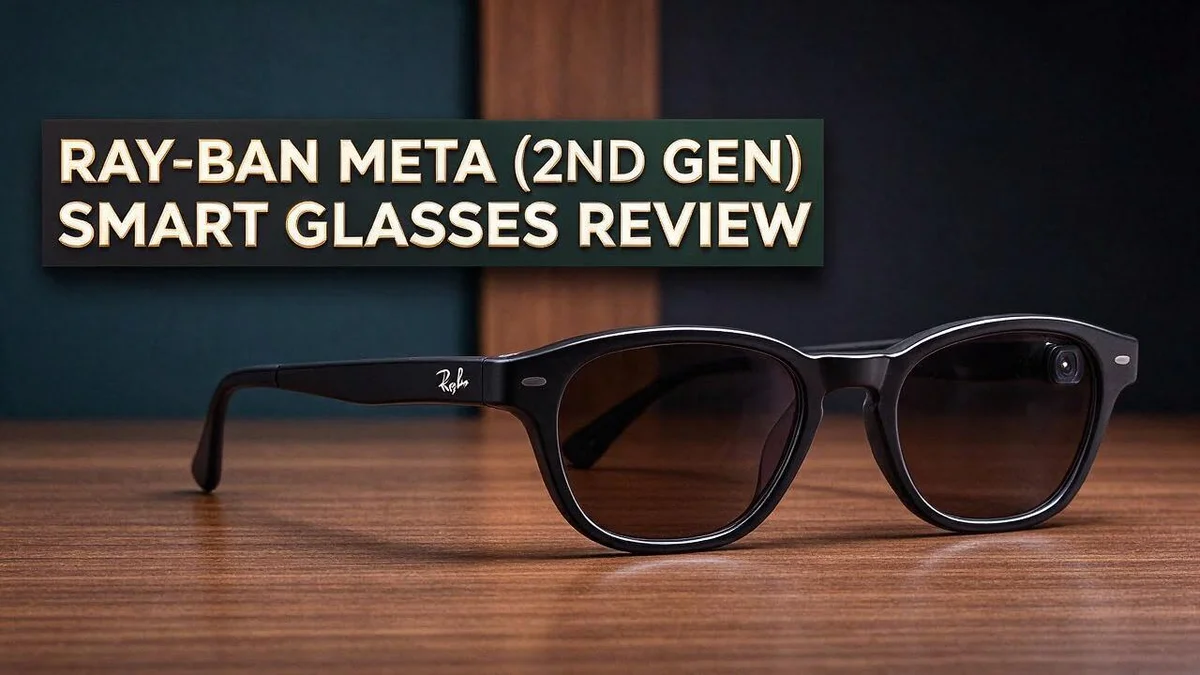
Ray-Ban Meta (Gen 2) Smart Glasses Review: Camera, Audio, Battery Life and Verdict
Smart glasses now feel fun to wear every day. The Ray-Ban Meta (2nd Gen) blends classic style with useful tech. You can capture moments without pulling out your phone.
Hands-free content creation is the big draw. These glasses feature a 12MP ultra-wide camera. They also record crisp 3K Ultra HD video for sharp, clear clips.
Battery life matters on busy days. Reviewers say this model can last up to 8 hours. One source even claims it doubles the battery life of the prior model.
Still wondering if this pair is right for you? Here, we break down the design, camera, audio, and daily comfort. You will quickly see how these glasses fit your routine.
In a Nutshell
- Quick verdict: Reviewers call this pair a strong and stylish choice for daily wear. It looks good and feels natural on the face.
- Smart camera: A 12MP lens with a wide view captures more of the scene. You can grab a shot without pulling out your phone.
- Sharper video: Clips record in 3K Ultra HD, so footage looks crisp on a phone screen. Friends will notice the clarity.
- Meta AI built in: The glasses work with the Meta AI app. You can ask questions and control features while you walk around.
- Longer runtime: One source says the battery lasts about double the prior model. Expect up to 8 hours of use on a single charge.
- Upgrade question: Some Gen 2 owners ask if Gen 3 is worth the switch. Compare it with rivals like Oakley Meta, XREAL, and RayNeo before you decide.
Key Features and Camera


Last update on 2026-11-18 / Affiliate links / Images from Amazon Product Advertising API Some of the links on this website are affiliate links, which means that at no additional cost to you, I earn a commission if you click through and make a purchase. I only recommend products and services that I believe will add value to my readers. Thank you for your support!
The key features give these glasses a useful mix of tools. Inside the frame, Qualcomm AR chips handle some processing right on the device. That means certain tasks do not always need your phone to do all the work.
The camera opens up fresh ways to capture daily life. You can record a moment without pulling out your phone. Your hands stay free for coffee, pets, or kids. Street scenes, quick meals, and quiet walks become easy to save.
The ultra wide lens shines in tight spaces. Group photos at dinner or in a busy market fit more people into one frame. You can stay farther back and still get the whole scene.
Indoor shots also benefit from the wide view. Small rooms, family gatherings, and home workspaces look fuller and more natural. You do not need to rearrange the room to fit everyone in the frame.
Think about where you will use it most. Travelers can capture landmarks while keeping both hands free for maps or bags. Parents can grab candid moments without stopping playtime.
Lens cleanliness matters more than many people expect. A quick wipe before each shoot keeps images clear and bright. Smudges can soften details, especially in low light.
Speakers sit inside the frame, so you can hear music and voice replies without earbuds. Voice commands add another layer of control. You can ask the glasses for help or take a photo just by speaking.
Sharing clips feels simple too. Your recordings move to your phone through the Meta AI app, where you can review them before posting. This flow keeps your favorite moments ready for friends and social feeds.
Good features only matter if they fit your routine. Think about how often you shoot, where you go, and what you want to capture. The right choice feels natural on your face and in your daily plans. Simple habits make a big difference over time.
Design, Comfort and Style
Most people want eyewear that looks like regular glasses. These frames deliver that classic feel. They suit a casual tee or a smart jacket.
The frame shape stays familiar. You can wear them to work, on a park walk, or to dinner. Nobody needs to know you are wearing smart tech.
Comfort matters most after the first hour. The frame sits lightly on your nose. The arms rest comfortably behind your ears.
Reviewers note better comfort than earlier designs. That improvement makes long days out far more pleasant.
Weight plays a big role too. A lighter frame reduces pressure on your nose and neck over time.
Fit also affects the camera. Frames that stay steady keep the lens aimed where you look. That makes every shot feel more natural.
Style gives you plenty of choices. Ray-Ban frames come in several shapes and colors. You can match them to your face and personal taste.
Sunglasses and clear lenses both work well. Pick a tint that suits bright days or indoor meetings.
Want a bolder look? Choose a darker frame with a glossy finish. A softer shade blends nicely with neutral outfits.
Everyday handling feels simple. Slide the arms open and closed with one hand. Hinges should feel smooth, not stiff.
Try them on before you commit. Check whether the arms sit comfortably above your ears. Also watch for any pinching at the bridge.
If you wear prescription lenses, ask an optician about fit first. A good fit keeps the glasses stable during movement.
Consider how long you wear glasses each day. Short trips need less comfort than a full workday. Longer wear rewards a soft, balanced frame.
Overall, the design feels practical and attractive. Comfort and style together make these glasses easy to keep on all day. They look good and feel light.
Audio Quality and Speakers
Good audio matters when you wear glasses all day. This pair sounds better than the first generation, and reviewers say the speakers feel clearer. Your listening experience still depends on how you use them.
Open sound keeps you aware. You can still hear traffic, coworkers, and birds around you. That awareness helps on busy sidewalks and at crosswalks. Many people also find it more relaxing than sealed earbuds after a long walk.
Volume is your main control. Keep the level low in quiet places like libraries or offices. Nearby people can hear sound leaking from the frame at high volume. Start soft, then raise the level only when you need it.
Voice replies work well for quick tasks. You can check the weather, set a timer, or hear directions without pulling out your phone. Short answers sound the clearest. Long replies may feel like a lot of information at once, so ask simple questions when you can.
Wind and street noise can affect clarity. Strong gusts or loud trucks may cover up quieter sounds. Move to a calmer spot if the audio seems thin. A steady, moderate volume usually sounds best in these conditions.
Podcasts and audiobooks suit these speakers well. Spoken words come through clearly at a comfortable level. Music also sounds pleasant, especially during a walk, a commute, or a light workout.
Earbuds still win for deep bass. Sealed earbuds deliver richer low tones and more privacy. Glasses trade some depth for freedom and comfort. Choose glasses if you want to hear your surroundings while you listen. Choose earbuds if you want an immersive session with heavy bass.
Test the sound before you rely on it. Play a favorite song, a podcast episode, and a phone call in different places. Notice how the audio changes indoors, outdoors, and in windy spots. This quick check shows you whether the speakers fit your daily routine.
Top 3 Alternatives
Oakley Meta HSTN

Last update on 2026-11-19 / Affiliate links / Images from Amazon Product Advertising API Some of the links on this website are affiliate links, which means that at no additional cost to you, I earn a commission if you click through and make a purchase. I only recommend products and services that I believe will add value to my readers. Thank you for your support!
The Oakley Meta HSTN fits people who train hard. These glasses look sporty and feel light on the face.
They include a camera, open ear speakers, and Meta AI. You can take photos, listen to music, and ask questions without pulling out your phone. Your hands stay free during a run or bike ride. Battery life suits short training sessions well.
Solos AirGo 3
No products found.
The Solos AirGo 3 suits people who want simple AI help all day. Its open ear audio lets you hear traffic and people around you.
The glasses also include a camera for quick photos and short videos. They work well for commuting, walking, and quick calls. Many users like the lightweight frame for everyday wear. Pick this model if voice help matters most to you.
Xreal One

Last update on 2026-11-19 / Affiliate links / Images from Amazon Product Advertising API Some of the links on this website are affiliate links, which means that at no additional cost to you, I earn a commission if you click through and make a purchase. I only recommend products and services that I believe will add value to my readers. Thank you for your support!
The Xreal One takes a different path. It focuses on a large screen instead of a camera.
Put these glasses on and you see a big virtual display. They suit movies, gaming, and work on the go. You connect them to a compatible device, and then you enjoy a private screen wherever you sit. Wear them on a flight or in a small hotel room for a theater feel. It works best when you want a private screen for entertainment.
Battery Life and Endurance
Battery life shapes how you use these glasses. Most people want to know if the glasses last through a full day. The research points to up to eight hours of battery life, which covers a busy workday or a day of sightseeing.
One source says the second generation doubles battery life compared with the earlier model. That gain changes how you plan your day. You may skip the afternoon charge you once needed.
Heavy use drains power faster than light use. Recording video takes more energy than snapping a quick photo or asking for a weather update. If you film often, expect the charge to drop sooner.
Plan your outings around your battery level. A long hike or a full conference day may call for a check before you leave. Short tasks like voice replies or quick clips stretch the charge much further.
Build a simple charging habit at home. Plug the glasses in each night so they start fresh every morning. This small step saves you from surprises when you need them most.
Check the battery before a trip. Open the companion app to see the current level. A quick look helps you decide whether to pack a charging cable or leave it behind.
Battery life also matters when you compare models. If you consider the Gen 3 version, ask how many hours you need on a single charge. Your daily routine should guide that answer.
Real battery life depends on your settings and how often you use the features. Treat the eight hour figure as a best case estimate. Track your own usage for a few days to find your pattern.
Good battery habits keep your glasses ready. With a little planning, you can enjoy longer days without worrying about the charge.
Ease of Use and Meta AI Integration
Using these glasses feels natural from the first day. You pair them with the Meta AI app, and the setup guides you step by step.
The real power starts with your voice. Say the wake phrase and the glasses listen for your next command.
Meta AI answers questions about what you see. Ask about a building, a plant, or a menu, and get a quick reply.
Capturing moments takes only seconds. A short voice command snaps a photo or starts a video. Your hands stay free, and your eyes stay on the moment.
The 12MP wide angle camera captures wide scenes with ease. Video reaches 3K Ultra HD, so your clips look sharp on any screen.
Everyday tasks feel quicker with Meta AI on hand. You can set reminders, check the time in another city, or ask for a fact during a walk.
The companion app gives you deeper control. Open it to update settings, manage your captures, and review what Meta AI can do for you.
Some processing happens on the glasses themselves. This helps simple replies arrive faster, so you spend less time waiting.
Privacy matters when a camera sits on your face. A small light shows when recording starts, so people nearby know what is happening.
The learning curve stays short. Most people master the basics in one afternoon.
Practice at home before you head out. Try each voice command a few times. Confidence grows fast, and public use feels much easier.
Connectivity also keeps things simple. The glasses link to your phone, so messages and calls flow through a single device.
Quick tips make a big difference. Keep the app updated. Clean the lenses before each outing. Test Meta AI in a quiet room first.
Voice commands work best in calm spaces. Speak clearly and wait for the reply before you ask again.
Meta AI feels like a helpful companion. It handles small jobs quietly, so you can focus on your day. That balance makes these glasses easy to love.
Pros and Cons
Pros
- Stylish design that reviewers call a strong choice.
- Better comfort than the earlier model.
- Crisper 3K video for sharper clips.
- Improved audio from the built in speakers.
- Clear upgrade gains over the first generation.
Cons
- Some reviewers still ask if they feel useful every day.
- Gen 3 may suit buyers who want the newest features.
- Owners may wonder if a new pair is worth returning a current one.
- Rivals like Oakley Meta and XREAL offer different styles.
Who Should Buy It
These glasses suit people who want smart features without a big change. They look like classic frames, so they blend into everyday life.
Busy commuters often like hands free tools. Walking to work or waiting for a train becomes more useful when you can get things done without pulling out a phone.
Travelers who love sharing their trips will enjoy the quick capture style. Moments from a day out can be shared fast, without carrying a bulky camera.
Fans of classic frame styles will appreciate the familiar look. Many people want tech that does not stand out on the street.
Buyers who skip the newest release may find this model a sensible pick. It suits those who want modern features without chasing every update.
Students and remote workers may use these on the move. Taking quick voice notes or checking reminders can happen without holding a phone.
People who dislike earbuds might prefer open sound. Audio comes from the frame, so you can still hear traffic and friends nearby.
First time smart glasses owners should start with the basics. Learn simple tasks first, then explore more features over time.
Owners of the first generation may wonder if an upgrade is worth it. Compare your current pair with the features you miss most, then decide with confidence.
Gift buyers should confirm the exact model before they shop. Many people search for the newest version by mistake, so check the generation carefully.
Shoppers who want a screen inside the lens should look elsewhere. Rival models like XREAL focus on different experiences that may suit those needs better.
Think about your daily routine before you decide. Ask yourself how often you will use voice tools, the camera, and audio. A clear answer makes the choice much easier.
In short, these glasses fit people who want simple, stylish tech for everyday tasks. They work best for those who will use the features often and enjoy wearing them all day.
Final Verdict
The final verdict is simple. The Ray-Ban Meta Gen 2 feels like everyday eyewear with smart tools built in. It handles the basics well without asking you to change how you live.
Battery life stands out most for daily use. Up to 8 hours means you can wear them through a full day. One source reports double the battery life of the prior model.
Privacy also deserves a thought. The camera can capture people nearby. Respect the people around you and check local rules before filming in private spaces.
Honesty matters here. The research we reviewed lists no specific drawbacks. That does not mean the glasses are flawless. Test them yourself before you decide.
Start with your usual routine. If you mostly want quick photos, voice control, and a light touch of tech, this pair fits well. If you need a camera that performs like a dedicated device, you may look elsewhere.
Some readers wonder about the newest model. A fresh release brings new features. This Gen 2 pair still handles core tasks well, so compare the features you actually use.
Try a few steps before you buy. Pair the glasses with the Meta AI app in a store or at home. Ask Meta AI a simple question and snap a test photo. Notice how the frame sits on your face after an hour.
The companion app matters as much as the frames. Updates through the app can add features over time. That helps the glasses stay useful as your needs change.
Our overall take leans positive. The glasses offer strong daily utility, good looks, and smart features in one package. Choose them if you want an easy step into smart eyewear.
Frequently Asked Questions
Are these glasses a good first pair of smart glasses?
Yes, they suit people who are new to smart eyewear. The frames look like everyday glasses, so the switch feels easy. You get a camera, audio, and assistant tools without learning a complex system. Start with simple tasks like taking photos and playing music.
Can I wear them during walks or light outdoor activity?
They work well for walks, errands, and light outdoor time. Heavy sweat and rain can wear down any gadget over time. Read the care notes that come with your pair before you use them in tough conditions. Keep them in a case when you are not wearing them.
Can I add prescription lenses to these frames?
You can usually add prescription lenses to these frames. Ask your optician to fit the lenses, and bring your latest eye test results. Clear lenses or sunglasses lenses both work for daily wear. Ask the shop how long the lens fitting takes before you visit.
How can I let people know I am recording?
Be open about your camera use. Tell friends, coworkers, or family when you plan to record. Some public and private spaces have rules about filming, so check local guidance first. Respecting others builds trust and keeps your recordings useful and friendly.

Hello, i’m Ivoria i am the face behind Tech Tracker Blog. I am passionate about my work and love to explore gadgets and share about my experience.