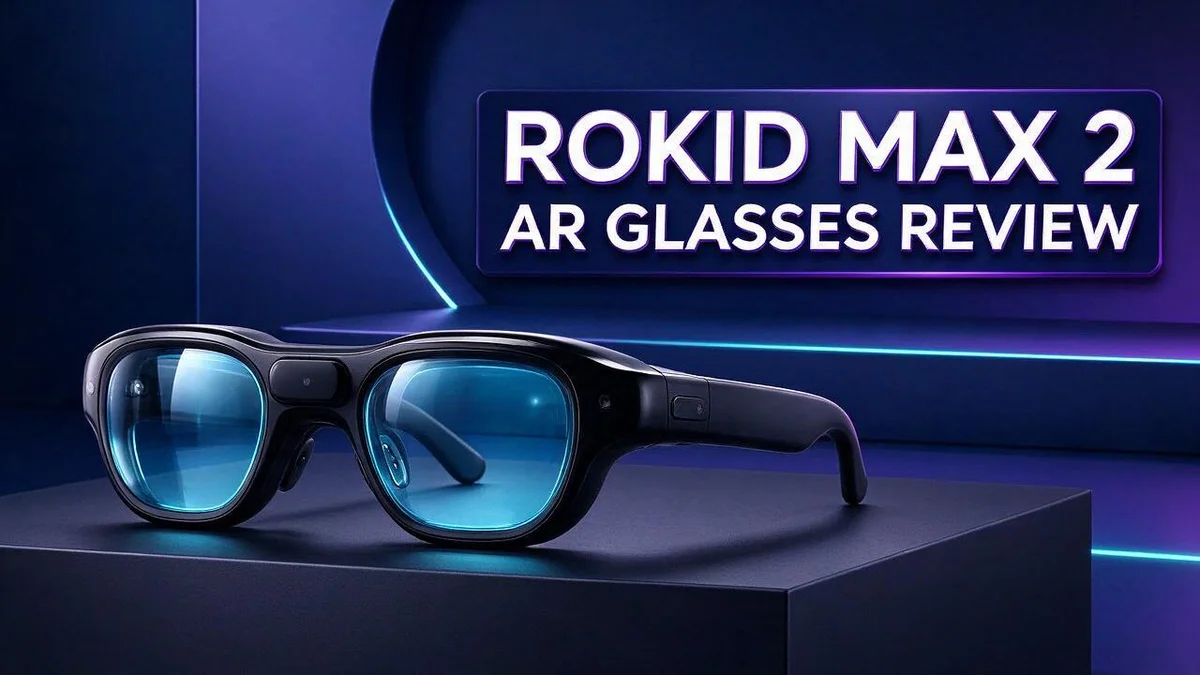
Rokid Max 2 AR Glasses Review: Skip or splurge?
Imagine watching your favorite movie on a screen as big as a living room wall. The Rokid Max 2 AR Glasses make that possible. Put them on and your private cinema is ready.
Big screen fans often want a simple answer before they try new gear. Does this headset truly deliver? This review gives you the full picture.
The glasses project a virtual screen up to 215 inches at 20 feet. A Sony Micro OLED panel and a 120Hz refresh rate keep motion smooth.
In a Nutshell
- Smooth motion: The glasses offer a 120Hz refresh rate. Fast scenes and quick game moves look fluid, so action fans get a steadier view.
- Sharp panel: A Sony Micro OLED panel drives the picture. This display type shows strong detail in text, faces, and game menus.
- Prescription friendly: The lenses adjust up to minus 6.00 diopters. Many nearsighted viewers can skip extra lens inserts.
- Built in audio: Speakers and a microphone sit inside the frame. You can watch or chat without plugging in headphones.
- Easy controls: Volume and brightness buttons sit on the glasses. The Station 2 remote gives you extra control when you want to change settings fast.
- Know the drawbacks: Some users report that the included mounts do not fit well. Others notice edge blur, so check the image corners before you commit.
Display Quality and Viewing Experience

Last update on 2026-11-19 / Affiliate links / Images from Amazon Product Advertising API Some of the links on this website are affiliate links, which means that at no additional cost to you, I earn a commission if you click through and make a purchase. I only recommend products and services that I believe will add value to my readers. Thank you for your support!
Picture quality decides whether a big screen feels fun or frustrating. The Rokid Max 2 aims to keep images clear, so you can relax and enjoy the show.
Dark rooms work best. Bright lamps and sunlight can wash out colors. Dim lighting helps the picture look deeper and richer.
Movies with bold lighting shine. Science fiction films, night scenes, and action movies show off the screen well. Shadows stay readable when the room is dark.
Edge blur is the main catch. Some users notice softness near the sides of the image. Keep key action near the center of your view.
Text stays easy to read. Subtitles, menus, and game labels look clear at a comfortable distance. Very small fonts may need extra focus.
Your eyes adjust fast. Most viewers feel at ease after a short warm up period. Take a short break every hour to rest your eyes.
Gaming looks smooth. Quick camera pans and fast movement appear fluid on screen. Shooters and racing games feel more immersive this way. Keep a controller close for longer sessions.
The screen floats in front of you. You sit back and the picture stays in place. Staying still helps the image feel steady and natural.
Glasses sit close to your eyes. Comfort and focus depend on a good fit and the right lens setting. Adjust the frame until the picture sits square in your view.
Sunlight is the biggest enemy. Outdoor use washes out the image fast. Close the curtains or move to a shaded spot before you start a film.
Shared viewing has limits. The glasses are personal, so friends cannot see the same picture. Sharing a movie night takes a second display or a projector.
Test the picture first. Play a short clip with dark and bright scenes. This shows quickly whether the blur or brightness bothers you. Try both a bright and dim room before you decide.
Comfort and Fit
Comfort matters just as much as the picture quality. You might wear these glasses for a full movie or a long gaming session. A good fit keeps the fun going from start to finish.
Weight plays a big role. Heavy frames can press on your nose and ears after a while. Plan short breaks every hour so your face can rest.
The arms rest behind your ears like regular eyewear. Check that they sit snug but gentle before you press play. A balanced hold keeps the frame steady as you move.
Try a short test run first. Wear the glasses for ten minutes before a long movie. This lets you spot pressure points early and adjust the fit.
Head position matters too. Sitting upright with your head level keeps the screen in a natural view. Reclining far back on a couch may change how the image sits for you.
Some people feel pressure on the temples after a long session. Loosen the arms slightly and let the frame rest on your face. Small changes can ease the strain fast.
Comfort also depends on your face shape and nose bridge. Adjust the frame if it slides down your nose. A steady fit helps the image stay put during fast action scenes.
Clean the lenses gently. Use a soft microfiber cloth to remove dust and fingerprints. A clear lens keeps your view sharp and your eyes less tired.
Store the glasses in a protective case when you travel. Keep them away from heavy bags and direct heat. Good care keeps the frame in shape for years.
Overall, comfort suits casual viewing well. Movie nights and gaming sessions feel easy with the right setup. Take your time with the fit, and your experience will improve.
Audio and On-Glasses Controls
Sound plays a big part in your viewing experience. Good audio makes every movie feel full and alive.
The speakers sit close to your ears. This placement keeps dialogue clear and music easy to follow. Most viewers can hear the action without any extra gear.
Speakers in the frame can also leak some sound into the room. If someone sits nearby, keep the volume at a comfortable level.
Headphones give you more privacy. Connect your own earbuds or headphones when you watch late at night. You get a quiet and personal soundtrack.
The microphone also helps during voice chat in online games. Teammates can hear your calls clearly.
The Station 2 remote gives you another control option. Use it when you want to change settings without reaching up to the frame.
Practice the controls before a movie starts. Press the volume and brightness buttons a few times so your fingers learn their position.
Start with a low volume. Raise the sound slowly until dialogue feels clear and action scenes feel strong. Loud audio can tire your ears during long sessions.
A stable connection keeps the sound steady. Keep your phone, laptop, or console close to the glasses during playback. Sudden drops can break the mood of a scene.
Sound quality also depends on the content you watch. Movies with rich soundtracks show off the speakers best, while simple video clips may sound flat. Choose your playlist with that in mind.
Run a short sound test in your room. Play a clip with speech, music, and loud effects. Listen for muffled voices or harsh highs, then adjust your seating or volume. Repeat the test at a few volume levels so you find your sweet spot.
Good audio and simple controls make the glasses feel like a personal theater. Spend a few minutes on setup, and every scene will feel more immersive for you and your friends or family.
Top 3 Alternatives
XREAL Air 2

Last update on 2026-11-19 / Affiliate links / Images from Amazon Product Advertising API Some of the links on this website are affiliate links, which means that at no additional cost to you, I earn a commission if you click through and make a purchase. I only recommend products and services that I believe will add value to my readers. Thank you for your support!
XREAL Air 2 gives you a big virtual screen that floats in front of your eyes. The frame is light and easy to wear during long movie nights. You can connect it to many phones, laptops, and handheld consoles, so setup stays simple. Many people like how fast they can start watching. Just plug in, adjust the focus, and relax. It is a great pick if you want comfort first and a clear picture second.
XREAL One

Last update on 2026-11-19 / Affiliate links / Images from Amazon Product Advertising API Some of the links on this website are affiliate links, which means that at no additional cost to you, I earn a commission if you click through and make a purchase. I only recommend products and services that I believe will add value to my readers. Thank you for your support!
XREAL One is the next step up in the XREAL lineup. It keeps the same lightweight design but adds a stronger processing chip and smarter image stabilization. That means the screen stays steady when you move your head. Gamers and remote workers often choose it for a steady, cinema style view. It also works well for travel because it packs down easily into a small case.
Viture Beast

Last update on 2026-11-19 / Affiliate links / Images from Amazon Product Advertising API Some of the links on this website are affiliate links, which means that at no additional cost to you, I earn a commission if you click through and make a purchase. I only recommend products and services that I believe will add value to my readers. Thank you for your support!
Viture Beast focuses on a wider field of view, so the screen feels larger and more immersive. It also includes adjustable dimming, which helps the picture stand out in bright rooms. If you want a bigger screen feel for gaming or streaming, this model deserves a look. Some people notice the extra size right away, while others need a few minutes to adjust. It is a strong choice for anyone who values immersion most.
Prescription Lens Options
Many viewers need glasses every day. The Rokid Max 2 offers an adjustable lens for this need. It is a simple way to see clearly without wearing a second pair of eyewear.
The lens range reaches up to 6.00 diopters of nearsightedness. That covers many common prescriptions. Check your number before you start watching.
Look at your latest eye exam record. Find the number labeled sphere. Compare it with the listed range. If it falls within the range, the lens should suit your eyes.
The listed range focuses on nearsightedness. People with farsightedness or astigmatism should confirm support first. This step prevents blurry views later.
Stronger prescriptions may need extra help. Ask the seller about lens options before you commit. Clear answers save you time.
Adjust the lens slowly until small text looks crisp. Small steps help you find the best focus for your eyes.
Test the focus with a short clip that has fine detail. Stop adjusting once the picture feels natural. Strain means the setting is off.
The picture appears far away, so distance vision matters most. Nearsighted viewers often see the screen blur without help. Correct lenses keep the image crisp from your seat.
Eye strain builds up over time. Short breaks help your eyes rest. Pause the movie every hour to refocus.
Mount fit reports from other users are worth reading too. Early checks help you avoid frustration on movie night.
Keep your prescription details handy. Write down your numbers and store them in a safe place. You can compare them each time you change settings.
Prescription choices vary by person. Your eye doctor can confirm which numbers suit you best. Bring your records along when you ask.
Prescription support makes the Rokid Max 2 more useful for glasses wearers. It saves you from juggling extra eyewear. Check your numbers, then enjoy the big screen.
Setup and Device Compatibility
Getting started with the Rokid Max 2 is easy. Open the box and check every part first. Make sure the glasses and the Station 2 remote are inside.
Next, charge the glasses fully before your first use. A full battery gives you a calm first session. Keep the charger nearby while you learn the layout.
Device compatibility decides how well the glasses work with your gear. Think about what you plan to watch or play first.
A phone, laptop, or game console may each connect in a different way.
Some laptops may need a direct cable link. Some phones may need a small adapter. Check the adapter type that matches your model before you connect anything.
Game consoles follow their own display rules. Open the console display settings and check the output options. Pick the mode that the glasses support.
Check the compatibility guide from the maker. It shows which devices work well with the glasses. Reading it first can save you time and frustration.
Update the firmware before your first session. New updates can improve how the glasses handle different devices. Keep the glasses charged during the update.
Pick a quiet room with soft light. Dim light helps the picture look sharper on the virtual screen. Place your device within easy reach so you can switch sources fast.
Run a quick check before you watch anything. Play a short clip with bright scenes. If something fails, check the cable and device settings first.
Keep a backup cable nearby. Cables wear out over time. A spare saves you from a stalled movie night.
Know your sources before you start. Write down the devices you plan to use most. This list helps you spot gaps early.
Keep the instructions in a safe spot. You can check them later if a setting confuses you.
A careful setup helps you enjoy every session. Take a few minutes now and your viewing stays smooth later. Your future self will thank you.
Pros and Cons
Pros
- Comfortable design keeps the frame light for longer movie nights.
- Films feel like a big screen in any room you choose.
- Gaming sessions feel more immersive on a large virtual display.
- It works as a wearable monitor for work or travel.
Cons
- The provided mounts may not fit every user.
- Edge blur can show up near the sides of the picture.
- Blur near the corners may bother people during fast scenes.
Who Should Buy It
Not every shopper needs a pair of AR glasses. The Rokid Max 2 suits some people far better than others. Here is who should consider it.
Frequent travelers are a strong match. Long flights feel shorter with a large virtual screen. You can watch shows without holding a tablet on your lap.
Students in small dorms can also benefit. A private screen helps when roommates sleep or study nearby. The speakers built into the frame give you sound without extra gear.
People who work from cafes or hotel rooms may find it useful too. A large virtual display can replace a crowded laptop screen. You keep more of your work in view while you move around.
Tech fans who enjoy new gadgets often get the most out of it. They usually enjoy testing display settings and learning new controls. Patience helps them find the setup that feels right.
Shoppers who want full immersion may prefer a different option. The Apple Vision Pro offers a more complete headset experience. It serves people who want a fully enclosed virtual space.
Buyers who want a simple setup might compare other models. The XREAL line and the Viture One XR Glasses are common alternatives. Each one connects and feels a bit different in daily use.
Anyone who needs perfect sharpness should read more reviews first. Edge quality matters a lot for some viewers. Checking several user experiences helps you decide with confidence.
Think about your daily habits before you buy. If you watch, play, or work on the move, this device may suit your needs well. Your routine matters more than any single feature on a spec sheet.
Final Verdict
The Rokid Max 2 is a strong choice for people who love big screens. It creates a large virtual view that feels like a private cinema.
Still, no device fits every person. The drawbacks matter more to some buyers than others. Think about how you plan to use the glasses before you decide.
Other brands take different routes. XREAL and Viture also offer screen-style viewing.
Apple Vision Pro takes a different path as a full headset. Ray-Ban Meta glasses focus more on everyday wear and photos.
Choose this device if you want a simple way to watch on the move. It rewards people who value screen size over a complete virtual world.
Ask yourself how often you will really use the glasses. Occasional use may leave them sitting in a drawer.
Balance the strengths against the weak spots. The screen size and speakers stand out. The edge blur and mount issues need your attention.
Built-in speakers add convenience when you skip earbuds. This matters on flights or in shared rooms.
Set your priorities before you buy. Screen size may matter more than perfect detail for some people. Others may value sharpness above all else.
Future models may refine edge clarity over time. Watch for new reviews to see how the product performs.
Plan a short test session during your first week. This helps you spot fit issues early. Early testing gives you options if something feels off.
Long sessions also deserve a second look. Take breaks to rest your eyes during marathon viewing. Set a timer for each break so you stay on track.
Your final choice depends on your daily routine. If you watch or play often, the glasses can become a go-to device.
Final thought: the Rokid Max 2 earns a spot on the shortlist. It delivers a clear upgrade over a small phone screen.
Frequently Asked Questions
Does the screen stay clear in a bright room?
The Rokid Max 2 reaches up to 600 nits of brightness. That helps the picture stay visible near windows or lamps. For the sharpest contrast, dim the lights a little.
Can people who need vision correction use the glasses?
The lenses adjust up to minus 6.00 diopters, which covers many common prescriptions. Confirm your own prescription before you buy, because the range may not suit every eye.
How do I control the glasses?
You can change the volume and brightness with the buttons on the frame. The Station 2 remote gives you a second way to manage your session. Keep the remote nearby so you can adjust without pausing your show.
How does it compare with XREAL or Viture glasses?
The research names XREAL 3, Viture One, and Ray-Ban Meta glasses as alternatives. Each brand takes a slightly different approach to screen size and controls. Compare these details side by side so you can pick the setup that fits your daily routine.

Hello, i’m Ivoria i am the face behind Tech Tracker Blog. I am passionate about my work and love to explore gadgets and share about my experience.