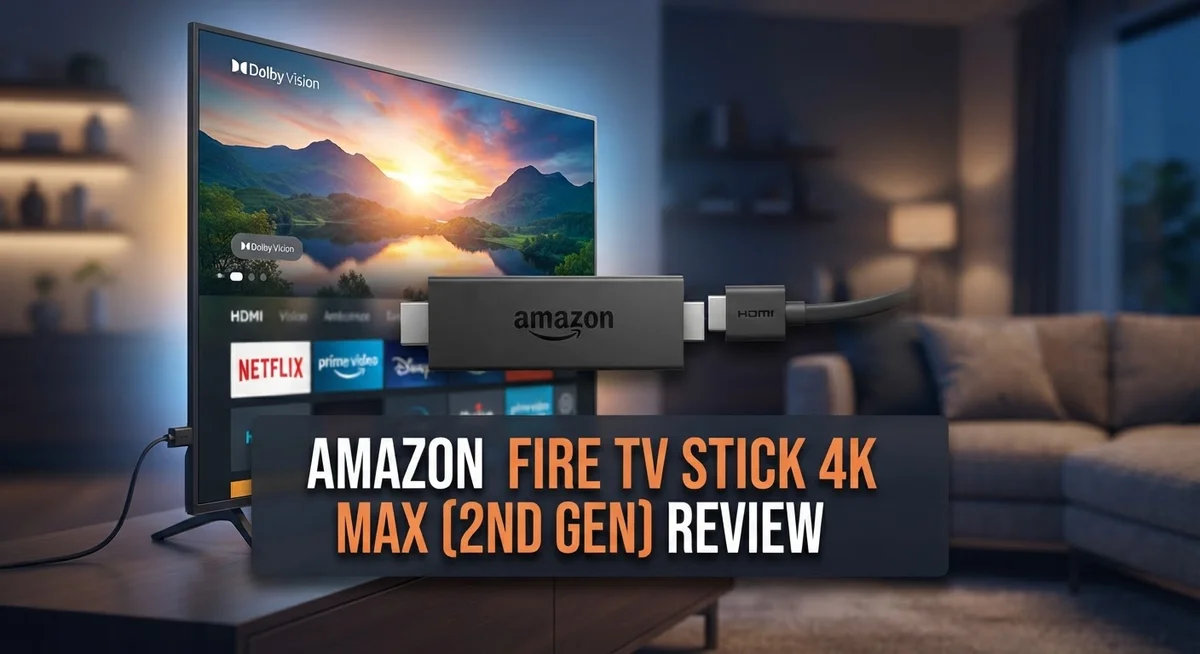
Amazon Fire TV Stick 4K Max (2nd Gen) Review: Is It Worth It?
Looking for a streaming device that just works? The Amazon Fire TV Stick 4K Max (2nd Gen) might be your answer. This little stick packs a punch. It streams crisp 4K content without lag or buffering.
Amazon upgraded the CPU and RAM this time. You get faster app loading and smoother navigation than before. Wi-Fi 6E support means your connection stays strong. Even busy households with many devices will notice the difference.
The remote feels comfortable in hand. It has quick shortcuts to your favorite streaming services. But is this second generation model worth your attention? We tested it thoroughly to find out.
In a Nutshell
- Storage and connectivity: It comes with 16GB storage and supports Ethernet through a USB connection. This gives you a stable wired option when Wi-Fi gets crowded.
- Power efficiency: Amazon improved the internal power management. The stick runs cooler and consumes less energy during normal use.
- Overheating reports: A few users mention the device gets warm during long sessions. It’s worth keeping it in open air for best results.
- Bluetooth upgrade: A newer Bluetooth profile connects headphones and game controllers faster. Pairing feels smoother than before.
- Ambient Experience features: Amazon added decorative screen options. Most feel like a gimmick rather than a real upgrade.
- Small generational jump: If you already own the first generation stick, this version offers only minor changes. New buyers get the most value.
- Tough competition: The Fire TV Cube and NVIDIA Shield TV bring more power. Still, this stick handles everyday streaming without trouble.
Design and Build
The Amazon Fire TV Stick 4K Max (2nd Gen) maintains a sleek stick form factor that slides behind most modern televisions. The device measures roughly 4.3 inches long and weighs just 1.2 ounces, making it genuinely portable for travel or quick room-to-room setup.
The physical construction feels solid in hand. Amazon used durable plastic materials throughout, and the stick connects via a standard HDMI port. The power cable attaches magnetically at the base, which prevents accidental disconnection during use.
What sets this generation apart is the upgraded internal architecture. The second generation features a faster CPU and more RAM than its predecessor. These improvements help apps load quicker and handle multiple tasks without stuttering. You’ll notice smoother navigation through menus and faster app launches.
The remote included with this model deserves special mention. It fits comfortably in your palm with well-spaced buttons. Amazon added dedicated shortcuts to popular services, so you reach your favorite apps faster. The newer Bluetooth profile connects wireless headphones and game controllers with noticeably reduced lag compared to earlier versions.
Connectivity options expanded significantly. Wi-Fi 6E support delivers faster wireless speeds, reaching up to 1266 Mbps on the 5G band. For users wanting a wired connection, Ethernet works through an optional USB adapter, though it maxes out at 300 Mbps. This flexibility helps you choose the setup that works best for your home network.
Internal power management received attention too. Improved power efficiency means the device runs cooler than before, though some users report the stick still gets warm during extended streaming sessions. Ventilation remains minimal, so ensure your TV setup allows adequate airflow around the device.
Storage sits at 16GB, giving you room for app installations. The stick boots quickly and handles multitasking without performance dips. Overall, the design balances portability with reliable performance, though the generational improvements are incremental rather than revolutionary.


Last update on 2026-10-23 / Affiliate links / Images from Amazon Product Advertising API Some of the links on this website are affiliate links, which means that at no additional cost to you, I earn a commission if you click through and make a purchase. I only recommend products and services that I believe will add value to my readers. Thank you for your support!
Performance and Speed
The Amazon Fire TV Stick 4K Max (2nd Gen) delivers solid performance across streaming tasks. The upgraded CPU and RAM work together to handle apps smoothly without lag or stuttering.
Wi-Fi 6E connectivity is the real star here. Your stick connects at speeds up to 1266 Mbps on the 5G band, which means faster loading times and more stable streams. If you prefer a wired connection, USB Ethernet gives you up to 300 Mbps as an alternative.
Real world performance feels snappy. Apps launch quickly. Menu navigation happens instantly. 4K content plays without buffering on most home networks. The device handles multiple tasks without breaking a sweat.
One thing to watch: heat buildup during extended sessions. Some users report the stick gets warm after several hours of continuous use. This is normal for compact streaming devices, but it’s worth noting if you plan marathon viewing sessions. Proper ventilation behind your TV helps keep temperatures in check.
The newer Bluetooth profile makes a practical difference too. Your wireless headphones and game controllers connect faster and stay connected more reliably. Pairing feels seamless compared to older generations.
Processing power handles apps from major streaming services without issues. Netflix, Prime Video, Disney Plus, and others run at full quality. Switching between apps happens quickly. The experience feels responsive throughout.
Storage at 16GB gives you room to install apps you use regularly. You won’t run out of space for typical streaming needs. The system manages storage efficiently, so performance doesn’t degrade over time.
Overall, speed and performance meet expectations for a mid-range streaming stick. It won’t match the raw power of a Fire TV Cube or NVIDIA Shield TV, but it doesn’t need to. For standard streaming and casual use, this device performs admirably. The performance gains over the first generation are real but incremental. If you’re upgrading from an older model or starting fresh, you’ll notice the difference. For existing first generation owners, the speed improvements are modest.
Streaming Quality and Features
The Fire TV Stick 4K Max (2nd Gen) streams 4K content smoothly across all major platforms. Netflix, Prime Video, Disney+, and others load quickly and play without stuttering.
Wi-Fi 6E is the standout feature here. This newer standard delivers speeds up to 1266 Mbps on the 5G band. Your streaming stays stable even when multiple devices connect to your network. If you prefer wired connections, the USB Ethernet adapter works too, though it caps out at 300 Mbps.
The upgraded CPU and RAM from the first generation make a real difference. Apps open faster. Menu navigation feels snappier. Switching between services happens without lag. You won’t experience the spinning loading wheels that plague older streaming devices.
HDR support comes standard. This means darker blacks and brighter highlights in compatible content. Dolby Vision and HDR10 both work on this model. The picture quality jumps noticeably if your TV supports these formats.
Audio options include Dolby Atmos for compatible shows and movies. Sound comes through clear and immersive. The remote has quick access buttons for popular services. You can launch Netflix or Prime Video with a single press.
The newer Bluetooth profile connects wireless headphones and game controllers faster than before. Pairing happens almost instantly. This matters if you use gaming controllers or want to watch late at night with headphones.
Storage at 16GB gives you room for apps you use regularly. You won’t fill it up quickly unless you download many apps. Most people stream content rather than store it locally anyway.
One practical note: heat management improved compared to earlier versions. The device runs cooler during extended viewing sessions. Some users reported warmth with the first generation, but this version handles long marathon viewing better.
Overall, the streaming quality and performance features make this a solid choice for 4K content. The Wi-Fi 6E connectivity and upgraded processor work together to deliver reliable, fast streaming across all major platforms.
Top 3 Alternatives
Google Chromecast with Google TV

Last update on 2026-10-23 / Affiliate links / Images from Amazon Product Advertising API Some of the links on this website are affiliate links, which means that at no additional cost to you, I earn a commission if you click through and make a purchase. I only recommend products and services that I believe will add value to my readers. Thank you for your support!
Google Chromecast with Google TV offers a clean, simple streaming experience. The device connects to your TV’s HDMI port and brings Google’s ecosystem right to your screen. You get access to thousands of apps including Netflix, Disney+, and YouTube.
The remote is intuitive and includes a Google Assistant button. Voice commands work smoothly for searching content or controlling smart home devices. Google TV organizes your apps and shows in one easy-to-browse interface.
Setup takes just minutes. The device syncs with your Google account automatically. You can cast content from your phone to the TV without downloading extra apps. Picture quality supports 4K resolution with HDR support for compatible content.
Roku Streaming Stick 4K

Last update on 2026-10-23 / Affiliate links / Images from Amazon Product Advertising API Some of the links on this website are affiliate links, which means that at no additional cost to you, I earn a commission if you click through and make a purchase. I only recommend products and services that I believe will add value to my readers. Thank you for your support!
Roku Streaming Stick 4K is a compact powerhouse for cord-cutters. It delivers 4K streaming with support for Dolby Vision and HDR10+. The stick works with virtually every major streaming service available today.
The Roku remote includes a headphone jack for private listening, which is perfect for late-night viewing. Voice search works across multiple platforms, not just one ecosystem. The interface feels responsive and organized.
Roku’s channel store has over 10,000 apps. Updates happen regularly without slowing down performance. The device works quietly in the background without consuming much power.
Apple TV 4K

Last update on 2026-10-23 / Affiliate links / Images from Amazon Product Advertising API Some of the links on this website are affiliate links, which means that at no additional cost to you, I earn a commission if you click through and make a purchase. I only recommend products and services that I believe will add value to my readers. Thank you for your support!
Apple TV 4K integrates seamlessly into the Apple ecosystem. If you own an iPhone, iPad, or Mac, this device feels like a natural addition. AirPlay lets you mirror content from any Apple device instantly.
The processor handles 4K streaming effortlessly. Dolby Vision and Atmos audio provide premium picture and sound quality. Siri voice control works across your entire smart home setup.
The Apple TV app aggregates content from multiple services in one place. You can subscribe to channels directly within the app. Gaming performance is strong thanks to the powerful chip inside.
Remote Control and Ease of Use
The remote control that comes with this device makes streaming feel natural and intuitive. Amazon included dedicated buttons for popular services like Netflix, Prime Video, and Alexa, so you jump straight to what you want without digging through menus.
The layout feels comfortable in your hand. Buttons sit where your fingers naturally rest, and the spacing prevents accidental presses. The remote connects via the newer Bluetooth profile, which means faster pairing and more reliable connections to wireless headphones and game controllers compared to older models.
Voice commands work smoothly through the built-in microphone. You can search for shows, control playback, or ask Alexa questions without touching a single button. The mic picks up your voice clearly, even from across the room.
Setup takes just a few minutes. You plug in the stick, connect to Wi-Fi, and sign into your Amazon account. The on-screen prompts guide you through each step in plain language. Most people have everything running within 5 to 10 minutes.
Navigation feels responsive thanks to the upgraded internal hardware. Menu scrolling is smooth, and apps launch quickly. You don’t experience lag when switching between streaming services or adjusting settings.
The remote itself is lightweight and doesn’t require frequent battery changes. Amazon designed it to work reliably over time, and the included batteries last several months under normal use.
One practical detail: the remote works within line-of-sight of the stick. If walls or furniture block the signal, you might experience delays. However, this is standard across most streaming remotes and rarely causes real problems in typical living room setups.
The overall user experience emphasizes simplicity. Whether you’re a tech expert or picking up a streaming device for the first time, the remote and interface keep things straightforward. You focus on finding content rather than learning complicated controls.
Connectivity and Setup
Getting your Fire TV Stick 4K Max (2nd Gen) up and running takes just a few minutes. You plug it into your TV, connect power, and follow the on screen prompts. The setup wizard guides you through Wi Fi connection and account login without any confusion.
Wi Fi 6E connectivity is the standout feature for this device. Your stick connects at speeds up to 1266 Mbps on the 5G band, which means faster streaming and smoother playback. If you prefer a wired connection, you can use Ethernet through the USB port, though that tops out at 300 Mbps.
The upgraded internal components make a real difference during setup and daily use. The newer CPU and RAM process everything faster than the first generation. Apps launch quicker, and menus respond instantly when you navigate around.
Bluetooth connectivity received attention in this update too. The newer Bluetooth profile connects wireless headphones and game controllers faster than before. Pairing happens smoothly without the delays you might experience on older streaming devices.
One thing worth noting: heat management is something to keep an eye on. Some users report warmth buildup during extended streaming sessions. This doesn’t prevent the stick from working, but it’s good to know if you plan long movie marathons or all day background streaming.
The remote control works within line of sight of the stick. You don’t need to point it directly, but walls and obstacles can affect the signal. Battery life on the remote is solid, so you won’t be swapping batteries constantly.
Storage at 16GB gives you room to install apps you use regularly. You can add streaming services, games, or utility apps without filling up the device. Additional apps go to internal storage, so space management matters if you’re a heavy app user.
Overall, connectivity and setup on this device feel straightforward. Wi Fi 6E speeds make it future proof for streaming needs. The incremental hardware improvements keep everything responsive and reliable during daily use.
Pros and Cons
Pros
- Wi-Fi 6E delivers fast streaming with speeds up to 1266 Mbps for smooth 4K content
- Upgraded CPU and RAM provide noticeably better performance than the first generation model
- 16GB storage gives you room to install apps you use most frequently
- Remote control is comfortable to hold and includes convenient service shortcuts
- Setup takes just a few minutes, making it easy to start streaming right away
Cons
- This is only a minor upgrade from the 1st generation, so current owners may not see major improvements
- The “Ambient Experience” features feel more like gimmicks than essential additions
- Some users report potential overheating concerns during extended use
- The standard 4K model offers nearly the same features at a smaller price difference
Who Should Buy It
The Fire TV Stick 4K Max (2nd Gen) works best for specific viewer types. If you own the first generation model, this update offers only incremental gains. Your current device handles most streaming tasks just fine.
This stick shines for people who demand fast, uninterrupted 4K streaming. Wi-Fi 6E connectivity makes a real difference in homes with multiple connected devices. Your bandwidth stays strong even when others browse or video call simultaneously.
Gamers and app enthusiasts benefit from the upgraded CPU and RAM. Apps launch faster. Games run smoother. Navigation feels snappier than older Fire TV models. The 16GB storage lets you install your favorite apps without constant uninstalling.
If your home has thick walls or weak Wi-Fi signals, this device helps. The faster processor handles connection drops better. You experience fewer buffering interruptions during peak usage hours.
Families with multiple streaming preferences appreciate the responsive interface. Switching between apps feels instant. Kids can jump from one service to another without waiting. The comfortable remote includes quick access buttons for popular services.
You should skip this model if you already own a 2nd generation Fire TV Stick 4K. The differences are minor. You won’t notice major performance jumps. Stick with what you have.
The “Ambient Experience” features appeal to some users, but most find them unnecessary. These add-ons don’t justify an upgrade for existing owners.
Heat management requires attention if you live in warm climates. Some users report warmth during extended streaming sessions. Ensure your device has proper ventilation around the stick.
This model fits people seeking reliable 4K streaming without complications. You get solid performance and easy setup. The Wi-Fi 6E support future-proofs your entertainment setup for several years.
Consider the standard 4K model if you don’t need the latest hardware. The difference between models is modest. Your streaming experience remains excellent either way. Choose based on your current setup and whether you need maximum performance today.
Final Verdict
This stick earns its spot as a strong streaming companion. It handles 4K content without lag. It fits well into most homes that already use Amazon devices.
Compared to the standard Fire TV Stick 4K, this model adds faster Wi-Fi and better hardware. Those upgrades matter more if your router supports newer Wi-Fi standards.
The Fire TV Cube offers more power and hands free voice control. But most casual viewers do not need that extra muscle for daily streaming tasks.
NVIDIA Shield TV 4K remains a top pick for serious gamers. This Fire TV Stick still holds its own for general streaming and casual app use.
Onn Android boxes give a simpler alternative. They lack the polish and speed this stick offers out of the box.
Think about your current setup before buying. If you stream often and want quick load times, this stick delivers real value.
Your router matters too. Wi-Fi 6E support unlocks the full potential of this device. Without it, you still get solid performance, just not the top speeds.
This stick suits anyone building a smart home around Amazon’s ecosystem. Alexa integration and voice search work smoothly across apps.
Streaming quality stays consistent across popular platforms like Netflix, Prime Video, and Disney Plus. Load times stay quick even during peak hours.
Consider your household size too. Multiple users with different streaming habits will notice the improved responsiveness most.
In the end, this device fits a specific need well. It serves fast moving households that want dependable 4K streaming without constant buffering.
If you want the newest hardware with better wireless speeds, this stick fits that goal. It brings small but real improvements over its predecessor.
Choose this stick if speed and reliability top your list. Skip it only if you already own the previous generation or need advanced gaming features elsewhere.
Frequently Asked Questions
Does the 2nd Gen model really perform better than the 1st generation?
Yes, it does. The upgraded CPU and RAM make a real difference in speed and responsiveness. Apps launch faster, and switching between services feels smoother. However, if you already own the 1st generation, the jump is incremental rather than revolutionary. You won’t experience a night and day change in everyday streaming.
Will this stick work with my older Wi-Fi router?
It will work, but you won’t get the full benefit. This model supports Wi-Fi 6E, which delivers speeds up to 1266 Mbps on compatible routers. If your router is older, the stick falls back to standard Wi-Fi speeds. You can also connect via Ethernet using a USB adapter for more stable performance, though that’s capped at 300 Mbps.
Is the “Ambient Experience” feature worth considering?
Most users find it underwhelming. The feature displays photos and information on your TV when you’re not watching content. It sounds nice in theory, but many people simply turn it off. Don’t buy this stick specifically for that feature. It’s a bonus, not a selling point.
Should I buy this or the standard Fire TV Stick 4K?
Choose this model if you want faster Wi-Fi and better performance for demanding apps. The standard 4K stick handles most streaming perfectly fine. This upgraded version shines if you have a crowded Wi-Fi environment or use multiple apps simultaneously. Compare your actual needs before deciding.
Are there heat issues I should know about?
Some users report warmth during extended use, especially in hot climates. Proper ventilation behind your TV helps. It’s not a deal breaker, but monitor it during your first week to see how your unit performs in your specific setup.

Hello, i’m Ivoria i am the face behind Tech Tracker Blog. I am passionate about my work and love to explore gadgets and share about my experience.