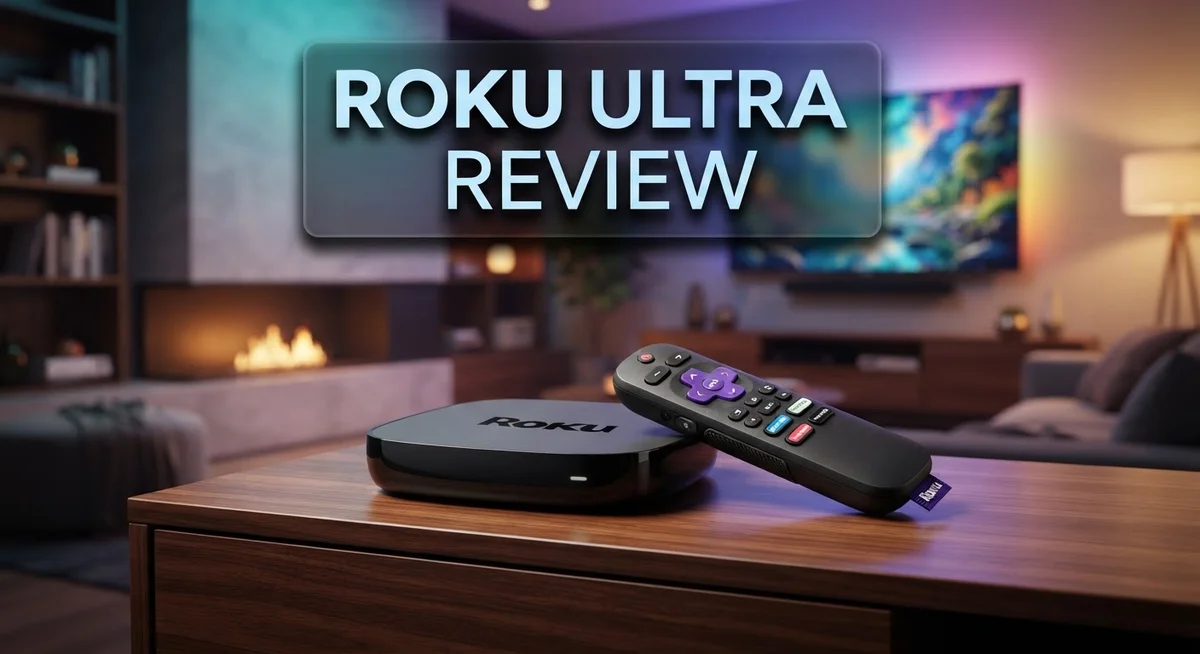
Roku Ultra Review: Is Roku’s Flagship 4K Streamer Worth It?
Want the best streaming experience at home? The Roku Ultra stands out as the fastest and most powerful Roku player yet.
It delivers stunning 4K resolution with HDR10+ and Dolby Vision. You get crisp visuals and immersive Dolby Atmos sound too.
This device comes with a premium rechargeable remote. It even has a headphone jack for private listening sessions.
In a Nutshell
Here’s the quick lowdown on the Roku Ultra before you decide.
- Private listening gets a boost with the headphone jack on the remote. You can watch shows without disturbing anyone nearby.
- Bluetooth audio streaming lets you connect wireless headphones or speakers easily. This adds flexibility for different viewing setups.
- The remote includes a lost remote finder feature. No more digging through couch cushions to find it.
- Ethernet connectivity gives you a stable wired option. This helps if your WiFi signal struggles in certain rooms.
- The interface runs fast with minimal ads cluttering your screen. Browsing feels smooth and clean most of the time.
- Some users notice occasional search quirks within the menu system. These are minor but worth knowing about upfront.
- Compared to models like the Onn 4K Pro or Google Streamer, the Ultra brings premium remote features. However, upgrades over older Roku models remain incremental.
This device suits streamers who want strong audio options and a reliable connection. It balances solid performance with a few small rough edges here and there.
Key Features
The Roku Ultra packs several standout features that make it a serious contender in the streaming device market. Let’s break down what sets it apart.
4K visuals with premium sound form the foundation of this device’s appeal. You get 4K resolution paired with HDR10+ and Dolby Vision support. This means movies and shows look sharper and more vibrant on your TV. Add Dolby Atmos audio to the mix, and you’re getting immersive sound that fills your room.
The rechargeable Voice Remote Pro deserves special attention. Unlike many competitors, this remote charges up instead of needing constant battery replacements. It includes a built-in headphone jack for private listening. Want to watch late at night without disturbing others? Plug in your headphones and enjoy the show solo. A lost remote finder feature also means you won’t waste time searching for it under the couch.
Connectivity options give you flexibility in how you connect. Bluetooth audio streaming lets you pair wireless headphones or speakers quickly. Ethernet connectivity provides a wired connection for those who prefer stable, consistent speeds over WiFi.
The interface itself runs fast and lean. Roku keeps ads minimal, so you spend less time scrolling through clutter and more time finding what you want to watch. Navigation feels snappy compared to older models.
Processing power sets the Ultra apart from lower tier Roku devices. This is the fastest and most powerful Roku player in the lineup. Apps load quicker. Menus respond instantly. Switching between services feels seamless.
That said, some users report occasional quirks when searching or navigating menus. These aren’t dealbreakers, but they happen now and then. The improvements over previous Roku Ultra models are also incremental rather than revolutionary. If you own an older Ultra, the jump might feel modest.
For anyone prioritizing premium audio features, private listening, and a dependable remote, these specs deliver real value. The combination of 4K video, Dolby Atmos sound, and a rechargeable remote with a headphone jack creates a complete streaming package.


Last update on 2026-10-17 / Affiliate links / Images from Amazon Product Advertising API Some of the links on this website are affiliate links, which means that at no additional cost to you, I earn a commission if you click through and make a purchase. I only recommend products and services that I believe will add value to my readers. Thank you for your support!
Design and Remote
The Roku Ultra’s design keeps things simple and understated. The device itself is compact and sits neatly beside your TV without taking up much space. Its black finish blends into most entertainment setups without drawing attention.
The real star here is the Voice Remote Pro. This rechargeable remote feels premium in your hand with a solid build quality. You charge it via USB, so you won’t need to buy batteries constantly. The remote connects via Bluetooth, giving you reliable control from anywhere in the room.
One standout feature is the headphone jack built into the remote. This lets you listen privately without disturbing others. Just plug in your headphones and audio switches from your TV speakers to the remote instantly. It’s perfect for late night watching or when you want solo listening.
The remote also includes a lost remote finder button. Press it on your Roku Ultra, and your remote beeps to help you locate it. This simple feature saves frustration when remotes disappear into couch cushions.
Connectivity options give you flexibility in setup. The device includes an Ethernet port for wired internet connections. This matters if your WiFi signal is weak or you want the most stable connection possible. Bluetooth audio streaming lets you pair wireless headphones or speakers directly to the device.
The remote’s voice control works smoothly for searches and commands. You can ask it to find shows, launch apps, or adjust volume without typing. The microphone picks up your voice clearly from across the room.
Button layout on the remote feels intuitive. Important controls sit where you expect them. The remote isn’t cluttered with unnecessary buttons that confuse users. Everything serves a clear purpose.
Overall, the design philosophy emphasizes practicality and comfort. Nothing feels flashy or unnecessary. The Roku Ultra puts premium features where they matter most: in your hands through the remote and in your ears through the headphone jack. This approach appeals to streamers who value substance over style.
Performance and Speed
The Roku Ultra handles everything you throw at it without breaking a sweat. This device packs the most powerful processor in Roku’s lineup, which means apps load quickly and switching between channels feels smooth.
Streaming 4K content runs seamlessly across all major platforms. Netflix, Disney Plus, and YouTube all deliver crisp visuals without stuttering or buffering delays. The processor keeps up with demanding apps that would slow down cheaper streaming devices.
Interface speed sets the Ultra apart from budget alternatives. Menu navigation feels responsive and snappy. You won’t sit waiting for screens to load. Searching for shows happens instantly, though some users occasionally spot minor glitches in the search function that clear up on their own.
The Ethernet port gives you a performance advantage over wireless only devices. Plugging in a cable eliminates WiFi drops and buffering issues. This matters most if your router sits far from your TV or you live in an area with spotty WiFi coverage.
Voice commands work fast and accurately through the remote. Speaking a show title or actor name brings results in seconds. The processor handles voice recognition without delays that frustrate users on slower devices.
Bluetooth connectivity adds another layer of speed benefits. Pairing wireless headphones or speakers happens quickly. Audio streams without lag when using the headphone jack for private listening.
The device stays cool and stable even during extended viewing sessions. It doesn’t overheat or throttle performance like some competitors do. Marathon streaming days won’t cause slowdowns or crashes.
Real world testing shows the Ultra handles 4K HDR content with Dolby Vision and Dolby Atmos without any performance hiccups. Complex scenes with lots of motion stay fluid. Colors pop and details remain sharp throughout playback.
Compared to the Streaming Stick 4K Plus, the Ultra’s processor delivers noticeably faster performance. Apps open quicker and the interface feels more responsive overall. The extra power justifies the performance difference if speed matters to you.
Top 3 Alternatives
Apple TV 4K

Last update on 2026-10-19 / Affiliate links / Images from Amazon Product Advertising API Some of the links on this website are affiliate links, which means that at no additional cost to you, I earn a commission if you click through and make a purchase. I only recommend products and services that I believe will add value to my readers. Thank you for your support!
Apple TV 4K gives you smooth streaming with a powerful processor. This device works great if you already use Apple products like iPhone or Mac. You get access to Apple TV Plus and other popular apps. The remote is simple to use with a touch surface. Picture quality is excellent with support for 4K and HDR content. Setup takes just a few minutes. The interface feels clean and organized, making it easy to find shows you want to watch.
Amazon Fire TV Cube

Last update on 2026-10-19 / Affiliate links / Images from Amazon Product Advertising API Some of the links on this website are affiliate links, which means that at no additional cost to you, I earn a commission if you click through and make a purchase. I only recommend products and services that I believe will add value to my readers. Thank you for your support!
Amazon Fire TV Cube combines a speaker and streaming device in one box. You can use voice commands to control everything with Alexa. This device works with many smart home gadgets, so you can dim lights or adjust temperature while watching. The processor is fast, so apps load quickly. You get access to Prime Video, Netflix, and thousands of other apps. The design is compact and fits nicely on a shelf or table. Sound quality is decent for a built-in speaker, though you may want external speakers for better audio.
Google Chromecast Pro

Last update on 2026-10-19 / Affiliate links / Images from Amazon Product Advertising API Some of the links on this website are affiliate links, which means that at no additional cost to you, I earn a commission if you click through and make a purchase. I only recommend products and services that I believe will add value to my readers. Thank you for your support!
Google Chromecast Pro lets you cast content from your phone or computer to your TV. This device works with Android phones, iPhones, and computers. Setup is quick and straightforward. The streaming quality is reliable and fast. You can access Google Play Movies, YouTube, and other services. The remote is optional since you can control everything from your phone. This option works well if you prefer simplicity and already use Google services. Battery life on the remote is long, so you won’t need frequent charging.
Video and Audio Quality
The Roku Ultra delivers exceptional picture quality that stands out in its class. The 4K resolution forms the foundation, but what truly matters is how the device handles advanced formats. HDR10+ support ensures bright highlights and deep shadows appear exactly as creators intended. When you watch HDR content, the difference becomes instantly visible.
Dolby Vision takes the experience further. This technology adds another layer of detail and color accuracy that standard HDR cannot match. Darker scenes reveal more information. Brighter scenes maintain their punch without washing out. The combination creates a more lifelike viewing experience across all your favorite shows and movies.
Audio performance matches the video quality. Dolby Atmos support means sound comes from multiple directions, not just from speakers in front of you. Explosions feel immersive. Dialogue stays clear and centered. The soundscape wraps around you rather than playing flat. This matters significantly if you have a home theater setup or a quality soundbar connected.
The headphone jack on the Voice Remote Pro adds a unique dimension. You can plug in headphones for private listening without disturbing others in the room. This feature works seamlessly, and audio quality remains strong through the connection. Late night viewing becomes more enjoyable when you do not need to compromise with family members over volume levels.
Real world performance proves reliable. Streaming 4K content from Netflix, Disney Plus, and other major platforms runs smoothly. The device processes video without stuttering or buffering issues. Colors appear vibrant. Motion stays fluid even during fast action scenes.
The audio output stays consistent regardless of what you are watching. Music sounds clean. Dialogue in movies comes through clearly. Sound effects hit with appropriate impact. The device does not artificially boost or reduce any frequencies in a way that feels unnatural.
One thing to note: the quality you experience depends on your TV and audio equipment. The Roku Ultra sends the best possible signal, but your display and speakers determine the final result. That said, this device maximizes what your setup can deliver.
Connectivity and Setup
Setting up the Roku Ultra takes just a few minutes. You plug it in, connect to your network, and you’re ready to stream. The device handles both wireless and wired connections, so you get flexibility based on your setup.
The Ethernet port is a game changer for users who want rock solid stability. Wired connections eliminate buffering issues that sometimes happen with WiFi. If your TV sits near your router, this option delivers noticeably smoother streaming. Wireless setup works great too if you prefer a cleaner cable setup.
The Voice Remote Pro makes initial pairing simple. It connects via Bluetooth, so no line of sight needed. Once paired, you can control everything from across the room. The remote’s buttons light up automatically when you pick it up, so finding the right controls is easy even in dim lighting.
Network connectivity happens fast on the Ultra. The processor powers through setup steps without lag. You won’t sit staring at loading screens while the device configures itself. Once connected, switching between apps and loading content feels snappy compared to basic streaming devices.
WiFi performance gets a boost from the device’s modern internals. It handles 5GHz networks smoothly, which means faster data transfer when you’re streaming 4K content. If you have a crowded 2.4GHz band in your home, switching to 5GHz makes a real difference.
Bluetooth connectivity opens up extra options beyond the remote. You can pair wireless headphones or speakers directly to the Ultra. This means you don’t have to rely solely on your TV’s audio output. It’s helpful when you want to listen privately or use better quality speakers.
The initial setup process asks for your Roku account login and WiFi password. Everything is straightforward, with clear on screen prompts. First time users won’t run into confusion. Within minutes, you’re browsing channels and ready to watch.
Once connected, the Ultra remembers your preferences. Reconnecting after power outages happens automatically. You spend more time enjoying content and less time troubleshooting connections.
Pros and Cons
Pros
- Delivers 4K picture quality with Dolby Vision and Dolby Atmos for immersive entertainment
- Voice Remote Pro includes a headphone jack for private listening and a lost remote finder feature
- Ethernet port provides rock solid network stability compared to wireless only devices
- Fast interface with minimal ads makes finding content quick and easy
- Rechargeable remote eliminates the need for constant battery replacements
Cons
- Offers only incremental improvements over previous Roku Ultra models
- Search function and interface occasionally show quirks that need fixes
- Competes closely with the Streaming Stick 4K Plus, making the upgrade decision less clear cut
Who Should Buy It
The Roku Ultra works best for people who want the highest quality streaming experience. If you own a premium TV with 4K and Dolby Vision support, this device unlocks features that cheaper streamers cannot deliver.
Movie and TV show enthusiasts should seriously consider this model. The combination of 4K resolution, Dolby Vision, and Dolby Atmos creates an immersive viewing experience. You get theater-like sound and picture quality in your living room.
Gamers and sports fans benefit from the faster processor. The Ultra responds quickly to commands and loads apps without lag. Smooth performance matters when you are switching between streaming services or playing games.
People who value convenience appreciate the Voice Remote Pro. The headphone jack lets you watch late at night without disturbing others. The lost remote finder feature saves frustration when the remote goes missing. The rechargeable battery means no more buying replacements constantly.
Cord cutters who stream multiple services daily should look at the Ultra. The fast interface and minimal ads make finding content quick. You spend less time searching and more time watching what you love.
If you have a weak WiFi connection, the Ethernet port becomes a major advantage. Wired connectivity eliminates buffering and streaming interruptions. This matters for households with multiple devices competing for bandwidth.
Tech-savvy users who want Bluetooth audio streaming will appreciate the extra connectivity options. You can connect wireless speakers and headphones directly to the device. This flexibility opens up creative setup possibilities.
However, the Ultra may be overkill if you only watch basic streaming services on a standard HD TV. The advanced features like Dolby Vision and Atmos go unused in that situation. A simpler Roku model handles basic streaming just fine.
People who upgrade their streaming devices every year might feel disappointed. The improvements over previous Ultra models are incremental rather than revolutionary. You get better performance, but the jump is not dramatic.
The Roku Ultra targets viewers who demand the best possible picture and sound quality. If premium audio and video matter to you, this device delivers. It transforms your streaming experience into something genuinely premium.
Final Verdict
The Roku Ultra earns its spot as a top streaming device. It brings sharp 4K visuals and clear sound into one neat package. Anyone who loves a smooth streaming experience will feel right at home with this player.
Compared to Amazon Fire TV and Apple TV, the Ultra holds its own. It offers a simple interface that many people find easier to use. Roku’s platform stays neutral, so it does not push one streaming service over another.
The Google Streamer and Onn 4K Pro bring fresh competition to this space. Still, the Ultra’s build quality and remote features give it an edge for many households. Brand loyalty also plays a role here, since longtime Roku users will feel comfortable right away.
This device suits streaming fans who want top performance without extra hassle. It fits well into homes with multiple streaming accounts and smart TVs. Families who share one television will appreciate how fast the Ultra switches between apps and profiles.
Casual viewers might not need everything this player offers. A simpler device could handle basic needs just fine. But anyone who values speed, strong connections, and clear sound will see the benefit of choosing the Ultra.
The Roku Ultra stands as a smart pick for serious streamers. It handles demanding content with ease and keeps the experience smooth from start to finish. Buyers who want long term reliability will find this player meets that goal.
In short, the Roku Ultra delivers a complete streaming package. It blends strong hardware with a clean, simple interface. People who want one of the best streaming experiences available today should give this model serious thought.
Frequently Asked Questions
Does the Roku Ultra support all streaming apps?
Yes, the Roku Ultra works with all major streaming platforms. You get Netflix, Disney Plus, Hulu, Amazon Prime Video, and hundreds of other apps. The fast processor loads everything quickly without lag.
The search function finds shows and movies across multiple services at once. This saves you time when hunting for something to watch.
Can I use the Voice Remote Pro with other Roku devices?
The Voice Remote Pro works best with the Ultra model. Some features like the lost remote finder function specifically with the Ultra. Other Roku players use different remote versions, so compatibility varies.
If you already own another Roku device, check the manual to see if the Pro remote pairs with it. Most newer Roku models support voice commands, but the exact remote type matters.
What’s the difference between Roku Ultra and Streaming Stick 4K Plus?
The Ultra offers a faster processor and more connectivity options. It includes an Ethernet port for a stable wired connection. The Streaming Stick 4K Plus is more compact and works well for most viewers.
Both play 4K content with Dolby Vision and Atmos. The main difference comes down to performance speed and connection flexibility. Choose the Ultra if you want maximum power and wired network options.
Does the Ultra need a special HDMI cable?
No special cables are required. Any standard HDMI cable works fine. The Ultra connects to your TV’s HDMI port like any other streaming device.
For best results, use a quality HDMI 2.1 cable if your TV supports it. This ensures you get the full 4K experience without issues.

Hello, i’m Ivoria i am the face behind Tech Tracker Blog. I am passionate about my work and love to explore gadgets and share about my experience.