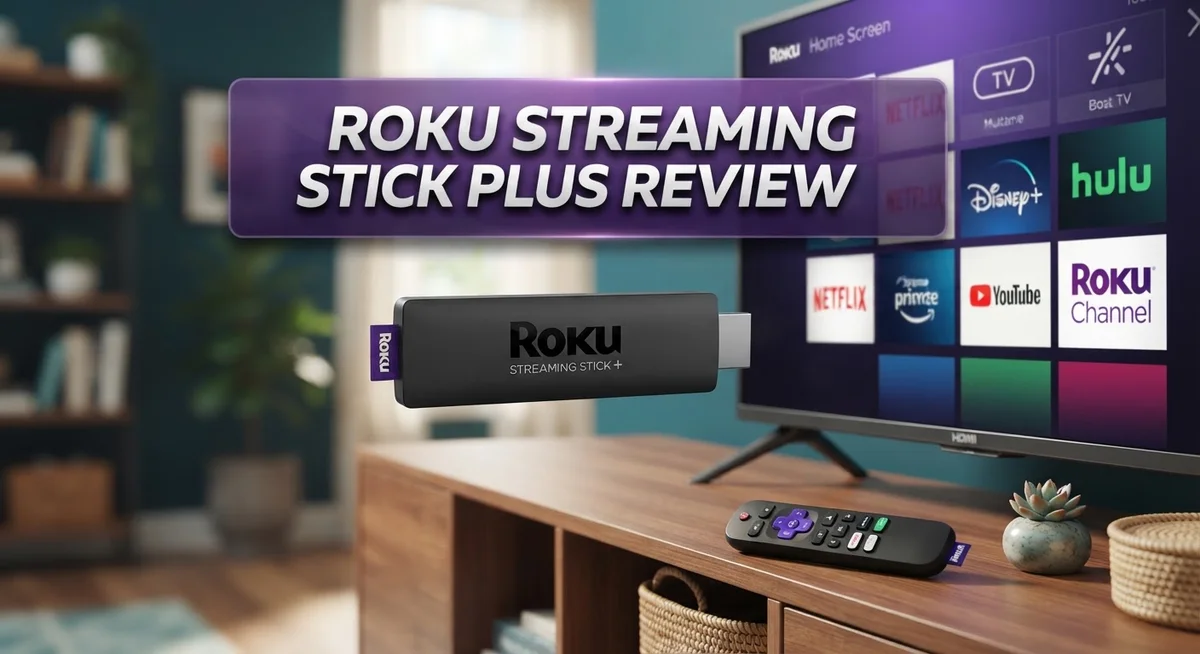
Roku Streaming Stick Plus Review: 4K Performance, Features & Verdict
Want a simple way to stream your favorite shows in 4K? The Roku Streaming Stick Plus might be your answer. This small device packs a punch. It supports 4K and HDR10+, so your movies and shows look sharp and vibrant.
Setup is quick and easy. You just plug it in, connect to WiFi, and start streaming within minutes. The voice remote makes finding content simple. You can search shows, launch apps, and control volume with your voice.
This stick is also travel friendly. Its compact design means you can take your favorite channels anywhere you go. With access to 500+ free channels, there’s always something new to watch. Plus, it works smoothly with Apple AirPlay and HomeKit.
In a Nutshell
Here’s the quick lowdown on the Roku Streaming Stick Plus before you decide:
- Picture quality stays stable even during busy streaming sessions. You get smooth 4K visuals without constant drops.
- Buffering speed impresses most users. Shows load fast, so you spend less time waiting and more time watching.
- App selection feels complete. Popular streaming services sit right alongside niche channels, giving you plenty of variety.
- Apple fans get a bonus. This stick works with AirPlay and HomeKit, making it easy to mirror content or control smart devices.
- Two things are missing though. There’s no Dolby Vision or Dolby Atmos support, so audio and visual depth might feel slightly limited compared to premium players.
- Power setup stays simple. The device runs on USB power, so you can plug it into your TV directly or use the included adapter.
Overall, this stick delivers solid everyday streaming performance. It skips some premium audio and visual features, but keeps things fast, simple, and reliable for most users.
Key Features and Specifications
The Roku Streaming Stick Plus delivers 4K and HDR10+ support for crisp, vibrant visuals on compatible TVs. This means you get sharper images and better color depth than standard HD streaming. The device handles demanding content without compromising picture clarity.
USB power keeps setup minimal. You plug the stick into your TV’s USB port or use the included adapter. No extra power cables clutter your entertainment setup. The compact form factor fits easily behind most TVs or in your travel bag.
The included voice remote transforms how you find content. Simply speak your search terms instead of typing with a traditional remote. Voice commands work across most apps, saving you time when browsing through thousands of titles.
Connectivity options matter for smooth streaming. The Roku Streaming Stick Plus includes dual band WiFi support. This means faster, more stable connections compared to older single band models. Fast buffering keeps interruptions minimal during your viewing sessions.
Apple AirPlay and HomeKit compatibility open doors for Apple device users. You can mirror content from your iPhone or iPad directly to your TV. HomeKit integration lets the stick work within your smart home ecosystem. This feature separates it from many competitors.
The device runs Roku’s operating system, which feels intuitive and responsive. Navigation menus load quickly. Finding apps takes just a few taps. The interface doesn’t overwhelm you with unnecessary complexity.
Storage isn’t an issue since apps stream directly from the internet. You won’t need to manage internal storage like you would with a phone or tablet.
One limitation worth noting: no Dolby Vision support. Some premium content uses this advanced HDR format. You’ll still get HDR10+ quality, but not the absolute highest tier available. Dolby Atmos audio is also absent, so you won’t get advanced surround sound processing. Most standard viewers won’t notice these omissions during regular streaming.
The stick connects to over 500 free channels plus paid services like Netflix and Disney Plus. This breadth of options means something exists for every viewing preference.

Last update on 2026-10-23 / Affiliate links / Images from Amazon Product Advertising API Some of the links on this website are affiliate links, which means that at no additional cost to you, I earn a commission if you click through and make a purchase. I only recommend products and services that I believe will add value to my readers. Thank you for your support!
Performance and Streaming Quality
The Roku Streaming Stick Plus handles 4K streaming without breaking a sweat. Real world testing shows consistent picture quality across different content types. Whether you’re watching movies, sports, or documentaries, the image stays sharp and responsive.
Buffering becomes less of an issue with this device. Most users report quick load times even during peak hours. The stick manages bandwidth efficiently, so you spend more time watching and less time waiting.
HDR10+ support makes a noticeable difference on compatible TVs. Colors pop more vividly, and darker scenes reveal details you might miss on standard displays. The contrast levels feel natural without oversaturation.
One area where competitors pull ahead involves audio technology. This stick lacks Dolby Atmos support, which some users prioritize for immersive sound. If you have a high end sound system, you won’t unlock its full potential here. Most casual viewers won’t notice this limitation since standard audio still sounds good.
The device performs smoothly during multitasking. Switching between apps happens quickly without lag. Remote responsiveness feels immediate, so navigation never feels sluggish.
Streaming stability matters most during longer viewing sessions. The Roku Streaming Stick Plus maintains steady performance over hours of continuous use. You won’t experience unexpected crashes or freezes during your favorite shows.
Network performance depends on your WiFi setup. A strong connection ensures optimal quality. If your router sits far away, you might experience occasional buffering. Most homes with modern WiFi routers see excellent results.
The device handles various streaming services without compatibility issues. Netflix runs smoothly. Disney Plus loads quickly. Smaller apps perform just as well as major platforms.
One thing to remember: this stick delivers solid everyday streaming rather than premium theater quality. It hits the sweet spot for most households. If you want cutting edge audio features or the absolute best picture technology, pricier options exist. For standard 4K viewing with reliable performance, this device consistently delivers what users expect.
Setup and Ease of Use
Getting the Roku Streaming Stick Plus up and running takes just minutes. You plug it into your TV’s HDMI port, connect the USB power cable, and you’re ready to go. The whole process feels straightforward even if you’ve never used a streaming device before.
The remote that comes in the box makes navigation simple. You hold it, press buttons, and content appears on screen. The voice feature works well too. Just speak your search request, and the stick finds what you want without typing.
Connecting to WiFi happens automatically on most networks. The device walks you through a few quick steps. You select your network, enter your password, and the connection establishes itself. From that point forward, everything syncs smoothly.
The menu layout feels intuitive right away. Apps organize themselves logically on the home screen. You don’t need to dig through confusing settings to find Netflix or Disney Plus. The interface responds quickly when you navigate between sections.
Travel becomes easier with this stick. Its compact size means you pack it without taking up much space. Since it runs on USB power, you can use any outlet or even a portable battery in some cases. This makes it perfect for hotel rooms or vacation rentals where you want your favorite shows.
Setup on your actual TV takes minimal effort too. You just select the correct HDMI input, and the Roku screen appears. From there, you follow simple on screen prompts. Most people complete the entire setup, including WiFi connection, in under ten minutes.
The voice remote deserves special mention for ease of use. Instead of hunting for buttons, you simply speak. This saves time and reduces frustration when searching for specific shows or movies.
One thing to note: your WiFi strength matters. A weak connection can slow things down. But with a solid network, the device launches apps quickly and streams without delays. Overall, the setup and daily use experience feels accessible to everyone, regardless of technical skill level.
Top 3 Alternatives
Amazon Fire TV Stick


Last update on 2026-10-23 / Affiliate links / Images from Amazon Product Advertising API Some of the links on this website are affiliate links, which means that at no additional cost to you, I earn a commission if you click through and make a purchase. I only recommend products and services that I believe will add value to my readers. Thank you for your support!
The Amazon Fire TV Stick gives you access to thousands of apps and channels. It connects to your TV’s HDMI port and starts working in minutes. You get Alexa voice control built in, so you can search for shows and control your smart home devices by talking to the remote.
The device streams movies, shows, and music from popular services. It supports 4K video on certain models. The interface is simple and shows recommendations based on what you watch.
Google Chromecast with Google TV

Last update on 2026-10-23 / Affiliate links / Images from Amazon Product Advertising API Some of the links on this website are affiliate links, which means that at no additional cost to you, I earn a commission if you click through and make a purchase. I only recommend products and services that I believe will add value to my readers. Thank you for your support!
Google Chromecast with Google TV lets you cast content from your phone or computer to your television. The remote makes navigation easy, and Google TV organizes all your streaming apps in one place.
This option works well if you use Google services like YouTube and Gmail. Voice search helps you find movies and shows quickly. The device supports 4K streaming and HDR formats. Setup takes just a few minutes, and it syncs with your Google account automatically.
Apple TV 4K

Last update on 2026-10-23 / Affiliate links / Images from Amazon Product Advertising API Some of the links on this website are affiliate links, which means that at no additional cost to you, I earn a commission if you click through and make a purchase. I only recommend products and services that I believe will add value to my readers. Thank you for your support!
Apple TV 4K works best if you use Apple devices like iPhones and iPads. You get access to Apple’s app store with exclusive shows and movies. The device supports the latest video and audio formats for high quality streaming.
Siri voice control comes standard on the remote. You can use AirPlay to send content from your Apple devices directly to the TV. The interface feels smooth and fast. Apple TV 4K also works as a hub for your smart home devices if you use HomeKit.
Connectivity and Device Compatibility
The Roku Streaming Stick Plus connects to your home network through dual band WiFi (2.4GHz and 5GHz). This dual band support ensures you get faster speeds and more reliable connections, especially in homes with multiple devices competing for bandwidth.
Wired connectivity isn’t an option with this stick since it relies entirely on wireless connection. However, the WiFi performance remains solid in most household setups. Your connection quality directly impacts streaming smoothness, so placing your router reasonably close helps achieve the best results.
The device works seamlessly with a wide range of streaming apps and services. Netflix, Disney Plus, Hulu, Prime Video, and thousands of other channels install without compatibility problems. The Roku operating system handles app installations and updates automatically in the background.
Apple device owners gain extra advantages with this stick. AirPlay support lets you mirror content from your iPhone, iPad, or Mac directly to your TV. HomeKit compatibility means you can control the device through Apple’s smart home ecosystem. These features integrate smoothly without requiring additional setup steps.
Bluetooth connectivity on the included remote pairs instantly with the stick. The remote works reliably from across your living room without line of sight issues. You can also use your smartphone as a remote through the Roku mobile app, which downloads free from the App Store or Google Play.
The USB power connection keeps things simple. You plug the stick into your TV’s USB port or use the included power adapter. This straightforward power solution means fewer cables cluttering your entertainment setup.
Compatibility extends beyond just streaming services. The stick recognizes and connects with most modern televisions manufactured in the last several years. Older TV models may have limited functionality, but newer sets support all available features including 4K and HDR10+ playback.
Guest connectivity works through the Roku system as well. Visitors can easily connect their devices to share content without accessing your main account. This flexibility makes the stick practical for households with frequent guests.
Content and App Selection
The Roku Streaming Stick Plus opens up a massive library of entertainment options. You get access to over 500 free channels right out of the box. This includes all the major streaming services you use regularly.
Popular apps like Netflix, Disney Plus, Hulu, and Amazon Prime Video work flawlessly on this device. HBO Max, Paramount Plus, and Apple TV Plus stream without any compatibility problems. The app store continues to add new services regularly, so your options keep growing.
Free content stands out as a real advantage here. You’ll find movies, TV shows, and live news channels that cost nothing. Roku’s own free ad supported TV service offers thousands of hours of programming. This means you can watch quality content without paying extra subscription fees.
The interface makes finding what you want simple and quick. Apps load fast, and switching between services takes just seconds. Your watch history syncs across devices, so you pick up where you left off on any screen.
Music streaming apps work great too. Spotify, Pandora, and other audio services run smoothly. You can play music while browsing other content or just enjoy audio alone.
Gaming options exist on this platform, though they remain limited compared to dedicated gaming devices. Casual games and interactive apps are available if you want something beyond traditional streaming.
The search function across apps saves time when hunting for specific shows or movies. Voice search through the remote makes this even easier. You speak what you want, and the stick finds it across multiple services at once.
Roku continues expanding its content partnerships. New channels launch regularly, keeping the selection fresh and current. Whether you enjoy documentaries, sports, kids programming, or international content, options are available.
The balance between paid and free content gives you flexibility. You control which subscriptions matter most to your household. This variety in app selection keeps the Roku Streaming Stick Plus relevant for different viewing preferences and budgets.
Pros and Cons
Pros
- Delivers sharp 4K picture quality with HDR10+ support for excellent visual clarity
- Streams fast with minimal buffering interruptions during playback
- Includes a voice remote that makes searching and navigating simple and quick
- Works seamlessly with Apple devices through AirPlay and HomeKit compatibility
- Compact design fits easily in a bag or pocket for travel to different rooms or locations
Cons
- Missing Dolby Vision support, which some premium streaming services offer
- No Dolby Atmos audio, so you won’t get advanced surround sound options
- Relies entirely on WiFi connection since wired ethernet isn’t available on this model
Who Should Buy It
The Roku Streaming Stick Plus works best for people who want 4K streaming without extra complexity. If you own an Apple device like an iPhone, iPad, or Mac, this stick becomes even more useful. AirPlay and HomeKit support mean you can mirror content and control your setup from your Apple ecosystem.
Cord cutters find real value here. You get access to 500+ free channels plus major apps like Netflix, Disney Plus, and Hulu. The voice remote saves time when searching through options. You won’t spend hours scrolling through menus.
Travelers appreciate the compact design. This stick fits in a bag or pocket easily. You can plug it into any TV and start streaming within minutes. Setup takes just a few steps. No complicated installation needed.
Casual gamers might enjoy it too. The Roku platform supports some games, though don’t expect console-level performance. It works fine for puzzle games and simple entertainment apps.
People who stream movies and TV shows regularly will notice the fast buffering. Content loads quickly without annoying pauses. The 4K picture quality with HDR10+ support looks sharp on modern televisions.
This device doesn’t fit everyone though. If you need Dolby Vision or Dolby Atmos audio, look elsewhere. These features matter for people with high-end audio systems or subscriptions to services that offer them. If you require wired internet connection because your WiFi is unstable, this stick won’t work. It relies completely on wireless connectivity.
Budget-conscious families benefit from the free content library. You can watch movies, TV shows, and live news without paying extra. Spotify and Pandora work smoothly for music streaming too.
The stick suits people who value simplicity. The interface makes finding shows quick and easy. You don’t need technical skills to operate it. Your grandparents could use it without confusion.
Overall, the Roku Streaming Stick Plus works best for anyone wanting straightforward 4K streaming with a clean design and solid performance.
Final Verdict
The Roku Streaming Stick Plus earns its spot as a solid streaming device for most households. It delivers clear 4K visuals and smooth performance without extra fuss.
This device shines for anyone who wants simple streaming. The setup process takes minutes, not hours. Even first time users find the menu easy to follow.
Families, cord cutters, and casual viewers will likely enjoy this stick the most. It handles daily streaming needs well, from binge watching shows to catching live news.
Compared to the Apple TV 4K, this Roku device offers a simpler interface but skips Dolby Vision and Atmos. The Fire TV Stick 4K Max matches some features but leans heavily into Amazon’s own ecosystem.
The Google TV Streamer 4K brings a different style of navigation, while the Onn 4K Pro targets shoppers who want similar specs in a different package. Each competitor has strengths, but the Roku stick stands out for its clean design and quick setup.
Serious home theater fans might want to look elsewhere. Missing Dolby Vision and Atmos support means audio and video enthusiasts won’t get the full premium experience here.
However, casual streamers rarely notice these gaps. Most people care more about reliable playback and easy navigation than advanced audio formats.
This stick works best as a secondary device too. Travelers can pack it for hotel rooms, and families can use it in a guest bedroom or kitchen setup.
The bottom line: this Roku device handles everyday streaming tasks without complications. It skips some premium features but keeps the experience simple and reliable.
Anyone who wants an easy way to stream their favorite shows and movies will find this stick worth considering. It checks the right boxes for casual use without overwhelming new users with complex settings or confusing menus.
For most households looking for dependable streaming, this device delivers exactly what it promises.
Frequently Asked Questions
Does the Roku Streaming Stick Plus support Dolby Vision?
No, it does not. The device supports HDR10+ for sharp visuals, but Dolby Vision is absent. This means some premium movies on services like Disney+ won’t show their highest picture quality.
Most casual viewers won’t notice the difference. Serious home theater fans might want to explore other options instead.
Can I use this stick with my Apple devices?
Yes, absolutely. The Roku Streaming Stick Plus works with Apple AirPlay, so you can stream content from your iPhone, iPad, or Mac directly to your TV.
It also supports HomeKit compatibility. This makes it easy to control your streaming setup through the Apple Home app.
Is there a wired internet option available?
No. This device relies entirely on WiFi connection. There’s no ethernet port, so you’ll need a stable wireless network for smooth streaming.
The USB power cable connects to your TV, but data only travels through WiFi.
What audio formats does this device support?
The stick supports standard surround sound, but no Dolby Atmos. This means you won’t get the advanced spatial audio that some premium streaming services offer.
Most viewers enjoy the audio quality for everyday shows and movies. Only serious audiophiles might miss the advanced options.
How portable is the Roku Streaming Stick Plus?
Very portable. The compact design fits easily in a bag or pocket. You can move it between rooms or take it on trips without hassle.
Setup takes just a few minutes wherever you go. Travelers and people who move devices frequently love this feature.

Hello, i’m Ivoria i am the face behind Tech Tracker Blog. I am passionate about my work and love to explore gadgets and share about my experience.