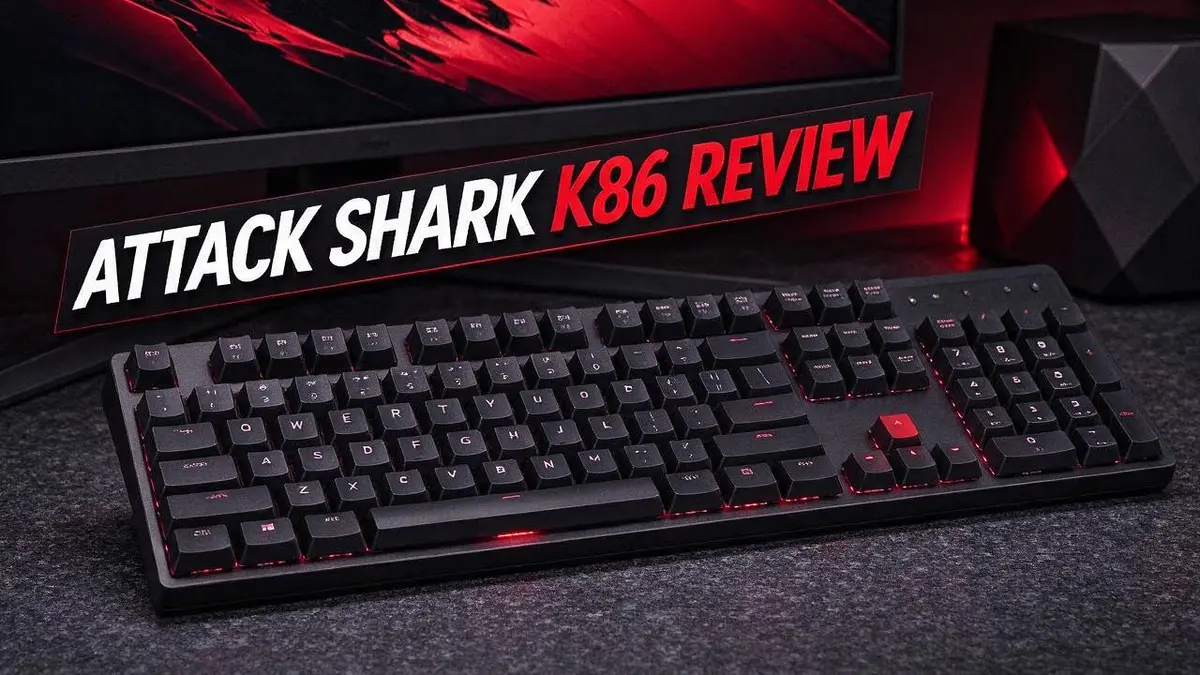
Attack Shark K86 Review: Is It Worth Buying?
Are you hunting for a keyboard that feels fun and fresh? The Attack Shark K86 might be the one you need.
It packs a colorful 1.2 inch display that shows custom GIFs, battery level, and connection mode.
Its tri mode connection lets you switch between USB C, Bluetooth 5.0, and 2.4GHz. You can link up to three devices and jump between them with ease.
Typing feels smooth thanks to gasket mount construction. Triple sound absorbing foam also keeps the noise low.
The Blue Whale linear switches are hot swappable, so you can customize your setup. Plus, a 4000mAh battery keeps you going for a long time.
Is it perfect? Some users report quality control issues, and reviews are mixed. In this review, we will look closely at what works, what does not, and whether the K86 deserves a spot on your desk.
In a Nutshell
-
Long-lasting power: The 4000mAh battery supports daily wireless use. You can type for longer before you reach for a charger.
-
Light and precise switches: Blue Whale switches need 42gf of force. Your fingers do less work on every keypress.
-
Quieter typing: Three layers of sound-absorbing foam cut down on noise. Your coworkers or roommates will likely appreciate it.
-
Eye-catching look: The RGB backlight glows through PBT keycaps. A CNC knob adds a solid, polished feel.
-
Compact design: The smaller layout saves desk space. It also leaves room for your mouse.
-
Works on Windows and Mac: You can use it with both major operating systems. This makes it a flexible pick for home or office setups.
Typing Feel and Switch Performance

Last update on 2026-10-27 / Affiliate links / Images from Amazon Product Advertising API Some of the links on this website are affiliate links, which means that at no additional cost to you, I earn a commission if you click through and make a purchase. I only recommend products and services that I believe will add value to my readers. Thank you for your support!
Typing feel is where the Attack Shark K86 earns much of its attention. Every press should feel smooth and easy under your fingers. This keyboard aims to deliver that experience.
The Blue Whale linear switches need 42gf of actuation force. That means you need only a light touch to register each key. Fast typists often enjoy this kind of easy press.
Linear switches move straight down with no bump. Your fingers glide through sentences without a tactile stop. Some writers love this flow, while others prefer a clicky response.
The gasket mount design gives the keys a softer landing. They feel less harsh when they bottom out. Combined with triple sound absorbing foam, the typing experience stays calm and steady.
Quiet typing matters in shared offices or late night sessions. The foam layers reduce the hollow clack that many plastic boards produce. Your neighbors may thank you.
The PBT keycaps add a dense, solid texture under your fingertips. Their surface feels firm, so your fingers stay confident during long writing sessions.
Switch performance also depends on the hot swappable design. You can pull out the switches and insert new ones without soldering. This lets you tune the feel to match your style.
Try a quick test before you decide. Type a few paragraphs and notice whether the 42gf force feels too light or just right. Your wrists and fingers will give you the answer.
Some owners report a double typing issue and limited function until they download firmware. Install the latest firmware right after setup. This step helps you get the full performance from the board.
Feel is personal, so test the keyboard whenever you can. The K86 offers a light, quiet, and smooth press for many typists. Compare it with rivals like the Redragon K673 Pro or AULA F99 before you choose.
Build Quality and Sound Dampening
Build quality shapes how the Attack Shark K86 feels every day. A stable board also keeps the sound clean and steady. Let us look at what matters most.
Start with the frame. Hold the board by its sides and press gently on the center. If the body flexes or creaks, the build may feel less sturdy.
Check stability on your desk. A heavier board tends to stay put during fast typing. Lighter boards may slide when you type with force.
Consider the weight of the case. Heavier builds usually reduce vibration. Lightweight boards can hum or shift when pressed hard.
Keycap wobble is another sign of quality. Press each keycap from the top and from the side. Stable keys return to position without rattling.
Listen for rattle, not just clack. Sound dampening is about more than foam. Loose stabilizers can rattle on long keys like the space bar.
Your desk changes the sound too. A hard surface bounces noise back at you. A thick desk mat can soften typing and reduce echo.
Typing style matters. Heavy fingers create louder strikes than light touches. Try typing softly to hear how the board responds.
Inspect the cable and port. A firm USB C connection stays steady during long work sessions. Loose ports can cause wobble and dropped input.
Watch for uneven gaps. Check the edges between keycaps and the case. Uneven spacing can signal assembly problems you should report early.
Think about long term wear. Keys and stabilizers take daily pressure. A well assembled board keeps its feel for months of regular use.
Clean the surface often. Dust and crumbs can slip under keys and affect sound. A soft brush and a gentle air blast keep the board clean.
Keep expectations realistic. Sound dampening reduces noise but cannot silence a keyboard. A solid build and smart desk habits give the best results.
Display and Customization
The small screen is the first feature you notice on the Attack Shark K86. It gives useful details at a glance.
See key details at a glance
The display shows the time and date, so you can check the clock without reaching for your phone. It also shows the battery level, which helps you plan when to recharge. You can see which connection mode you are using before you start typing.
Make the screen your own
The screen plays custom GIFs. You can add a favorite animation, a pet photo, or a simple pattern. This small touch makes the board feel personal on your desk.
Keep your GIF simple. Bright, fast motion grabs attention, but a calm image suits a work setup better. Try a few options and see what fits your style.
Plan your setup first
Customization works best when you plan it ahead. Choose a theme for your desk first. Then pick screen content that matches that mood.
Think about how often you look at the screen. A clean clock works well on busy workdays. A playful animation suits a home setup or a gaming corner.
Who benefits most
Streamers and content creators may enjoy the extra visual flair on camera. Office workers may prefer the clock and battery readout because it stays practical and clean.
Either way, the screen adds helpful information without cluttering your desk. It turns a basic keyboard into something you can personalize every day.
Top 3 Alternatives
If you want other options besides the Attack Shark K86, these three keyboards are worth a look. Each one fits a different type of typer. Think about your desk space, your typing style, and how often you move your setup.
Keychron K2
No products found.
The Keychron K2 gives you a compact layout with wireless and wired options. It feels light on the desk and works well with both Mac and Windows. Its shallow keys suit people who like a softer, quieter typing feel. Many users pick it for everyday office work and school tasks.
Redragon K552

Last update on 2026-10-27 / Affiliate links / Images from Amazon Product Advertising API Some of the links on this website are affiliate links, which means that at no additional cost to you, I earn a commission if you click through and make a purchase. I only recommend products and services that I believe will add value to my readers. Thank you for your support!
The Redragon K552 is a tenkeyless mechanical keyboard. It skips the number pad, so it saves space on your desk. Gamers often choose it because the keys respond fast. Its sturdy frame also handles long gaming sessions well. A wired connection keeps your input steady during busy matches.
Royal Kludge RK61
No products found.
The Royal Kludge RK61 is a small 60 percent style keyboard. It packs a lot of function into a tiny frame. You can carry it to a cafe or a friend’s house with ease. Some versions offer Bluetooth, so you can switch between devices. It suits people who want a clean and minimal desk setup.
Connectivity and Battery Life
The Attack Shark K86 gives you three ways to connect. You can plug in with a wired USB C cable, pair over Bluetooth 5.0, or use a 2.4GHz link. Each mode suits a different setup.
Switching between devices is simple. The board links up to three devices. Pair a laptop, a tablet, and a desktop, then swap between them using the mode controls. This saves time when you move between work and leisure.
Wired mode suits steady work. Plug in when you want the most stable link. Wired mode also keeps the battery untouched, so you never worry about charge during a long project.
Wireless mode gives you desk freedom. Bluetooth and 2.4GHz let you sit back from the desk. Your cable stays out of sight, which keeps the workspace tidy.
The 4000mAh battery powers your wireless sessions. A larger cell holds more charge. However, the RGB backlight and the display both draw power, so brighter settings shorten each session. Lowering the backlight is an easy way to stretch your charge.
Signal strength depends on your space. Walls, metal shelves, and crowded desks can weaken the link. Keep the board in clear view of your computer for the most reliable typing.
Check the battery on the screen. The display shows the connection mode and battery level, so you know when to plug in. Make charging a habit at the end of each day. A quick top up before a busy week keeps the board ready.
Mixed use keeps you flexible. Use wired mode for gaming sessions and wireless mode for quick notes on your tablet. You can keep all your devices in one place. This setup works well for people who split time between home and office.
Value for Budget Buyers
Many shoppers want a keyboard that offers more than the basics. The Attack Shark K86 packs a lot into one compact board. Its feature list stands out.
Look at the switches first. The Blue Whale linear switches use 42gf actuation force. Linear switches feel smooth, so they suit long typing sessions.
Hot swappable sockets add another layer of flexibility. You can change switches later without soldering. This means you can test a new feel anytime.
That matters a lot for people who like to experiment. You can start with the stock setup and upgrade later. Your board can grow with your taste.
RGB lighting and PBT keycaps also add real appeal. PBT keycaps resist shine over time. Their texture keeps fingers comfortable during daily use.
Windows and Mac users both get support. You do not need a special setup for either system. Just check your device settings after pairing.
Reviews point to some quality control concerns. Some owners report double typing. Others mention limited function until they download firmware. Check the board right after it arrives.
Test every key in a text editor. Press each key slowly and then quickly. Note any key that repeats or fails.
Firmware matters too. Visit the official support page before you start typing. Install the latest update so the board works as intended.
Compare before you decide. Other boards like the Redragon K673 Pro, AULA F99, Redragon K689 Pro, and Attack Shark X68 HE offer similar layouts. Read recent reviews for each one. Pick the board that fits your daily needs.
Your daily habits should guide the choice. A gamer may care more about switch feel. A writer may prefer quiet keys and a steady connection. Match the features to your routine.
In the end, the K86 gives you a lot of features. Careful testing helps you avoid surprises. A quick check after delivery can save time later.
Pros and Cons
Pros
- The gasket mount gives a softer, springy feel when you type.
- Triple foam layers help muffle hollow case noise.
- The compact size leaves more room for your mouse.
- The CNC knob feels solid in your hand.
- The board suits both office desks and gaming setups.
Cons
- Some owners report quality control problems with their units.
- Reviews look mixed, so read recent feedback before you decide.
- One user saw double typing until installing firmware.
- The Blue Whale switches are proprietary, so replacement options are limited.
Who Should Buy It
The Attack Shark K86 suits some people better than others. Think about your daily habits before you click buy.
Remote workers who juggle several screens may like this board most. Switching between a laptop and tablet takes only a key press.
Gamers who prefer smooth, linear keys also find a good match here. The Blue Whale switches feel steady under the finger during long sessions.
Students often need one keyboard for class notes and late night projects. This model handles both tasks with ease.
Writers who draft long documents may enjoy steady keystrokes. A comfortable layout keeps fingers relaxed over many pages.
First time keyboard shoppers may enjoy the fun of building a custom setup. The layout feels familiar, so the jump from a standard board is not big.
Buyers who enjoy tinkering will find plenty to explore. Every part of the board invites a closer look.
People who want a plug and play experience should look elsewhere. Simpler boards may suit them better and save time on setup.
Shoppers who want more brand choice can compare other models. The Redragon K673 Pro, AULA F99, Redragon K689 Pro, and Attack Shark X68 HE all compete in this space.
Office workers who type for hours should test the feel first. Try the keys in person when possible, or read detailed hands on notes.
A quick check of your typing habits makes the choice clearer. Note how often you type, play, or switch between devices.
Think about your desk size too. A tidy setup can make daily use more pleasant.
Before buying, list your top three needs. Match each need to a feature, then decide with confidence.
Overall, this board fits flexible users who enjoy features and personal touches. Pick it when those traits match your style.
Final Verdict
The Attack Shark K86 earns a spot on many shortlists. It packs a lot of features into a compact frame.
The board offers three connection modes. You can link up to three devices and switch between them quickly.
The 4000mAh battery keeps long sessions going. You can charge it less often during busy weeks.
Quality checks matter most here. Reviews are mixed, so inspect your unit right after it arrives.
Keep the packaging and receipt until you feel sure. A clear return option lets you try the feel without pressure.
Buy from a seller with a clear return policy. That gives you a safe way to test the board.
Compare the K86 with the Redragon K673 Pro, AULA F99, Redragon K689 Pro, and Attack Shark X68 HE. Each option covers similar ground.
Read the specs side by side. Focus on the features that matter most to your daily work.
The K86 suits people who enjoy personality on their desk. Its display and glow give the setup character.
Shoppers who need a board for critical work should choose a proven model. Dependability matters more than novelty in those cases.
Think about where the board will sit on your desk. Space and height change how the keys feel under your fingers.
Set a simple checklist for day one. Test your typing speed, key feel, connection switching, and display accuracy.
Your typing style decides the final answer. Try the switches, listen to the sound, and trust your own ears.
Give the K86 a fair trial. Most issues show up within the first week of regular use.
Overall, the K86 brings bold features with some risk. A short test period tells you more than any review.
Frequently Asked Questions
Can I use the K86 with my phone or tablet?
Yes, you can. The Bluetooth mode pairs the board with phones and tablets. Pick Bluetooth when you want to type away from your main computer.
How do I switch between my devices?
The board can switch among up to three connected devices. Press the mode key that matches the device you want to use. The display shows which connection is active, so you always know where your keystrokes will go.
Can I add my own images to the screen?
Yes, the small display can show custom GIFs. This lets you add a favorite animation or a bit of humor to your desk. Keep the files simple and short so they look smooth on the screen.
Is the K86 a good choice for a shared desk?
It can work well. Three device slots let you move the board between a work computer and a home computer. Check that everyone in the house likes the typing feel before you commit.

Hello, i’m Ivoria i am the face behind Tech Tracker Blog. I am passionate about my work and love to explore gadgets and share about my experience.