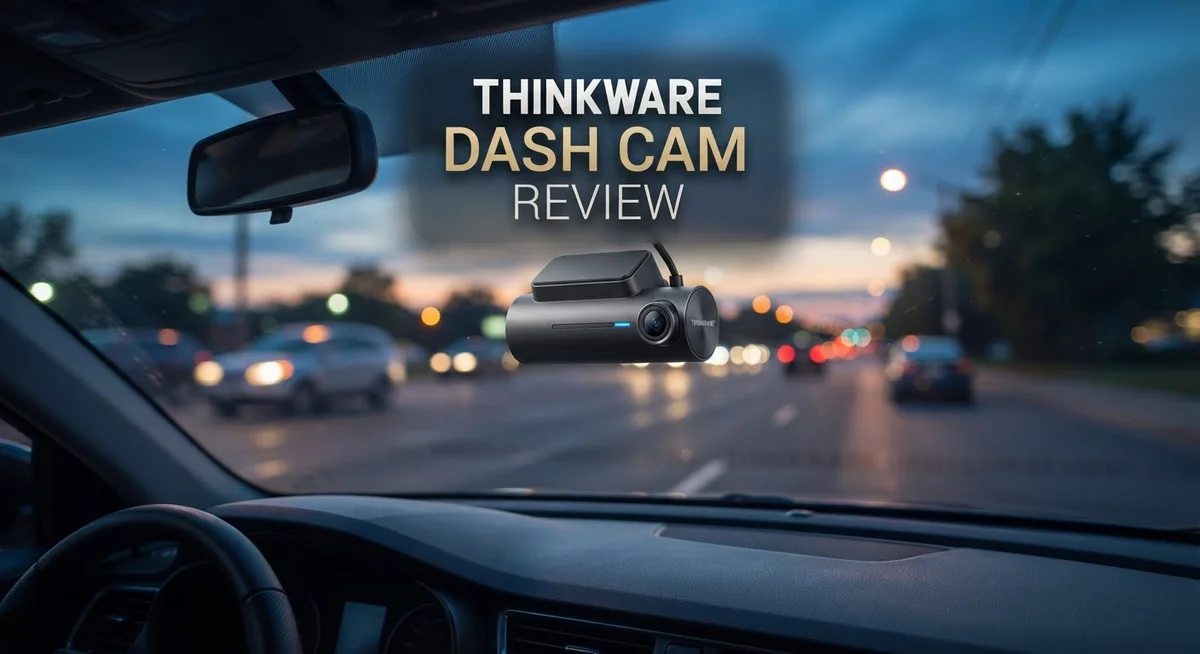
Thinkware Dash Cam Review: 2K QHD Video Quality and Multi-Camera Setup
Every drive comes with small risks. A sudden crash, a parking lot scratch, or a false claim can turn your day upside down. This is where a dash cam becomes your best friend on the road.
Thinkware has built a strong name in the dash cam world. Their cameras promise clear video, smart safety features, and simple setup for daily drivers.
In this review, we look closely at the Thinkware Q200 and ARC series. Both models offer 2K QHD recording for sharp, clear footage. You get every license plate and road sign in detail.
In a Nutshell
- Sharp video quality: Both the Q200 and ARC series record in 2K QHD, giving you clear footage for day and night drives.
- Room to grow: You can build a 5 channel system by adding extra Full HD cameras for full coverage around your car.
- Storage freedom: Thinkware supports trusted cards like Samsung Pro Endurance and SanDisk, so you are not stuck with one brand.
- Safety extras: ADAS alerts and parking mode help you stay aware on the road and keep watch when your car sits still.
- Phone friendly: The Dash Cam Link app lets you check footage on your phone, though playback can feel slow at times.
- A few gaps: Some models, like the U3000, show weaker night vision and skip HDR support.
Video Quality and Resolution
Thinkware dash cams deliver 2K QHD video quality across their main models. This resolution sits between standard Full HD and premium 4K, offering a smart balance for most drivers.
The Q200 and ARC series both capture footage at 2K resolution. You get crisp details of license plates, road signs, and lane markings during daylight hours. The image clarity helps if you ever need evidence after an accident or incident.
Night vision performance varies by model. The Q200 includes Super Night Vision technology, which brightens dark scenes without washing out details. However, some older Thinkware models like the U3000 struggle in low light conditions. If you drive frequently at night or in poorly lit areas, the Q200 is the better choice.
The ARC series offers dual 2K cameras for front and rear coverage. Both lenses maintain the same video quality, so your rear footage matches the clarity of your front recording. This consistency matters when you need reliable evidence from multiple angles.
Thinkware cameras use standard, non-proprietary SD cards. You can choose Samsung Pro Endurance or SanDisk cards without any compatibility issues. The base models come with 32GB storage, which typically records 8 to 10 hours of footage depending on video settings.
Recording settings affect file sizes. Higher bitrate options create larger files and fill your card faster. Lower bitrate settings save space but may reduce sharpness during playback. Most drivers find the default settings strike a good middle ground.
The Dash Cam Link app lets you view footage on your phone. You can review clips while parked or download important recordings. Some users report that playback feels sluggish through the app, though this doesn’t affect the actual video quality stored on your card.
The 2K QHD format keeps file sizes reasonable while delivering clear, usable footage. You won’t need expensive high capacity cards, and your storage won’t fill up as quickly as with 4K systems. For daily driving and accident documentation, Thinkware’s video quality meets real world needs effectively.

Last update on 2026-09-28 / Affiliate links / Images from Amazon Product Advertising API Some of the links on this website are affiliate links, which means that at no additional cost to you, I earn a commission if you click through and make a purchase. I only recommend products and services that I believe will add value to my readers. Thank you for your support!
Camera Design and Installation
Thinkware dash cams feature a compact, lightweight design that makes installation straightforward for most drivers. The cameras mount securely to your windshield using adhesive pads or suction cups, depending on the model you choose. Most units sit low enough to stay out of your sightline while capturing the road ahead effectively.
The Q200 front camera measures just a few inches across, making it nearly invisible once installed. The ARC series adds a rear camera that connects via a thin cable routed along your headliner and down the side pillars. This cable hides easily behind trim panels, keeping your interior clean and professional looking.
Installation typically takes 15 to 30 minutes. You’ll need to run the power cable from the camera to your vehicle’s fuse box or use a 12V outlet. Thinkware includes basic mounting hardware, though aftermarket adhesive pads work well if you prefer not to drill. The cameras come pre configured, so you can start recording shortly after mounting.
For those wanting full car coverage, Thinkware supports up to 5 channels total. You can add side and interior cameras as separate Full HD units. Each camera mounts independently, giving you flexibility in placement. The modular approach means you don’t need to buy everything at once.
The physical build quality feels solid. The plastic housings resist heat and cold without cracking. Lenses are protected by glass covers that resist scratches and UV damage. These cameras handle daily temperature swings without performance drops.
Power management is simple. Most models draw minimal current, so they won’t drain your battery quickly. Parking mode operates efficiently, recording only when motion is detected. This keeps your SD card from filling up too fast with hours of stationary footage.
Cable management deserves mention here. Thinkware includes clips and cable ties to keep wires organized. Running cables through door seals and along headliners feels secure, and nothing rattles during driving. The overall installation experience rewards careful work with a clean, professional result.
Night Vision and Low-Light Performance
Thinkware dash cams perform differently in low light depending on which model you choose. The Q200 and ARC series both feature Super Night Vision technology that helps capture usable footage after dark. This feature uses advanced sensor processing to brighten dim scenes without washing out details.
The Q200 front camera excels in moderate darkness. You get clear license plate recognition and road markings even on unlit streets. The ARC’s dual camera setup means both front and rear capture night footage with similar clarity. However, some older Thinkware models like the U3000 lack HDR support, which limits their low light capability. This is an important distinction if night driving is a priority for you.
Real world testing shows the 2K QHD resolution helps in low light situations. Higher resolution means more detail survives when footage gets brightened. A 1080p camera would show more noise in the same dark conditions. The Thinkware sensors handle this better than you might expect from compact dash cams.
Lighting conditions matter greatly for results. On highways with streetlights, footage looks sharp and detailed. In completely dark rural areas, the image becomes grainier but remains watchable. Parking mode recording also works in darkness, though quality drops compared to active driving.
The Dash Cam Link app lets you review night footage on your phone. One drawback is that playback can feel slow, which makes it harder to judge video quality quickly. Watching clips directly on the camera’s screen gives you a better sense of actual performance.
SD card choice affects night vision too. Samsung Pro Endurance and SanDisk cards work well with Thinkware systems. Slower cards can cause compression artifacts that make low light footage look worse. Standard cards work fine, but premium options optimize the night recording experience.
If you drive mostly during daylight hours, night vision becomes less critical. For commuters navigating dark morning or evening routes, the Q200 and ARC series deliver solid low light performance that rivals many competitors in this category.
Top 3 Alternatives
VIOFO A119 Mini

Last update on 2026-09-27 / Affiliate links / Images from Amazon Product Advertising API Some of the links on this website are affiliate links, which means that at no additional cost to you, I earn a commission if you click through and make a purchase. I only recommend products and services that I believe will add value to my readers. Thank you for your support!
The VIOFO A119 Mini captures sharp video in 1440p resolution. This camera records your drive with excellent clarity during day and night. The compact design fits easily behind your rearview mirror without blocking your view.
This dash cam stores footage on a microSD card. You get reliable performance from a brand known for quality. The wide-angle lens covers what happens around your vehicle. Loop recording automatically overwrites old footage when your card fills up.
70mai Dash Cam Pro


Last update on 2026-09-27 / Affiliate links / Images from Amazon Product Advertising API Some of the links on this website are affiliate links, which means that at no additional cost to you, I earn a commission if you click through and make a purchase. I only recommend products and services that I believe will add value to my readers. Thank you for your support!
The 70mai Dash Cam Pro offers 1440p recording with a 140-degree field of view. This camera starts recording automatically when you turn on your car. The night vision performance helps you see clearly in low light.
This model includes GPS tracking to log your location and speed. You can review footage easily on your phone using the companion app. The design keeps a low profile on your windshield. Smart parking mode monitors your vehicle even when you’re not driving.
Nextbase 522GW

Last update on 2026-09-27 / Affiliate links / Images from Amazon Product Advertising API Some of the links on this website are affiliate links, which means that at no additional cost to you, I earn a commission if you click through and make a purchase. I only recommend products and services that I believe will add value to my readers. Thank you for your support!
The Nextbase 522GW records in 4K resolution for maximum detail. This camera has an emergency SOS feature that alerts emergency services if needed. The built-in GPS records your location with every video.
This dash cam includes cloud connectivity so your footage backs up automatically. You get instant alerts if the camera detects an accident. The emergency response feature provides extra peace of mind. The sleek design blends into your dashboard. This model works well for drivers who want advanced safety features beyond basic recording.
Multi-Camera Expandability and Storage
Thinkware dash cams shine when it comes to expanding beyond a single front camera. Most models support multiple camera configurations that grow with your needs. The ARC series includes both front and rear 2K cameras right out of the box, giving you complete vehicle coverage from day one.
If you want even more angles, Thinkware lets you add up to 5 channels total. This means you can include interior cameras, side-view cameras, or additional rear perspectives. Each extra camera connects seamlessly to your main unit. The system handles multiple feeds without dropping quality or creating lag.
Storage works differently depending on your setup. The ARC comes with a 32GB SD card included. Single camera systems use less storage space than multi-camera setups. More cameras mean more footage, so larger cards become necessary quickly. The good news? Thinkware uses standard, non-proprietary SD cards. You can buy Samsung Pro Endurance, SanDisk, or other reliable brands from any retailer.
Recording continuously fills up storage fast. A 64GB or 128GB card makes sense if you run multiple cameras. Loop recording overwrites old footage automatically, so you don’t need to manually delete files. This keeps your system running without interruption.
The Dash Cam Link app lets you manage footage from your phone. You can review clips, check which cameras recorded what, and organize files remotely. App performance varies, and some users report slower playback speeds. This doesn’t affect your actual recording quality though.
Compatibility matters here. All Thinkware cameras work together without special adapters or converters. Wiring multiple units takes planning, but the company provides clear instructions. Cable routing through your vehicle’s headliner and pillars keeps things clean and professional looking.
Expandability gives Thinkware real appeal. You start small with a front camera, then add rear coverage later. You can add interior monitoring or extra angles whenever your needs change. This flexibility means your dash cam system grows with you instead of forcing you to replace everything at once.
App Connectivity and User Interface
The Dash Cam Link app serves as your command center for managing footage on the go. You can review recordings directly on your smartphone without needing a computer. The interface feels intuitive, letting you navigate between clips quickly.
Video playback speed matters here. Some users report that watching footage through the app runs slower than expected. This happens because the app streams data from the SD card over your phone’s connection. On faster WiFi networks, playback improves noticeably.
Connectivity works smoothly when your phone sits close to the dash cam. The app connects via your vehicle’s WiFi or a direct Bluetooth link. Once paired, you access live view and recorded footage instantly. Switching between front and rear cameras takes just one tap if you have a multi-camera setup.
File management happens right in the app. You can mark important clips for protection so they don’t get overwritten. You can also export footage to your phone’s storage. This feature proves helpful when you need to share an incident with insurance companies or authorities.
The app displays basic camera information too. You see battery status, SD card space remaining, and recording mode. Temperature readings appear if your setup includes sensors. These details help you understand what’s happening inside your dash cam.
SD card compatibility affects app performance. Using Samsung Pro Endurance or SanDisk cards optimized for dash cams gives you faster app response times. Non-optimized cards still work, but you might notice slight delays when loading thumbnails.
Multi-camera setups change how the app works. With front and rear cameras connected, the app lets you view both feeds side by side. You can switch between single and split screen views depending on what you’re reviewing.
The app updates periodically to fix bugs and add features. These updates download automatically when your phone connects to the dash cam. Keeping your app current ensures smooth operation and access to new tools.
Overall, the Dash Cam Link app handles its job well. It keeps you connected to your footage whenever you need it. The experience works best on modern smartphones with strong WiFi connections.
Pros and Cons
Pros
- 2K QHD video captures sharp detail on highways and well lit roads
- Lightweight design makes installation quick and hassle free
- ADAS ready features help with driver safety alerts
- Expands up to 5 channels for complete vehicle coverage
- Parking mode records activity when your car sits parked
Cons
- Some models like the U3000 lack HDR and struggle in very dark conditions
- App video playback runs slowly on certain phone models
- Base storage at 32GB fills quickly with continuous recording
- SD card optimization varies between brands even with compatible cards
Who Should Buy It
Thinkware dash cams work best for drivers who want clear video footage without complexity. You should consider buying one if you need sharp 2K QHD recording for insurance protection and accident documentation.
Daily commuters benefit most from Thinkware systems. Your footage captures highway incidents with excellent clarity. The lightweight design means quick installation without professional help. You mount it, connect the app, and start recording immediately.
Fleet managers and business owners find real value in Thinkware’s expandability. You can add up to 5 camera channels across your vehicles. This gives you complete coverage from multiple angles. Each vehicle gets consistent recording quality and easy management through the mobile app.
Safety conscious drivers should choose Thinkware for ADAS ready features. These systems alert you to potential hazards on the road. The technology helps you stay aware and react faster to dangerous situations.
Parking mode users need Thinkware’s protection features. Your car records activity when parked and unattended. This catches hit and run incidents, theft attempts, and vandalism. You get evidence when you need it most.
Drivers who spend significant time on highways prefer Thinkware’s daytime performance. The 2K resolution captures license plates and road details clearly. You get reliable footage during normal driving conditions.
However, skip Thinkware if you drive mostly at night in very dark areas. Some models lack HDR and struggle with low light performance. The U3000 specifically shows limitations in dark conditions. You would benefit more from competitors with superior night vision.
Avoid Thinkware if you need instant video playback on your phone. App performance runs slower than some alternatives. Video scrubbing takes extra time on certain devices.
Users with limited storage space should look elsewhere. The 32GB base card fills quickly with continuous recording. You need to manage files regularly or upgrade storage. If frequent video downloads frustrate you, consider other options.
Thinkware appeals to practical drivers who want straightforward recording, easy expansion, and dependable daytime footage. You get a solid system that grows with your needs.
Final Verdict
Thinkware dash cams stand out as reliable choices for everyday drivers. They deliver sharp video and smart safety features without extra hassle. This makes them a solid pick for many car owners.
Compared to BlackVue Elite 9, Thinkware skips cloud connectivity. This keeps things simple but limits remote access to footage. If you want instant cloud backups, look at BlackVue instead.
VIOFO models like the A329 Pro often match Thinkware on video quality. However, Thinkware’s app ecosystem feels more polished for casual users. Fleet owners might prefer VIOFO’s flexible mounting options though.
70mai and Vantrue offer competitive specs too. Yet Thinkware’s ADAS integration gives it an edge for safety focused drivers. These brands work well for budget conscious buyers who skip advanced alerts.
Build quality on Thinkware units feels sturdy despite the lightweight design. Mounting hardware holds steady even on rough roads. This durability matters for long term use.
Customer support responses vary based on retailer and region. Some users report smooth warranty claims. Others face delays getting replacement parts.
Software updates arrive steadily from Thinkware’s team. This keeps the app and firmware current. Regular updates show the brand stays committed to improvement.
Overall, Thinkware earns its spot among top dash cam brands. The combination of clear video, safety features, and expandability covers most driver needs well.
Choose Thinkware if you want a dependable daily driving companion. Skip it only if cloud features or ultra low light performance top your priority list.
For most drivers, Thinkware hits the right balance. It delivers practical features without unnecessary complexity. This makes it a smart addition to any vehicle setup.
Test the waters with a single front camera first. Then expand your system as your needs grow. This approach lets you build confidence in the brand before committing further.
Frequently Asked Questions
Do Thinkware dash cams work with non-brand SD cards?
Yes, they do. Thinkware dash cams use standard, non-proprietary SD cards. You can use Samsung Pro Endurance or SanDisk cards without any issues. The camera will recognize and record on them just fine.
However, optimization varies between different card brands. Some cards work more smoothly than others with Thinkware’s recording system. We recommend sticking with reputable brands for the best performance.
Can I add more cameras to my Thinkware system?
Absolutely. Thinkware systems expand up to 5 channels total. This means you can start with a front camera and add rear or side cameras later as your needs grow.
This expandability makes Thinkware ideal for fleet managers and business owners who want complete vehicle coverage. You’re not locked into a single camera setup.
Why is my Thinkware app video playback so slow?
App video playback speed depends on your phone’s processor and internet connection. Some users report slower playback on older phone models or when using Wi Fi with weak signal.
This is a known limitation with certain devices. Downloading videos to your phone first, then playing them locally, often speeds things up. Direct streaming from the dash cam can feel sluggish.
Which Thinkware model should I avoid if I drive mostly at night?
Skip the U3000 model if you spend significant time driving in very dark conditions. This model lacks HDR and struggles with night vision performance compared to other Thinkware options.
The Q200 Front and ARC models offer Super Night Vision, making them much better choices for nighttime drivers. They capture clear footage even on unlit roads.

Hello, i’m Ivoria i am the face behind Tech Tracker Blog. I am passionate about my work and love to explore gadgets and share about my experience.