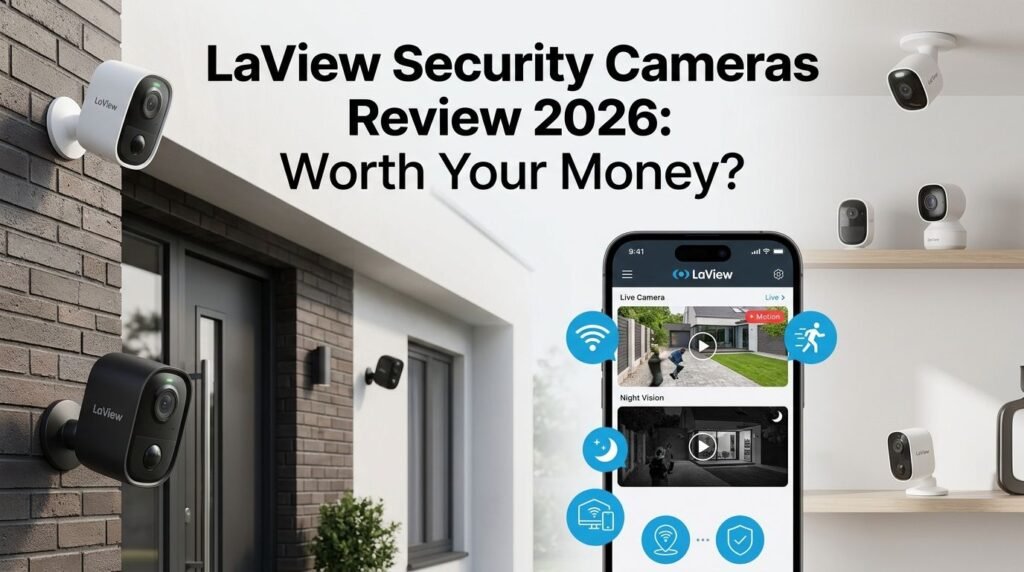
LaView Security Cameras Review 2026: Worth Your Money?
Your home deserves protection that works around the clock. LaView security cameras have become one of the most popular budget picks on Amazon, with thousands of five-star ratings and a loyal customer base. But do they actually deliver on their promises?
In this LaView security cameras review for 2026, we break down everything you need to know. We cover video quality, night vision, smart features, app experience, storage options, and more.
Whether you want to monitor your pets, keep an eye on your front door, or watch over your entire property, this review will help you decide if LaView is the right fit.
Key Takeaways:
- LaView offers impressive value for money with camera prices that start well under $50, making home security accessible to almost any budget. The 4-pack indoor camera bundle is one of the best deals on Amazon right now.
- Video quality ranges from 1080P to 5MP 3K, depending on the model you choose. The higher-end models deliver clear, sharp footage with starlight color night vision that performs well in low light conditions.
- The LaView app is free to download and works on both iOS and Android. It gives you live viewing, motion alerts, two-way audio, and playback controls. Setup is simple and takes about five minutes per camera.
- Cloud storage starts at $2.00 per month per camera for 14-day recording, with a free 30-day trial included. You can also use a microSD card for local storage, which avoids monthly fees entirely.
- All models support Alexa and Google Assistant, so you can integrate them into your existing smart home setup. Voice commands let you pull up live feeds on Echo Show or Google Nest Hub displays.
- Motion detection and AI human detection are available on most models. These features reduce false alerts from passing cars, blowing trees, or roaming animals.

Last update on 2026-08-04 / Affiliate links / Images from Amazon Product Advertising API Some of the links on this website are affiliate links, which means that at no additional cost to you, I earn a commission if you click through and make a purchase. I only recommend products and services that I believe will add value to my readers. Thank you for your support!
LaView Security Cameras 4pcs 1080P Indoor Camera
The LaView 4-pack 1080P indoor camera is the brand’s best-selling product on Amazon. It comes with four cameras, each delivering 2.1MP resolution with clear live views day and night.
Each camera includes infrared night vision that covers up to 33 feet. This means you can see your entire room even in complete darkness. The cameras connect through your 2.4GHz Wi-Fi network and do not support 5GHz bands.
Two-way audio is built into every camera. You can talk to your family, pets, or even scare off intruders directly from your phone. The built-in speaker and microphone deliver decent sound quality for the price point.
Motion detection alerts arrive on your phone within seconds. You can customize sensitivity levels to reduce unwanted notifications. This is helpful if you have pets walking around the house during the day.
Setup takes just a few minutes. Download the LaView app, scan the QR code on the camera, connect it to your Wi-Fi, and you are ready. The cameras support microSD cards up to 128GB for local recording.
At its price point, this 4-pack is hard to beat. You get four complete cameras for roughly the cost of a single camera from premium brands like Ring or Arlo. For basic indoor monitoring, these do the job well.
LaView 4MP Bulb Security Camera

Last update on 2026-06-03 / Affiliate links / Images from Amazon Product Advertising API Some of the links on this website are affiliate links, which means that at no additional cost to you, I earn a commission if you click through and make a purchase. I only recommend products and services that I believe will add value to my readers. Thank you for your support!
The LaView 4MP bulb security camera is one of the most creative designs in the budget camera market. It looks like a regular light bulb and screws into any standard E26/E27 light socket. No drilling or wiring is needed.
This camera shoots at 4MP 2560x1440P resolution, which is significantly sharper than standard 1080P models. The 360-degree panoramic view covers the entire room with no blind spots. You can pan and tilt through the app to see every corner.
Color night vision sets this model apart from cheaper cameras. Instead of grainy black-and-white footage, you get full-color images even in dim conditions. The built-in LED also doubles as an actual light source.
The camera supports 12x digital zoom, which lets you zoom into specific areas for more detail. AI motion detection identifies humans and sends smart alerts to reduce false notifications.
Auto-tracking is another standout feature. The camera follows a moving person across the room automatically. This is useful for monitoring children, elderly family members, or pets.
The bulb camera works with Alexa and Google Assistant for voice commands. You can say “Alexa, show me the living room” to pull up a live feed on compatible displays. It stores footage on microSD cards or through LaView’s cloud service.
LaView 5MP 3K Indoor Camera

Last update on 2026-08-04 / Affiliate links / Images from Amazon Product Advertising API Some of the links on this website are affiliate links, which means that at no additional cost to you, I earn a commission if you click through and make a purchase. I only recommend products and services that I believe will add value to my readers. Thank you for your support!
The LaView 5MP 3K indoor camera represents the brand’s highest-resolution indoor option. It records at 2880x1616P, which is a major step up from 1080P cameras. Details like faces and text on packages are much easier to identify.
Starlight color night vision captures clear, colorful footage even in very low light. This technology uses a larger sensor to gather more light, so your recordings look natural around the clock.
The camera features a 12x digital zoom that lets you check fine details without losing too much clarity. This is useful for reading labels, identifying visitors, or checking on small details in a room.
AI-powered human detection separates people from other moving objects. This means you get fewer false alerts from pets, curtains, or shadows. The camera sends push notifications directly to your phone through the LaView app.
Two-way audio with a built-in speaker and microphone allows real-time conversations. Sound quality is clear enough for everyday use. You can talk to delivery drivers, check on kids, or calm a nervous pet.
This model supports both 2.4GHz Wi-Fi and local storage through microSD cards. It also works with Alexa and Google Assistant. For anyone who wants sharper indoor footage without spending a fortune, the 5MP model is a solid upgrade.
Top 3 Alternatives for LaView Security Cameras
If you want to explore other options before making your decision, here are three popular alternatives that compete directly with LaView cameras.
1. Wyze Cam v4


Last update on 2026-08-04 / Affiliate links / Images from Amazon Product Advertising API Some of the links on this website are affiliate links, which means that at no additional cost to you, I earn a commission if you click through and make a purchase. I only recommend products and services that I believe will add value to my readers. Thank you for your support!
The Wyze Cam v4 shoots at 2.5K QHD resolution and works both indoors and outdoors with IP65 weather resistance. It features color night vision, a motion-activated spotlight, and local storage via microSD. Priced around $35, it is one of LaView’s strongest competitors.
2. TP-Link Tapo C120

Last update on 2026-08-04 / Affiliate links / Images from Amazon Product Advertising API Some of the links on this website are affiliate links, which means that at no additional cost to you, I earn a commission if you click through and make a purchase. I only recommend products and services that I believe will add value to my readers. Thank you for your support!
The Tapo C120 delivers 2K+ video quality with an IP66 weatherproof rating. It features smart AI detection for people, pets, and vehicles. Local storage and optional cloud plans keep costs low. It is a great all-around choice for budget-conscious buyers.
3. Blink Outdoor 4

Last update on 2026-08-04 / Affiliate links / Images from Amazon Product Advertising API Some of the links on this website are affiliate links, which means that at no additional cost to you, I earn a commission if you click through and make a purchase. I only recommend products and services that I believe will add value to my readers. Thank you for your support!
The Blink Outdoor 4 runs on batteries that last up to two years. It records 1080P HD video with infrared night vision and two-way audio. As an Amazon-owned brand, it integrates perfectly with Alexa. It is ideal for renters or anyone who prefers wireless installation.
Video Quality and Resolution Across LaView Models
LaView offers a wide range of resolutions across its product lineup. The entry-level cameras start at 1080P (1920×1080), which is good enough for general room monitoring and pet watching.
The mid-range bulb cameras jump to 4MP (2560x1440P). This resolution captures noticeably sharper footage. Faces are easier to identify, and small details like package labels become readable at moderate distances.
The top-tier models push into 5MP 3K (2880x1616P) territory. This is the sweet spot for users who want clear identification without paying for 4K cameras. The difference between 1080P and 3K is significant and immediately visible in side-by-side comparisons.
Color night vision is available on the 4MP and 5MP models. The 1080P cameras use standard infrared night vision, which produces black-and-white images. If identifying colors at night matters to you, choose one of the higher-end models.
All models support digital zoom, ranging from basic zoom on the 1080P models to 12x digital zoom on the 4MP and 5MP versions. Digital zoom does reduce image sharpness at higher levels. However, the 5MP sensor handles zooming much better than the 1080P sensor.
For most home users, the 4MP bulb camera hits the best balance between price and picture quality. If you need the absolute best image from LaView, go with the 5MP 3K model.
LaView App Experience and Setup Process
The LaView app is available for free on both the Apple App Store and Google Play Store. It serves as the central hub for all your LaView cameras. You manage live feeds, review recordings, adjust settings, and receive alerts through this single app.
Setting up a camera takes about five minutes. You create an account, power on the camera, scan its QR code with your phone, and connect it to your Wi-Fi network. The app walks you through each step with clear instructions.
The live view feature loads within a few seconds on a stable Wi-Fi connection. You can watch multiple cameras at once using the app’s split-screen mode. Switching between cameras is smooth and responsive on most modern smartphones.
Push notifications alert you in real time when motion is detected. You can customize the sensitivity, set activity zones, and schedule detection times. This flexibility helps reduce unwanted alerts during busy hours.
The app also lets you share camera access with family members. Each person creates their own account and receives shared access. This is useful for households where multiple people want to monitor the cameras.
One downside users report is occasional lag during peak hours. Live feeds sometimes buffer for a few seconds before stabilizing. This is a common issue with many budget camera apps and usually depends on your internet speed.
Cloud Storage and Local Recording Options
LaView gives you two storage paths: cloud storage and local microSD card recording. You can use either one or both at the same time for added security.
Cloud storage starts with a free 30-day trial. After that, plans begin at $2.00 per month per camera for 14-day cloud recording. Premium plans cost up to $19.99 per month and offer 30-day storage with extra features like person, pet, package, and vehicle detection.
If you want to skip monthly fees entirely, microSD cards are your best option. Most LaView cameras support cards up to 128GB or 256GB, depending on the model. A 128GB card can hold several days of continuous recording.
Local storage records directly to the card inside the camera. This means your footage stays private and accessible even if your internet goes down. You can pull the card out and view recordings on a computer if needed.
One important note: if someone steals or damages the camera, local recordings are lost. Cloud storage provides a backup that stays safe regardless of what happens to the physical camera. This is worth considering for outdoor or high-risk areas.
For most home users, a microSD card combined with the free trial is a smart starting point. You can always upgrade to a paid cloud plan later if you find you need longer storage or advanced AI features.
Smart Home Integration and Voice Control
LaView cameras work with Amazon Alexa and Google Assistant out of the box. You do not need any extra hubs or adapters to get started.
With Alexa, you can say commands like “Alexa, show me the front door camera” on an Echo Show, Fire TV, or Fire Tablet. The live feed appears within a few seconds. This is convenient for quick check-ins without picking up your phone.
Google Assistant offers similar voice controls. You can pull up camera feeds on Google Nest Hub displays or Chromecast-enabled TVs. The integration works smoothly and responds quickly to voice commands.
Routine automation is possible through both Alexa and Google Home apps. You can set your cameras to trigger other smart devices when motion is detected. For example, a camera detecting motion could turn on smart lights automatically.
LaView cameras do not currently support Apple HomeKit or IFTTT. If you are deep in the Apple ecosystem, this is a limitation to keep in mind. However, the Alexa and Google integration covers the majority of smart home users.
The cameras also support multi-user sharing through the LaView app. Each household member can access camera feeds, receive alerts, and control camera settings from their own device. This makes family-wide monitoring easy.
Motion Detection and AI Alert Features
LaView cameras use motion detection as their primary alert system. When the camera senses movement, it sends a push notification to your phone and begins recording a clip.
Basic models rely on pixel-change detection, which triggers when any part of the image changes. This works fine for quiet rooms but can produce false alerts from moving shadows, curtains, or passing headlights.
Higher-end models like the 4MP bulb camera and 5MP indoor camera include AI-powered human detection. This feature uses algorithms to distinguish people from other objects. False alerts drop significantly with AI detection enabled.
Some LaView models also support pet detection and vehicle detection through premium cloud plans. These features add another layer of intelligence and help you focus on the alerts that matter most to you.
Activity zones let you draw specific areas on the camera’s view where you want detection to occur. You can exclude windows, busy streets, or other areas that cause frequent false triggers. This feature is free and available through the app.
You can also set detection schedules. For example, you might want motion alerts only during work hours when the house is empty. At night, you might switch to continuous recording instead of motion-triggered clips.
LaView Outdoor Camera Options
LaView offers several outdoor camera models with weather-resistant designs. The most popular options include 3K 5MP outdoor cameras with IP65 waterproof ratings.
These outdoor cameras handle temperatures from -4°F to 122°F, making them suitable for most climates. Rain, snow, and dust will not damage the camera body or lens.
The outdoor models feature 130-degree wide-angle lenses that cover large areas like driveways, backyards, and front porches. This wide field of view reduces the number of cameras you need for full coverage.
Color night vision on outdoor models reaches up to 39 feet. Built-in spotlights can also activate when motion is detected, which serves as both a deterrent and a way to capture clearer footage at night.
LaView also sells a 4G LTE cellular camera (ASIN: B0CYTCRLV8) for locations without Wi-Fi access. This camera uses a SIM card to send footage over cellular networks. It is ideal for remote properties, construction sites, or vacation homes.
Two-way audio works on all outdoor models. The built-in siren on some models adds an extra layer of security. You can trigger the siren manually through the app to scare away unwanted visitors.
Mounting hardware comes included with every outdoor camera. Installation requires basic tools and about 15 to 20 minutes per camera.
LaView Camera Build Quality and Design
LaView cameras feature a clean, minimalist design that blends into most home settings. The indoor models are small, compact, and available in white or black finishes.
The 1080P indoor cameras weigh about 1.1 pounds each. They sit on a flat base or mount to walls and ceilings using the included adhesive pad or screw mount. The small footprint makes them easy to hide on bookshelves or behind decorations.
The light bulb camera is the most unique design in the lineup. It disguises the camera as a regular bulb, which makes it less obvious to visitors or intruders. The form factor also means zero installation effort beyond screwing it into a socket.
Build quality is solid for the price. The plastic bodies feel durable enough for indoor use. Outdoor models use thicker, weather-sealed housings that resist impact, moisture, and UV damage.
Cable management is straightforward on indoor models. Each camera uses a micro-USB or USB-C power cable that plugs into a standard wall adapter. Cable length is generous enough to reach most outlets without extensions.
One common complaint is the glossy finish on some models, which can attract dust and fingerprints. A quick wipe with a microfiber cloth solves this issue, but matte finishes would be a welcome improvement.
Pros and Cons of LaView Security Cameras
Pros:
- LaView cameras are extremely affordable, especially in multi-pack bundles. The 4-pack indoor cameras cost less than a single premium brand camera.
- Video quality from 1080P to 5MP covers a wide range of needs. Budget buyers and quality-focused users both have options.
- The LaView app is free and easy to use. Setup takes minutes, and the interface is intuitive for first-time users.
- Local storage via microSD cards eliminates mandatory subscriptions. You own your footage without paying monthly fees.
- Alexa and Google Assistant support adds smart home convenience. Voice-controlled live feeds work on compatible displays.
Cons:
- The app occasionally lags during live streaming, especially on slower internet connections.
- No Apple HomeKit support limits compatibility for Apple-focused smart homes.
- Cloud storage plans can add up quickly if you have multiple cameras and want advanced AI features.
- The 1080P models produce average night vision compared to starlight-equipped competitors.
- Customer support through email can be slow, with some users reporting multi-day response times.
Who Should Buy LaView Security Cameras?
LaView cameras are ideal for budget-conscious homeowners and renters who want basic to mid-range home security. If you need reliable indoor monitoring without spending hundreds of dollars, LaView delivers.
Pet owners love these cameras. Two-way audio lets you check on your animals, and motion alerts notify you when they are active. The 360-degree bulb camera is especially popular for watching pets in large rooms.
First-time security camera buyers will appreciate the simple setup process. You do not need technical skills or professional installation. The app guides you through everything step by step.
Small business owners can use LaView cameras to monitor offices, stockrooms, or retail spaces. The multi-camera packs offer cost-effective coverage for multiple rooms.
If you need professional-grade security with advanced features like facial recognition, 24/7 professional monitoring, or 4K+ resolution, LaView may not meet your requirements. Brands like Arlo, Reolink, or Lorex serve that market better.
For everyone else, LaView provides honest, dependable home security at a price that is hard to argue with.
Final Verdict: Is LaView Worth It in 2026?
LaView security cameras remain a strong value pick in 2026. They deliver reliable performance, decent image quality, and useful smart features at prices that undercut most competitors.
The 4-pack 1080P indoor cameras are perfect for basic home monitoring. The 4MP bulb camera offers a clever, no-drill solution with better resolution. The 5MP 3K model gives you the sharpest footage in the lineup.
Cloud storage is optional, not mandatory. Local microSD card recording keeps your costs down and your data private. The free LaView app ties everything together with an interface that is easy for anyone to use.
If you want affordable, reliable home security without long-term contracts or expensive subscriptions, LaView is worth your money. It won’t match premium brands feature-for-feature, but it punches well above its weight class.
Our recommendation: Start with the 4-pack indoor cameras or the 4MP bulb camera. Try the free 30-day cloud trial. Upgrade only if you need more storage or advanced detection features. You’ll get solid home security without breaking the bank.
Frequently Asked Questions
Are LaView security cameras any good?
Yes, LaView cameras offer solid performance for their price. They provide clear video, reliable motion detection, and two-way audio. They are among the best budget security cameras on Amazon with thousands of positive reviews. They work well for indoor monitoring, pet watching, and general home security.
Do LaView cameras require a subscription?
No, LaView cameras do not require a paid subscription. You can use local microSD card storage for free. LaView offers optional cloud storage plans starting at $2.00 per month per camera. A free 30-day cloud trial is included with every new camera.
Can LaView cameras work without Wi-Fi?
LaView cameras need Wi-Fi for live viewing, alerts, and remote access. However, if Wi-Fi goes down, cameras with microSD cards will continue recording locally as long as they have power. The 4G LTE cellular model works without Wi-Fi by using a mobile data connection.
How do I set up a LaView camera?
Setting up a LaView camera is simple. Download the LaView app, create an account, power on the camera, scan its QR code, and connect to your 2.4GHz Wi-Fi network. The app provides step-by-step instructions. Most cameras are ready within five minutes.
Do LaView cameras work with Alexa?
Yes, all LaView cameras support Amazon Alexa. You can use voice commands to view live feeds on Echo Show, Fire TV, and other Alexa-enabled displays. Google Assistant is also supported for Google Nest Hub and Chromecast devices.
How long do LaView camera recordings last?
Recording duration depends on your storage method and settings. A 128GB microSD card can hold several days of continuous footage. Cloud plans store 14 or 30 days of recordings depending on your subscription tier. Motion-triggered recording extends storage life significantly compared to continuous recording.

Hello, i’m Ivoria i am the face behind Tech Tracker Blog. I am passionate about my work and love to explore gadgets and share about my experience.