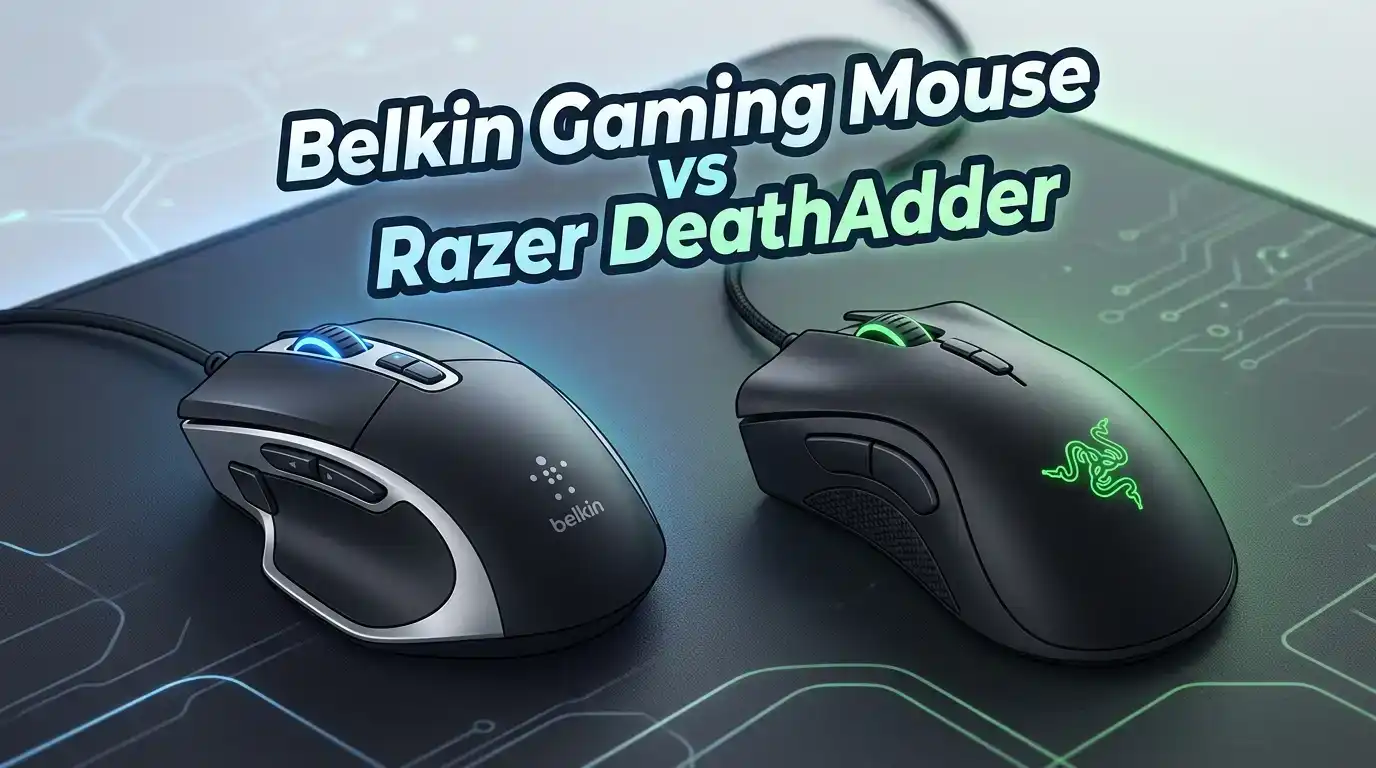
Belkin Gaming Mouse vs Razer DeathAdder in 2026
Are you stuck choosing between a Belkin gaming mouse and the Razer DeathAdder? You are not alone. Thousands of gamers ask this same question every year. Both brands have strong reputations.
Belkin is known for affordable, reliable peripherals. Razer dominates the competitive esports scene with high performance gear. But which mouse actually gives you more value for your money in 2026?
This post breaks down the Belkin Wired USB Optical Mouse and the Razer DeathAdder V3 side by side. We cover build quality, sensor performance, ergonomics, software, price, and much more.
Key Takeaways
- The Razer DeathAdder V3 is a dedicated esports mouse built for fast paced gaming. It has a 30K DPI optical sensor, 8K Hz polling rate, and weighs only 59 grams. This mouse serves competitive FPS players who need speed and precision above all else.
- The Belkin Wired USB Optical Mouse is a budget friendly option with an 800 DPI sensor, 3 buttons, and an ambidextrous design. It works best for casual use and light gaming sessions on a tight budget.
- Sensor performance is the biggest gap between the two. The DeathAdder V3 tracks at up to 750 IPS with a 30K DPI range. The Belkin mouse maxes out at 800 DPI with basic optical tracking. For any serious gaming, the Razer mouse wins by a wide margin.
- Ergonomics differ significantly. The DeathAdder V3 uses a refined right handed ergonomic shape built from years of esports feedback. The Belkin mouse offers a simple ambidextrous form factor that fits both hands but lacks contoured support.
- Price reflects the feature gap. The Belkin mouse costs under $10 in most stores. The Razer DeathAdder V3 wired version sells for around $45 to $70. You pay more with Razer, but the performance jump is massive.
- Software support matters. Razer offers its full Synapse software suite for custom DPI stages, macros, and polling rate settings. The Belkin mouse is plug and play with zero software customization.
Overview of the Belkin Gaming Mouse

Last update on 2026-08-04 / Affiliate links / Images from Amazon Product Advertising API Some of the links on this website are affiliate links, which means that at no additional cost to you, I earn a commission if you click through and make a purchase. I only recommend products and services that I believe will add value to my readers. Thank you for your support!
The Belkin 3 Button Wired USB Optical Mouse is a straightforward, no frills peripheral. It uses an 800 DPI optical sensor with a red LED. The mouse has three buttons and one scroll wheel. It connects through a standard USB A plug with a 5 foot cord.
This mouse targets office users and casual computer owners. It works on both PC and Mac out of the box. The ambidextrous shape fits left and right handed users equally. Setup requires no drivers or software installation.
The body measures 4.3 x 2.4 x 1.5 inches. It has a compact, lightweight feel that suits travel or secondary workstation use. Belkin designed this mouse for simple tasks like browsing, document editing, and basic gaming.
Pros:
- Very affordable price under $10
- Plug and play with no drivers needed
- Ambidextrous design fits both hands
- Compatible with PC and Mac
- Lightweight and compact for portability
Cons:
- Only 800 DPI sensor limits gaming performance
- No programmable buttons or software support
- Basic build quality with no premium materials
- No side buttons for extra controls
- Not built for competitive or fast paced gaming
Overview of the Razer DeathAdder V3


Last update on 2026-08-04 / Affiliate links / Images from Amazon Product Advertising API Some of the links on this website are affiliate links, which means that at no additional cost to you, I earn a commission if you click through and make a purchase. I only recommend products and services that I believe will add value to my readers. Thank you for your support!
The Razer DeathAdder V3 Wired is an elite esports mouse built for competitive gamers. It weighs just 59 grams and uses the Focus Pro 30K Optical Sensor. The polling rate reaches up to 8000 Hz through HyperPolling technology.
Razer designed this mouse with direct feedback from professional esports players. The ergonomic right handed shape reduces fatigue during long sessions. It has 6 programmable buttons and uses Gen 3 Optical Switches for zero debounce delay.
The Speedflex cable reduces drag and keeps the wired connection feeling almost wireless. DPI stages are fully customizable through Razer Synapse software. You can set values from 100 to 30,000 DPI.
Pros:
- Ultra lightweight at 59 grams
- Focus Pro 30K sensor with 750 IPS tracking
- 8000 Hz polling rate for ultra low latency
- Gen 3 Optical Switches with zero debounce
- 6 programmable buttons via Razer Synapse
- Speedflex cable minimizes drag
Cons:
- Right handed only design excludes left handed users
- Higher price point around $45 to $70
- No wireless option in this specific model
- No RGB lighting
- Requires Razer Synapse software for full customization
Sensor Performance Comparison
Sensor quality is the most important factor for gaming mice. The gap between these two products is enormous. The Razer DeathAdder V3 uses the Focus Pro 30K optical sensor. This sensor tracks movement at up to 750 inches per second with a DPI range of 100 to 30,000.
The Belkin mouse uses a basic optical sensor locked at 800 DPI. There is no way to adjust this value. The tracking speed and accuracy fall far behind modern gaming sensors.
For FPS games like Valorant or Counter Strike, the DeathAdder V3 delivers flawless tracking with zero spin out. The Belkin mouse can handle casual gaming but will struggle with fast flick shots or precise aiming. If sensor performance matters to you, the Razer DeathAdder V3 is the clear winner here.
Build Quality and Design
The Razer DeathAdder V3 features a refined ergonomic shell made from high quality plastic. The mouse feels solid despite its 59 gram weight. Razer used a streamlined design with no unnecessary gaps or flex in the body.
The Belkin mouse has a simple plastic shell. It feels functional but basic. There are no rubber grips, textured sides, or premium coatings. The body is sturdy enough for daily use but lacks the premium touch of a dedicated gaming mouse.
Both mice are black in color. The DeathAdder V3 has a matte finish that resists fingerprints and sweat. The Belkin mouse has a standard smooth plastic surface. For build quality, the Razer mouse offers a significantly better experience for extended gaming sessions.
Ergonomics and Comfort
The Razer DeathAdder V3 is famous for its ergonomic right handed shape. Razer spent years refining this form factor based on feedback from professional gamers. The mouse fills your palm naturally. The thumb rest and finger grooves reduce hand strain during long sessions.
The Belkin mouse uses an ambidextrous design. This means it works for both left and right handed users. The shape is symmetrical and compact. It does not have contoured thumb rests or raised palm supports.
If you game for several hours at a time, the DeathAdder V3 will keep your hand comfortable. The Belkin mouse may cause fatigue faster because it lacks the sculpted support that gaming mice provide. Left handed gamers should note that the Belkin mouse is their only option between these two.
Polling Rate and Responsiveness
Polling rate determines how often your mouse reports its position to your PC. A higher polling rate means smoother and more responsive cursor movement. The Razer DeathAdder V3 supports polling rates up to 8000 Hz through its built in HyperPolling technology.
The Belkin mouse operates at a standard 125 Hz polling rate. This is typical for basic office mice. It introduces noticeable input delay compared to gaming grade peripherals.
The difference between 125 Hz and 8000 Hz is massive. At 8000 Hz, the DeathAdder V3 reports its position every 0.125 milliseconds. At 125 Hz, the Belkin mouse reports every 8 milliseconds. For competitive gaming, this gap can affect your reaction time and accuracy.
Software and Customization
The Razer DeathAdder V3 works with Razer Synapse software. This tool lets you customize DPI stages, assign macros to buttons, change polling rates, and create game specific profiles. You can store settings in the onboard memory or in the cloud.
The Belkin mouse has zero software support. It is a plug and play device with no customization options. The three buttons perform their default functions. There is no way to remap buttons, adjust sensitivity, or create profiles.
Gamers who like to fine tune their settings will appreciate Razer Synapse. It gives you full control over every aspect of the mouse. The Belkin mouse suits users who want a simple, ready to use peripheral with no setup required.
Razer DeathAdder V3 HyperSpeed Wireless Alternative

Last update on 2026-08-04 / Affiliate links / Images from Amazon Product Advertising API Some of the links on this website are affiliate links, which means that at no additional cost to you, I earn a commission if you click through and make a purchase. I only recommend products and services that I believe will add value to my readers. Thank you for your support!
If you prefer a wireless gaming mouse, the Razer DeathAdder V3 HyperSpeed is worth considering. It weighs 55 grams and uses the 26K DPI optical sensor. The battery lasts up to 100 hours on a single charge through USB C.
This model uses Razer HyperSpeed wireless technology for ultra low latency. It supports 8 programmable controls and Gen 3 Optical Switches. The smooth touch coating keeps the mouse comfortable during intense gaming sessions.
Pros:
- 55 grams ultra lightweight wireless design
- Up to 100 hours of battery life
- USB C charging for convenience
- HyperSpeed wireless for low latency
- 26K DPI optical sensor
- 8 programmable controls
Cons:
- Higher price point than the wired version
- Requires charging unlike wired mice
- HyperPolling dongle sold separately for 8K Hz
- Limited to right handed users only
Price and Value for Money
The Belkin Wired USB Optical Mouse costs around $7 to $10 on most retailers. This is one of the cheapest mice you can buy from a reputable brand. For basic tasks and very light gaming, it delivers acceptable performance at a rock bottom price.
The Razer DeathAdder V3 wired sells for around $45 to $70 depending on sales and availability. The HyperSpeed wireless model costs more at around $80 to $100. These prices reflect the premium sensor, switches, and build quality you receive.
The value equation depends on your needs. If you only browse the web and play casual games, the Belkin mouse saves you money. If you play competitive games or spend hours gaming daily, the Razer DeathAdder V3 offers dramatically better performance that justifies the higher price.
Who Should Buy the Belkin Mouse?
The Belkin mouse is ideal for budget conscious buyers who need a basic pointing device. Students, office workers, and casual computer users will find it perfectly functional. It handles everyday tasks like web browsing, email, and document editing without issues.
If you travel often, the compact size and lightweight build make it easy to carry. It also works well as a backup mouse or a secondary device for a guest workstation. The plug and play design means zero setup time on any PC or Mac.
This mouse is not recommended for gamers who play competitive titles, FPS games, or any game that demands precise aiming. The 800 DPI sensor and 125 Hz polling rate will hold you back in those situations.
Who Should Buy the Razer DeathAdder V3?
The Razer DeathAdder V3 is built for competitive gamers and esports enthusiasts. If you play FPS games like Valorant, Counter Strike, or Apex Legends, this mouse gives you every advantage. The 30K DPI sensor, 8K Hz polling rate, and ultra lightweight body deliver top tier performance.
This mouse also suits content creators and power users who value precision and comfort. The ergonomic design reduces strain during long work sessions. The programmable buttons save time on repetitive tasks.
If you already own gaming peripherals and want to upgrade your mouse, the DeathAdder V3 is a proven choice. Professional esports players around the world trust this mouse shape. The 2026 market still ranks it among the best ergonomic gaming mice available.
Final Verdict: Belkin Gaming Mouse vs Razer DeathAdder
The comparison between the Belkin gaming mouse and the Razer DeathAdder V3 comes down to purpose and budget. These two mice serve completely different audiences. The Belkin mouse is a basic office peripheral that costs under $10. The DeathAdder V3 is a premium esports tool priced around $45 to $70.
For gaming performance, the Razer DeathAdder V3 wins in every category. It has a superior sensor, faster polling rate, better switches, lighter weight, and full software customization. The Belkin mouse cannot compete in any of these areas.
For basic use on a budget, the Belkin mouse does its job. It clicks, scrolls, and tracks on most surfaces. If you need a simple, affordable mouse for non gaming tasks, it remains a solid pick.
Our recommendation for 2026 is clear. Choose the Razer DeathAdder V3 if you game regularly. Choose the Belkin mouse only if you need the cheapest functional mouse from a trusted brand.
Frequently Asked Questions
Is the Belkin mouse good for gaming?
The Belkin Wired USB Optical Mouse has an 800 DPI sensor and 125 Hz polling rate. It can handle very casual gaming like puzzle games or turn based titles. It is not suitable for competitive FPS or action games that require fast, precise mouse movements.
What sensor does the Razer DeathAdder V3 use?
The Razer DeathAdder V3 uses the Focus Pro 30K Optical Sensor. This sensor supports DPI values from 100 to 30,000. It tracks movement at up to 750 inches per second with zero spin out. This is one of the best sensors available in any gaming mouse in 2026.
Can left handed users use the Razer DeathAdder V3?
No. The Razer DeathAdder V3 has a right handed ergonomic shape. Left handed users should look at ambidextrous mice like the Razer Viper series or stick with the Belkin mouse, which supports both hands.
How heavy is the Razer DeathAdder V3 compared to the Belkin mouse?
The Razer DeathAdder V3 wired weighs 59 grams. The Belkin mouse weighs slightly more at around 70 to 80 grams. Both are relatively light, but the DeathAdder V3 is specifically engineered for ultra lightweight performance.
Does the Belkin mouse need drivers to install?
No. The Belkin mouse is a plug and play device. You connect it through USB and it works immediately on both PC and Mac. No software or driver installation is required.
Is the Razer DeathAdder V3 worth the price over the Belkin mouse?
If you play games regularly, yes, absolutely. The performance gap between these two mice is enormous. The DeathAdder V3 offers a 30K DPI sensor, 8K Hz polling rate, optical switches, and full customization. The extra investment pays off in better accuracy, faster response times, and greater comfort.

Hello, i’m Ivoria i am the face behind Tech Tracker Blog. I am passionate about my work and love to explore gadgets and share about my experience.