ASUS ROG GM700 Gaming Desktop vs Gigabyte AORUS
Looking for the ultimate gaming desktop in 2026? The choice between ASUS ROG GM700 and Gigabyte AORUS gaming desktops can be challenging. Both brands deliver powerful performance, but they take different approaches to gaming excellence.
The ASUS ROG GM700 offers impressive build quality with cutting-edge components, while Gigabyte AORUS systems provide equally strong performance with their own unique features.
This guide compares both systems side by side so you can make an informed decision based on your gaming needs and budget.
Key Takeaways
- Performance and Processing Power: The ASUS ROG GM700 features processors like the AMD Ryzen 7 9800X3D with 8 cores and 16 threads, offering exceptional gaming performance. Gigabyte AORUS desktops come in multiple tiers, with the AORUS SUPREME 5 also featuring the Ryzen 7 9800X3D processor, while AORUS PRIME 5 uses the Ryzen 7 9700X with 8 cores and 16 threads.
- Graphics and Gaming Capability: The ASUS ROG GM700 can be configured with up to RTX 5090 graphics cards, while Gigabyte AORUS systems offer similar GPU options including RTX 5090 for SUPREME 5 and RTX 5070 Ti for PRIME 5 models.
- Memory and Storage Speed: Both systems come with DDR5 RAM running at high speeds, with the ASUS ROG GM700 supporting up to 64GB of DDR5 at 4800 MHz or higher. Gigabyte AORUS systems also feature 64GB DDR5 in premium models and 32GB in standard configurations.
- Cooling and Thermal Management: The ASUS ROG GM700 includes a spacious 58-liter chassis with four case fans and optional 240mm liquid cooling. Gigabyte AORUS systems feature 360mm liquid cooling solutions with optimized airflow designs.
- Build Quality and Design: ASUS ROG desktops showcase time-tested quality from a company known for PC components. Gigabyte AORUS systems deliver premium construction with the AORUS brand heritage backing gaming DNA.
Understanding ASUS ROG GM700 Gaming Desktop

Last update on 2026-08-04 / Affiliate links / Images from Amazon Product Advertising API Some of the links on this website are affiliate links, which means that at no additional cost to you, I earn a commission if you click through and make a purchase. I only recommend products and services that I believe will add value to my readers. Thank you for your support!
The ASUS ROG GM700 represents a significant step forward in prebuilt gaming desktops for 2025 and 2026. ASUS brings decades of motherboard and graphics card expertise directly into their complete system design.
The GM700 model comes in a robust 58-liter full-tower chassis that accommodates powerful hardware configurations. This desktop targets serious gamers who want a machine built by a company that knows PC components inside and out.
The build quality reflects ASUS’s reputation for reliability. Every component selection undergoes rigorous testing to ensure stability and performance consistency. The system comes with Windows 11 Pro, giving you a solid foundation for gaming and productivity.
You get professional-grade tools and features that typical consumer desktops lack. The attention to detail in the power supply, cooling layout, and cable management sets this system apart from basic gaming builds.
ASUS ROG GM700 Pros
ASUS ROG GM700 offers numerous advantages for gamers seeking premium quality:
The spacious 58L chassis accommodates triple-slot GPUs, meaning you can upgrade to the most powerful graphics cards available without fitting issues. The hidden air intake design draws fresh air efficiently without requiring a mesh front panel.
Four case fans come standard with excellent airflow dynamics. Liquid cooling options exist for those wanting maximum CPU cooling performance. The system supports up to 64GB of DDR5 RAM running at fast speeds, handling multitasking like streaming while gaming simultaneously.
PCIe 4.0 and upgradeable PCIe 5.0 storage options provide exceptional speed for loading games and transferring files. ASUS Armoury Crate software lets you monitor temperatures, adjust RGB lighting, and optimize performance settings from one interface.
The system comes with three months of PC Game Pass, giving you instant access to hundreds of titles. Build quality feels premium with ASUS motherboards known for excellent VRM and power delivery systems. The aesthetic design works in both gaming rooms and professional environments with its clean, asymmetric styling.
ASUS ROG GM700 Cons
However, the ASUS ROG GM700 has some limitations you should consider:
The starting price sits higher than some competing prebuilts with similar specs. Some users report the case, while spacious, could offer more rear fan mounting options for additional cooling configurations.
The Armoury Crate software requires some learning for users unfamiliar with ASUS tools. Warranty coverage and customer support experiences vary depending on your region.
Upgrade costs for top-tier configurations become substantial, potentially exceeding $3000 USD. The 1000W power supply, while capable, limits compatibility with future ultra-high-end GPUs beyond the RTX 5090. Some buyers prefer more color options beyond the standard black finish.
Exploring Gigabyte AORUS PRIME 5 Gaming Desktop

Last update on 2026-08-04 / Affiliate links / Images from Amazon Product Advertising API Some of the links on this website are affiliate links, which means that at no additional cost to you, I earn a commission if you click through and make a purchase. I only recommend products and services that I believe will add value to my readers. Thank you for your support!
Gigabyte AORUS PRIME 5 delivers powerful gaming performance with excellent cooling and modern features. The AORUS brand carries gaming DNA from Gigabyte’s history in high-performance components.
The PRIME 5 model serves as the accessible entry point into the AORUS gaming desktop lineup while still offering serious performance capabilities. This system appeals to gamers wanting established brand quality without the maximum premium pricing.
The AORUS PRIME 5 comes equipped with an AMD Ryzen 7 9700X processor providing 8 cores and 16 threads of processing power. This CPU excels at gaming and handles multitasking smoothly.
The RTX 5070 Ti graphics card delivers impressive frame rates at 1440p and solid performance at 4K resolution. The system includes 32GB of DDR5 RAM, which handles modern games and creative software easily. You get 2TB of fast PCIe 4.0 SSD storage with room for your expanding game library.
AORUS PRIME 5 Pros
The Gigabyte AORUS PRIME 5 brings several strong advantages:
The AMD Ryzen 7 9700X processor offers excellent gaming performance with good power efficiency compared to higher-core-count alternatives. RTX 5070 Ti graphics provide excellent value for 1440p gaming and solid 4K performance. The 32GB DDR5 RAM handles all current games and applications without stuttering.
Fast PCIe 4.0 SSD storage keeps load times minimal. The chassis design optimizes airflow for efficient cooling without excessive noise. RGB Fusion 2.0 lighting system allows detailed customization of case and component lighting.
Gigabyte’s reputation for quality components means you get reliable hardware. The system price point offers good value compared to higher-tier options. Windows 11 Home OS comes preinstalled and activated. The AORUS brand carries weight in the gaming community with strong community support and forum resources.
AORUS PRIME 5 Cons
The AORUS PRIME 5 has some drawbacks to consider:
The Ryzen 7 9700X, while excellent, does not include the X3D cache technology found in higher-end processors, potentially limiting gaming performance in very demanding titles. RTX 5070 Ti, though capable, represents the middle tier of the 50-series lineup, so future games might push settings optimization requirements.
Only 32GB RAM comes standard, meaning some users might want 64GB for streaming and content creation. The chassis, while functional, lacks the premium feel of higher-end options.
Limited upgrade options exist for the power supply and cooling compared to the GM700. Customer support experiences with Gigabyte vary by region and retailer. Some RGB lighting features require proprietary Gigabyte software to fully customize.
Examining Gigabyte AORUS SUPREME 5 Gaming Desktop

Last update on 2026-08-04 / Affiliate links / Images from Amazon Product Advertising API Some of the links on this website are affiliate links, which means that at no additional cost to you, I earn a commission if you click through and make a purchase. I only recommend products and services that I believe will add value to my readers. Thank you for your support!
Gigabyte AORUS SUPREME 5 represents the flagship gaming desktop from the AORUS lineup. This system targets enthusiasts and professional gamers wanting the absolute best performance money can buy.
The SUPREME 5 includes the same cutting-edge processors and graphics cards as the ASUS ROG GM700, making it a direct competitor at the high end of the market. Gigabyte designed this system to dominate competitive gaming and handle demanding creative applications simultaneously.
The AORUS SUPREME 5 features AMD Ryzen 7 9800X3D processor with innovative X3D cache technology that excels specifically at gaming. The RTX 5090 graphics card represents the absolute top tier of consumer gaming GPUs available in 2026.
The system includes 64GB of fast DDR5 RAM, providing exceptional multitasking capability. A 360mm liquid cooling system keeps components cool and quiet even during intense gaming sessions. You get 2TB of PCIe 5.0 SSD storage, the fastest currently available for consumer desktops. The AORUS X870E motherboard provides cutting-edge features and stability for your powerful components.
AORUS SUPREME 5 Pros
The Gigabyte AORUS SUPREME 5 delivers impressive advantages for serious gamers:
The AMD Ryzen 7 9800X3D with X3D cache technology provides the highest gaming performance from the current Ryzen lineup. RTX 5090 graphics ensure you can max settings in any game at 4K resolution and maintain high frame rates.
The 360mm liquid cooling system keeps even the most demanding components running cool during marathon gaming sessions. 64GB DDR5 RAM enables simultaneous gaming, streaming, and content creation without performance drops.
PCIe 5.0 SSD storage offers the fastest available technology for game loading and file transfers. The WATERFORCE liquid cooling solution uses Gigabyte engineering for optimal performance. Premium AORUS X870E motherboard platform provides excellent upgrade options for future components.
The system includes everything needed for competitive gaming immediately out of the box. RGB customization through AORUS software provides 16 million color options. Build quality throughout matches the premium positioning with excellent component selection.
AORUS SUPREME 5 Cons
The AORUS SUPREME 5 has some limitations worth noting:
The premium pricing makes this system inaccessible for budget-conscious gamers, with configurations often exceeding $3500 USD. The RTX 5090, while top-tier, represents cutting-edge pricing that commands premium costs.
The 360mm liquid cooler, though excellent, requires periodic maintenance and monitoring for optimal performance. The system’s power requirements demand a high-wattage PSU, limiting flexibility in certain upgrades.
Some users may find the premium features unnecessary if not streaming or doing content creation. The AORUS software ecosystem, while comprehensive, can feel complex for casual users. Limited color options for the chassis may not match all gaming room aesthetics.
Processor Performance Comparison
The processor choice significantly impacts gaming performance and multitasking capability. ASUS ROG GM700 comes with the AMD Ryzen 7 9800X3D, featuring 8 cores and 16 threads with advanced X3D cache technology.
This processor excels at gaming frame rates while maintaining excellent power efficiency. The Gigabyte AORUS SUPREME 5 uses the same Ryzen 7 9800X3D processor, providing identical gaming performance. The Gigabyte AORUS PRIME 5 steps down to the Ryzen 7 9700X without X3D cache, offering slightly lower gaming performance but still excellent results for most titles.
Both the 9800X3D and 9700X processors deliver smooth gameplay at 1440p resolution in virtually all games. At 4K resolution, the 9800X3D provides a slight edge in frame rates due to the X3D cache benefits.
For content creation including video editing and 3D rendering, the extra core count from higher-end Ryzen options would provide benefits, but the 9700X still performs admirably. The difference between these processors becomes noticeable mainly in very demanding titles at ultra settings or when simultaneous streaming and gaming occurs.
Graphics Card and Gaming Performance Analysis
Graphics cards determine your gaming experience more than any other component. The ASUS ROG GM700 offers configurations with RTX 5070, RTX 5070 Ti, and RTX 5090 options.
The RTX 5070 provides excellent 1440p gaming with high settings. RTX 5070 Ti enables smooth 4K gaming in most titles. RTX 5090 represents absolute top performance for maxing every game at 4K with maximum ray tracing.
Gigabyte AORUS PRIME 5 comes with RTX 5070 Ti graphics, matching the mid-tier performance level of the ASUS options. Gigabyte AORUS SUPREME 5 features the RTX 5090, providing identical top-tier performance to the highest ASUS configuration.
Both ASUS and Gigabyte RTX 5090 cards utilize NVIDIA’s Blackwell architecture with advanced features like DLSS 4 and Frame Generation technology.
Frame Generation technology effectively doubles your frame rates in supported games without reducing visual quality. Ray tracing performance on these cards remains exceptional even at maximum settings. The RTX 5090 provides future-proofing for demanding games releasing through 2027 and beyond.
Memory, Storage, and System Responsiveness
RAM speed and capacity directly impact gaming smoothness and multitasking performance. The ASUS ROG GM700 supports up to 64GB DDR5 RAM running at 4800 MHz or higher speeds. Gigabyte AORUS SUPREME 5 includes 64GB DDR5 at 5600 MHz standard.
Gigabyte AORUS PRIME 5 comes with 32GB DDR5 at 5600 MHz. Both 32GB and 64GB RAM handle current games and applications smoothly. The 64GB configuration becomes valuable if you stream gameplay, run background applications, or create content simultaneously.
Storage technology has advanced significantly with PCIe 4.0 and 5.0 options. ASUS ROG GM700 comes with PCIe 4.0 SSD but supports PCIe 5.0 upgrades.
Gigabyte AORUS SUPREME 5 includes PCIe 5.0 storage standard, providing the fastest possible load times. PCIe 5.0 technology shows minimal real-world gaming benefits over PCIe 4.0 currently, but provides future-proofing for upcoming games optimized for faster storage.
Cooling Solutions and Thermal Performance
Effective cooling keeps components running at optimal speeds and extends hardware lifespan. The ASUS ROG GM700 features a 58L chassis with four case fans and optional 240mm liquid cooling.
The spacious chassis design allows excellent airflow with hidden intake behind the front panel. This design draws fresh air efficiently while maintaining aesthetic appeal. The quad-fan system handles high-performance configurations effectively.
Gigabyte AORUS SUPREME 5 comes equipped with a 360mm WATERFORCE liquid cooling system as standard. This larger cooler handles extreme cooling demands with lower noise than air solutions.
The optimized airflow design in the AORUS chassis complements the liquid cooling system. Gigabyte AORUS PRIME 5 also features optimized cooling but in a more compact form than the SUPREME 5.
Both systems maintain exceptional temperatures during extended gaming sessions and demanding workloads. The 360mm liquid cooler provides advantages mainly in extreme overclocking scenarios, which most gamers never pursue. For standard gaming and content creation, both cooling approaches prove equally sufficient.
Chassis Design and Build Quality
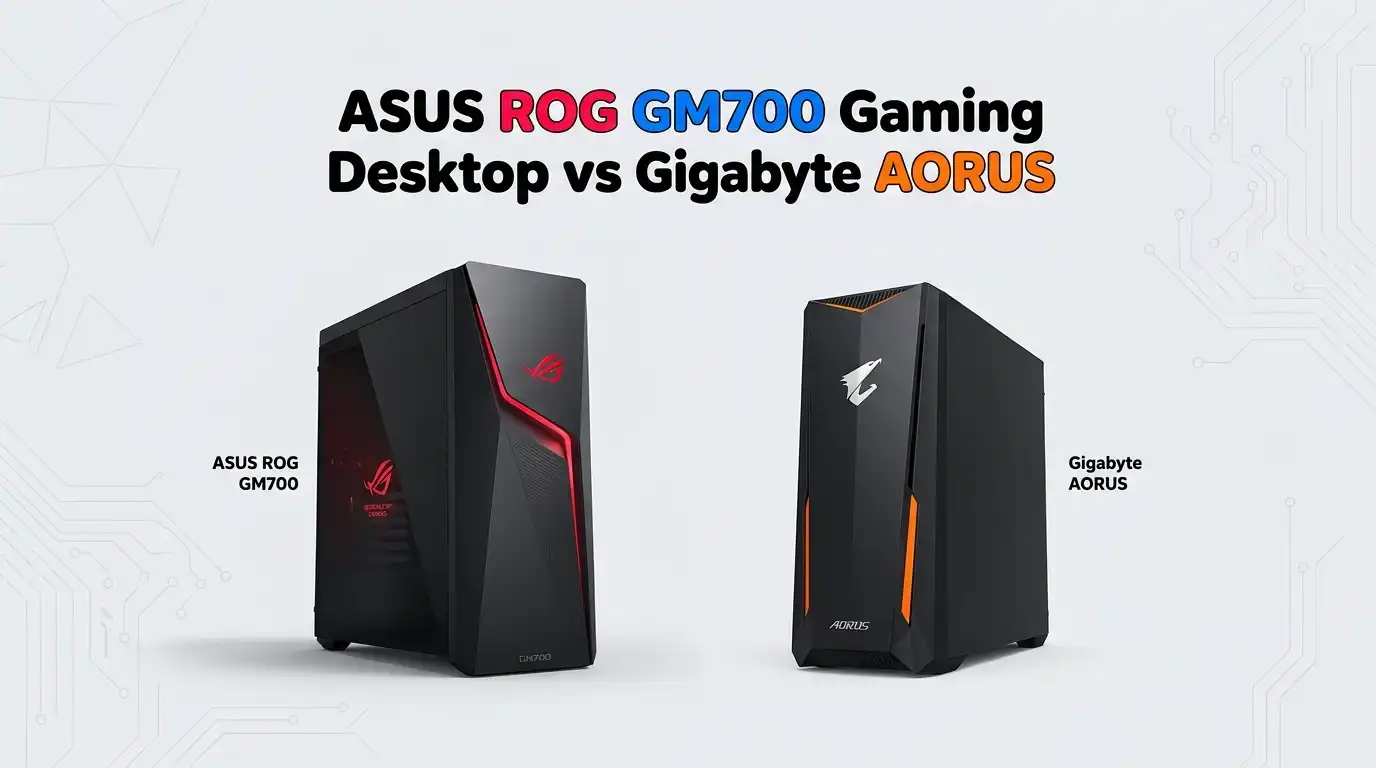
The physical design and build quality impact your overall experience beyond just aesthetics. ASUS ROG GM700 features a 58-liter full-tower chassis with an iconic asymmetric design. The case incorporates premium materials and excellent cable management options.
The front panel design prioritizes aesthetics with hidden air intakes rather than visible mesh. This approach maintains a sleek appearance while ensuring proper airflow. The glass side panel showcases internal components and RGB lighting effectively.
Gigabyte AORUS desktops feature professional gaming aesthetics with different designs for PRIME and SUPREME models. The SUPREME 5 includes premium chassis design reflecting its flagship positioning.
Both ASUS and Gigabyte designs work well in both gaming rooms and professional settings. The build quality from both manufacturers meets high standards with proper component spacing and thermal management considerations.
The physical quality feels solid in both systems with careful attention to cable routing and component placement. Neither system feels cheap or flimsy. The design differences reflect personal preference more than objective quality differences.
RGB Lighting and Customization Options
Modern gaming desktops emphasize RGB lighting customization for personal expression. ASUS ROG GM700 comes with Aura Sync technology supporting 16 million colors and multiple preset effects.
The RGB customization works across compatible ASUS peripherals including keyboards, mice, and headsets. Aura Creator software provides an intuitive interface for setting up complex lighting scenes. Game-specific profiles can automatically adjust lighting based on the game you are playing.
Gigabyte AORUS desktops feature RGB Fusion 2.0 technology with similar capabilities. The system supports multiple color options and effects through AORUS software. Lighting synchronization across compatible Gigabyte peripherals provides unified aesthetics. Both systems allow detailed control over individual component lighting.
RGB customization remains purely cosmetic and does not impact gaming performance. The extensive options allow personalizing your system to match your gaming room design. Both brands provide excellent lighting customization software that rivals the other.
Software, Drivers, and System Management
Post-purchase experience depends heavily on software quality and driver support. ASUS ROG GM700 includes Armoury Crate as the central management hub. This software provides real-time component monitoring including temperatures, voltage, and clock speeds.
Game optimization profiles automatically tune settings for specific popular titles. Exclusive game deals appear in the software, providing discounts on digital titles. RGB customization integrates into this unified interface rather than requiring separate applications.
Gigabyte AORUS systems use AORUS Control Center and related software for system management. The software provides similar monitoring capabilities and game-specific optimizations. Driver updates come directly through Gigabyte’s support channels. Both brands maintain active driver development for GPU and motherboard components.
Both software suites provide capable system management without excessive bloat. The choice between them comes down to personal software preference. Neither forces unnecessary features that slow system performance.
Warranty, Support, and Customer Service
Purchase protection and support quality matter for expensive gaming desktops. ASUS ROG systems typically include 1 year limited hardware warranty on most configurations.
Additional extended warranty options exist through retail partners. Support availability varies by region, with North America and Europe offering better support options than some other areas. Online forums and communities provide active user support alongside official channels.
Gigabyte AORUS desktops include similar warranty coverage with regional variations. Customer service responsiveness varies depending on your location and retailer. The AORUS community provides active support through forums and social media. Both manufacturers offer similar support levels overall.
Warranty coverage and support represent insurance against hardware failures. The actual statistical failure rates between ASUS and Gigabyte prebuilts remain comparable. Your biggest protection comes from purchasing from reputable retailers with good return policies.
Price and Value Proposition
Pricing represents a critical decision factor for gaming desktops. ASUS ROG GM700 configurations range from approximately $1200 USD for entry-level models with RTX 5070 and Ryzen 5 processors, up to $3500 or more for configurations with RTX 5090 and Ryzen 7 9800X3D. The base configurations offer excellent value for serious gaming. Premium configurations command premium pricing reflecting their top-tier components.
Gigabyte AORUS PRIME 5 starts around $1400 USD with competitive specifications. AORUS SUPREME 5 configurations begin around $2500 USD and scale upward. Both Gigabyte options compete directly with equivalent ASUS configurations in terms of pricing. The actual price depends on sales, retailer promotions, and your specific configuration choices.
Both brands offer good value at their respective price points. The difference between them matters less than selecting the right configuration tier for your gaming needs and budget.
Frequently Asked Questions
Which system is better for 1440p gaming?
Both ASUS ROG GM700 and Gigabyte AORUS systems handle 1440p gaming exceptionally well. Even the mid-tier RTX 5070 Ti configurations deliver 1440p gaming with maximum settings and high frame rates. Your choice between them should focus on other factors like price, design preference, and specific features rather than 1440p performance capability.
Does the Ryzen 7 9800X3D provide significant gaming benefits over the 9700X?
The 9800X3D offers approximately 5 to 10 percent higher frame rates in gaming compared to the 9700X due to the X3D cache technology. The benefit becomes more noticeable in very demanding titles at maximum settings. For most games at standard quality settings, both processors deliver excellent performance that exceeds 100+ FPS easily.
Should I choose the 32GB or 64GB RAM option?
For gaming alone, 32GB RAM proves sufficient and handles all current and near-future games smoothly. Choose 64GB if you plan to stream gameplay, run heavy content creation software, or maintain many browser tabs simultaneously. The RAM can always be upgraded later, though some systems make this easier than others.
Is liquid cooling necessary for gaming desktops?
Liquid cooling provides advantages mainly in extreme overclocking scenarios that most gamers never pursue. Air cooling with properly designed chassis and case fans keeps components cool and running optimally for standard gaming. Liquid cooling offers quieter operation and better aesthetics rather than essential performance benefits for typical gaming use.
How do I decide between ASUS and Gigabyte?
Your decision should consider personal experience with each brand, software preference, and specific configuration options. Both brands deliver excellent gaming desktops with comparable performance at similar price points. Visit your local retailer if possible to see both in person, as physical design preference often influences the final decision.
What is the best configuration for budget-conscious gamers?
The ASUS ROG GM700 with RTX 5070 and Ryzen 5 processor offers exceptional gaming performance at the lowest price point. Similarly, checking for entry-level AORUS configurations provides comparable options. These mid-range systems handle current games smoothly without requiring maximum-tier components.
Do these systems support future upgrades?
Both systems allow GPU, RAM, and storage upgrades. The ASUS ROG GM700 supports larger GPU upgrades due to the spacious 58L chassis. Graphics cards, RAM modules, and storage drives can all be replaced or upgraded in both systems. Check maximum supported specifications for your chosen model before planning upgrades.
Which system provides better value?
Value depends on your specific needs and budget. ASUS ROG GM700 offers excellent quality and competitive pricing across multiple configurations. Gigabyte AORUS provides equally good value with different design aesthetics. Shopping sales and promotions often matters more than the base pricing difference between them.

Hello, i’m Ivoria i am the face behind Tech Tracker Blog. I am passionate about my work and love to explore gadgets and share about my experience.